
HTTPS redirects for any domain.No “Not secure” warning.
Registrar forwarding often answers only on http://, so https:// links to your domain show a warning. Point the domain to RedirHub and its certificate is issued and renewed for you, root and www included.
Automatic HTTPS on every plan. 14-day free trial on Pro.
Trusted by teams that run their own domains
- Global PoPs
- 130
- median first byte. Bitly: 116ms*
- 16ms
- platform uptime
- 99.99%
* From our public redirect speed test: median time to first byte over the last 7 days, averaged over Washington, D.C., Frankfurt and Tokyo. See the provider rankings · Uptime status page
Why forwarding shows “Not secure”
A redirect needs its own certificate. Most forwarding doesn't have one.
When a domain is forwarded at the registrar, http:// links work but https:// links hit a warning or fail, because nothing holds a certificate for that domain. RedirHub answers on both and keeps the path and query string.
Issued for you
Point the domain to RedirHub and the certificate is issued as soon as DNS is in place. Nothing to buy, upload or install.
Root and www together
example.com and www.example.com are covered by the same domain, in one slot of your plan.
Renewed before it expires
Renewal is automatic, so a forgotten date never turns into a warning page for your visitors.
Step by step
Set it up where your domain's DNS lives
Each guide shows the record to add at that provider and what to check once the certificate is issued.
- GoDaddy
- Namecheap
- Cloudflare
- Network Solutions
- Hover
- Amazon Route 53
- Google Cloud DNS
- Azure DNS
- DigitalOcean
- DNS Made Easy
- NS1
- TransIP
- EuroDNS
- Mijndomein
Another provider? Any DNS host that lets you add a CNAME or A record works. Connect DNS →
Certificate status
When a certificate can't be issued, you see why
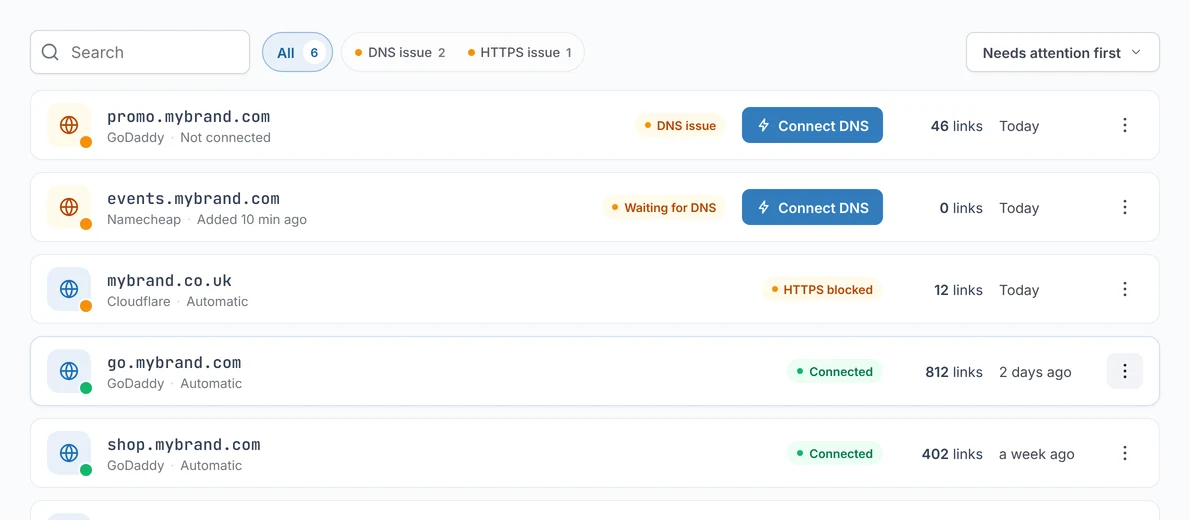
Each domain shows its HTTPS status. If something on your side blocks the certificate, the dashboard and an email name it, and it is tried again as soon as DNS changes.
- HTTPS activeIssued and renewed automatically. Nothing to do.
- Pending DNSWaiting for the CNAME or A record. Issued the moment DNS resolves to RedirHub.
- Blocked · proxiedA DNS proxy sits in front of the hostname. Switch the record to DNS only.
- Blocked · DNSSECThe zone's DNSSEC chain fails validation, so the certificate authority can't verify the domain.
- Blocked · rejectedThe certificate authority declined the order. The message tells you what it objected to.

However your domain connects
Who holds the certificate
Domains pointed to RedirHub
RedirHub issues and renews the certificate. On every plan.
How automatic HTTPS works →Your live website (Integration Mode)
Your site keeps its DNS and its own certificate; your platform serves the redirects.
Cloudflare & Next.js redirects →Your own servers (Self-Hosted Edge)
RedirHub issues, renews and syncs the certificates to your servers. A Pro add-on.
Self-Hosted Edge →Your own certificate, when a policy requires it, is available on Enterprise.
FAQ