
Direct Answer
To redirect a domain whose DNS is at Namecheap, create the redirect in RedirHub, then in Namecheap's Advanced DNS point the root domain to RedirHub with an A record, add the TXT verification record, and point www with a CNAME. RedirHub detects the change and issues the SSL certificate automatically.
Namecheap's built-in URL Redirect Records cover simple cases, but they are limited: HTTPS on the old domain may not work, and there are no path rules, analytics or bulk tools. RedirHub adds all of that while your domain and DNS stay at Namecheap.
Before you start#
- Your domain uses Namecheap BasicDNS or PremiumDNS. If it uses custom nameservers, make the changes at that DNS provider instead (how to check).
- A RedirHub account. The 14-day free trial is enough for this guide.
- About 10 minutes, plus time for DNS to update.
Step 1: Create the redirect in RedirHub#
In the RedirHub dashboard, open Links, click Create and choose Domain Redirect. Enter your source domain and destination, choose the intended redirect type and path/query forwarding, then create the redirect. Follow Connect DNS for the required records.
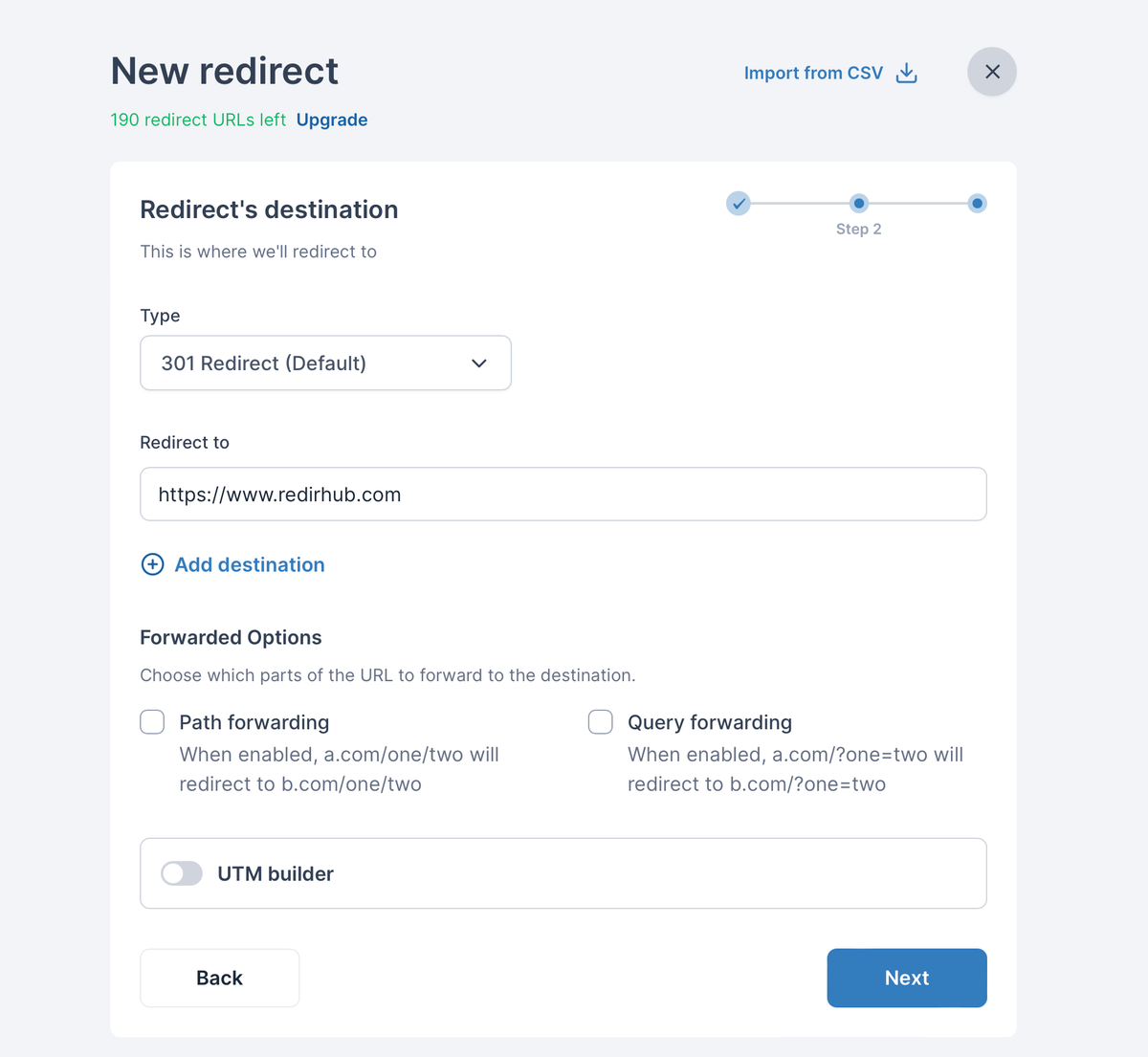
The root domain covers www
You don't need to add www separately. A redirect for the root domain also covers www, including the same paths, as long as www points to RedirHub in DNS.
Need more detail on these options? See Setting Up URL Redirects and Redirect Methods Explained.
Step 2: Open Connect DNS in RedirHub#
Click Connect DNS in the notice that appears after you create the redirect, or open Hostnames and click Connect DNS next to the domain. Namecheap doesn't support automatic setup yet, so RedirHub opens the Manual tab. It lists each record with a copy button, plus any old record you need to delete.
| Host | Type | Value |
|---|---|---|
| @ (root domain) | A | 3.33.236.10 |
| @ (root domain) | TXT | Your verification value, e.g. rehd-verify=abc123.rediredge.com |
| www | CNAME | Your CNAME target, e.g. abc123.rediredge.com |
Step 3: Update the DNS records at Namecheap#
- Log in to Namecheap, open Domain List and click Manage next to your domain.
- Open Advanced DNS.
- Delete any URL Redirect Record and the default parking records (for example a CNAME for www pointing to parkingpage.namecheap.com), plus other A, AAAA and CNAME records for @ and www.
- Click Add New Record: A Record, host @, value 3.33.236.10.
- Add a TXT Record: host @, value from your dashboard.
- Add a CNAME Record: host www, value from your dashboard.
- Click the green check mark or Save all changes.
Only change A, AAAA and CNAME records for the root and www: your email (MX) and other TXT records keep working as before.
Don't put a CNAME on @
Use the A record plus TXT for the root domain. A CNAME on @ conflicts with other records such as MX, which can break your email.
Step 4: Wait for Connected and HTTPS#
RedirHub checks the records automatically. Changes are often picked up within minutes but can take up to 24 hours, depending on the TTL of the old records. When the domain shows Connected, the redirect is live, and the SSL certificate status changes to Secured shortly after.
Step 5: Test the redirect#
Open your domain in a private browser window and check the homepage, a deeper page and the www version, over both http:// and https://. If something doesn't work yet, see Troubleshooting new redirects or how long DNS changes take.
Frequently asked questions
No. Your domain and DNS stay at Namecheap. You only change the records for the root domain and www.
At the DNS provider those nameservers belong to, for example Cloudflare. Namecheap's Advanced DNS page only applies when the domain uses Namecheap BasicDNS or PremiumDNS.
Yes. You only replace A, AAAA and CNAME records for the root domain and www. MX records and other TXT records, such as SPF, stay as they are.
No. The root domain redirect also covers www, as long as www points to RedirHub with the CNAME record. Add www separately only if it should go somewhere else.
Usually minutes, sometimes up to 24 hours while the old DNS records expire. RedirHub detects the change automatically and then issues the SSL certificate.