


Direct Answer
Auto-redirect creates a redirect for you whenever a new domain or subdomain starts pointing to RedirHub. You choose which hostnames it covers, where they go and the redirect type once; after that, every new domain that points at your workspace is redirected automatically. Existing redirects are never changed.
Who can use it#
Auto-redirect is included in the Enterprise plan and comes with the Dedicated Cluster add-on on the Pro plan. It works best together with your workspace’s nameservers: change a domain’s name servers to the pair shown in your settings, and its redirect is created as soon as the first visitor arrives.
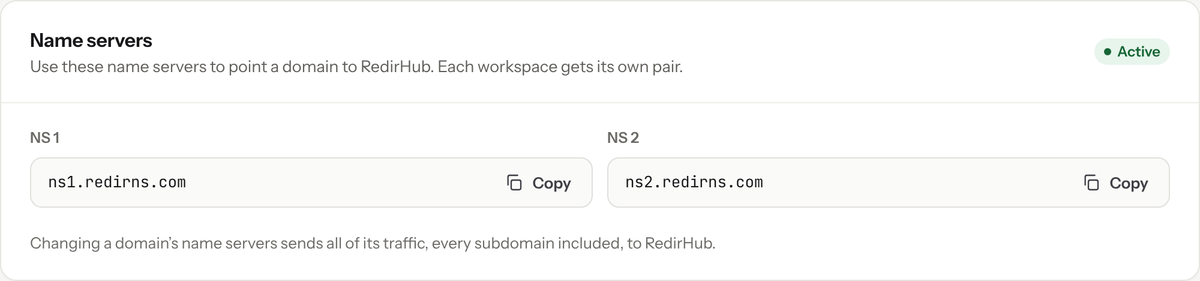
Your workspace’s name servers. Each workspace has its own pair.
Turn on auto-redirect#
- In the RedirHub dashboard, open your workspace settings and go to Network Security.
- Under Auto-redirect, choose a redirect mode. Root domain only is recommended.
- Enter the Destination URL where new domains should go. You can use variables, described below.
- Pick the redirect type: 301 (the default), 302, 307 or 308.
- Select Save.
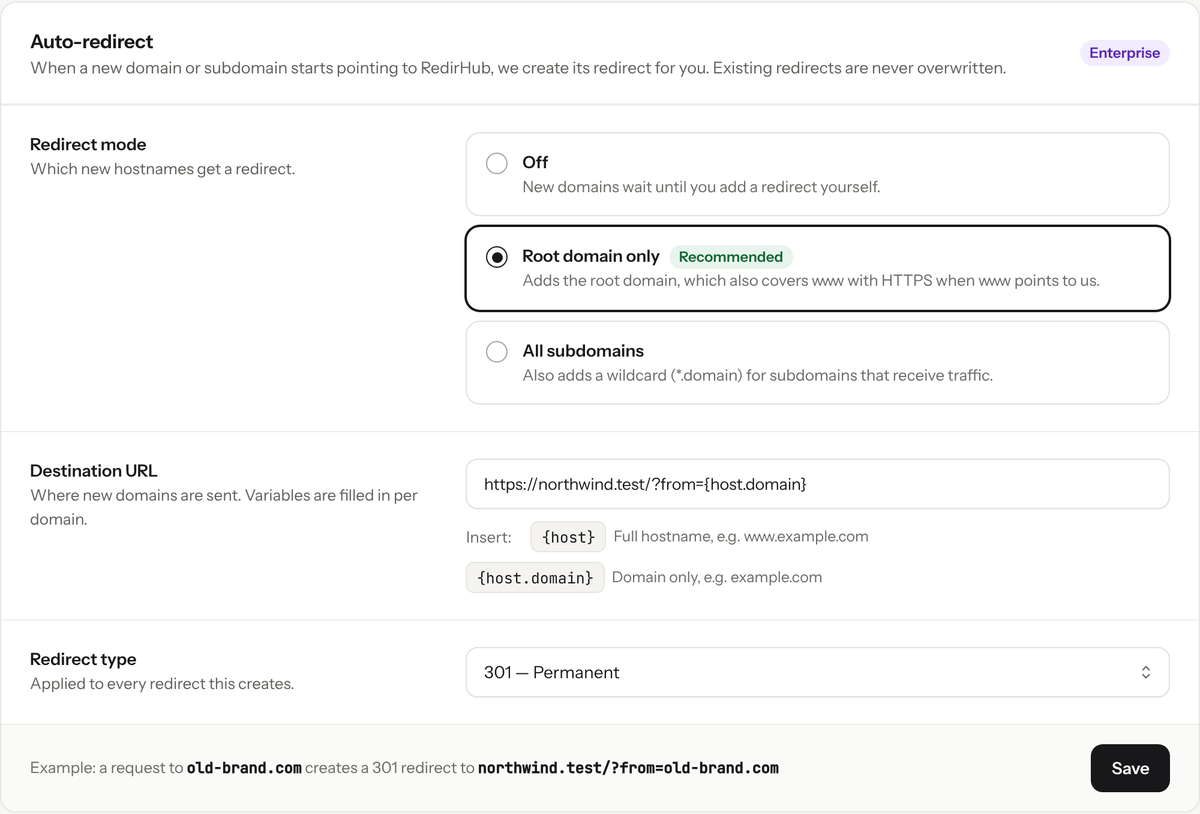
Auto-redirect with Root domain only, sending every new domain to one site.
Redirect modes#
- Off: nothing is created automatically. This is the default.
- Root domain only (recommended): only the root domain, such as example.com, gets a redirect. It also covers www.example.com, with HTTPS, when www points to RedirHub too.
- All subdomains: also adds a wildcard redirect, such as *.example.com, when subdomains of a domain receive traffic.
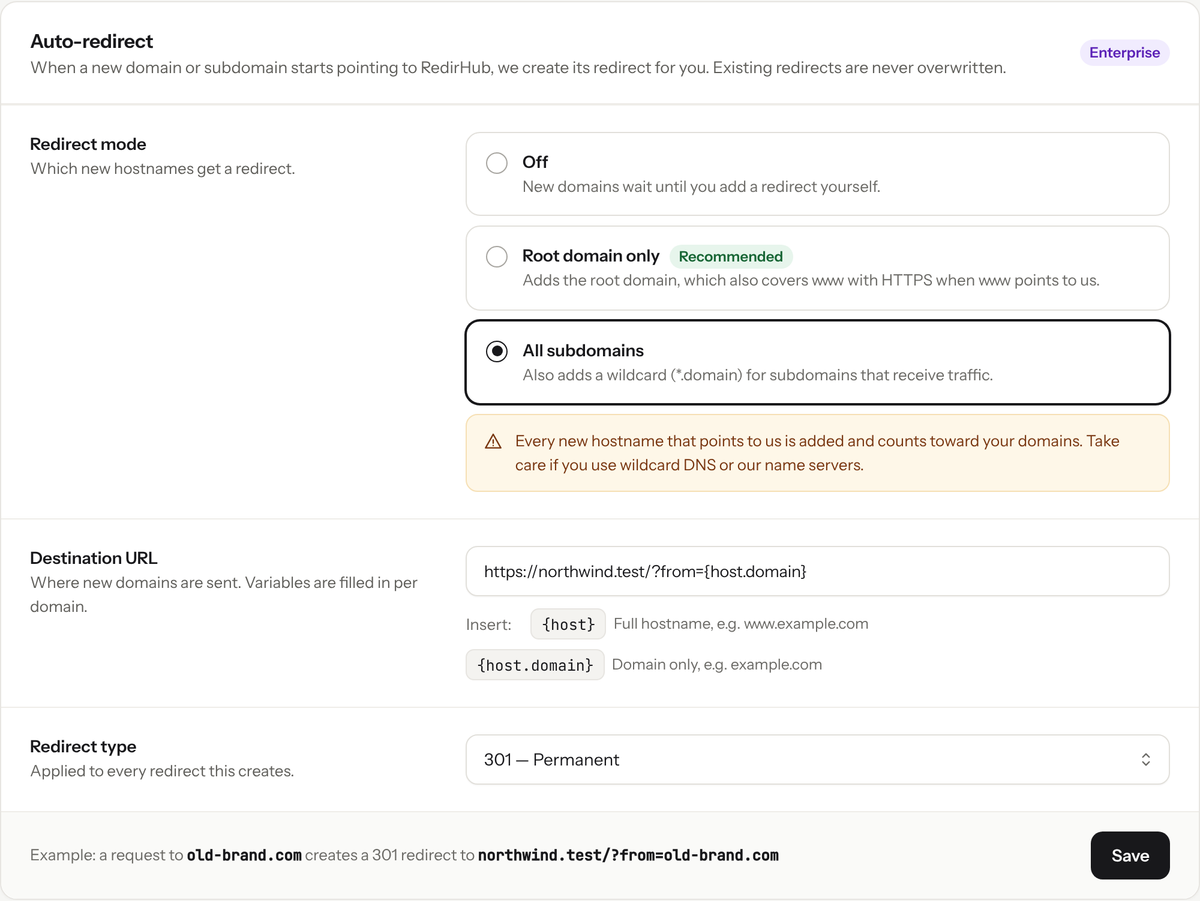
All subdomains adds a wildcard redirect for each domain.
Watch your domain usage
Every new hostname that points to RedirHub is added and counts toward your plan’s domains. Take care with All subdomains if you use wildcard DNS or our nameservers, where any hostname can reach us.
Send each domain somewhere different#
The destination URL can include {host} (the full hostname, for example www.example.com) and {host.domain} (the domain only, for example example.com). With https://northwind.com/?from={host.domain}, a visit to old-brand.com is redirected to https://northwind.com/?from=old-brand.com.
See Destination URL Variables for more examples.
What happens behind the scenes#
- A redirect is created when a hostname without one first receives traffic, and only if its DNS really points to RedirHub.
- HTTPS is set up automatically for the new domain.
- Existing redirects are never overwritten.
- New redirects don’t forward the path or query string. You can change that, or anything else, by editing the redirect like any other.
Don’t see the setting?#
On plans without auto-redirect the section is shown but locked. Upgrade to Enterprise, or add the Dedicated Cluster to your Pro plan, to turn it on.
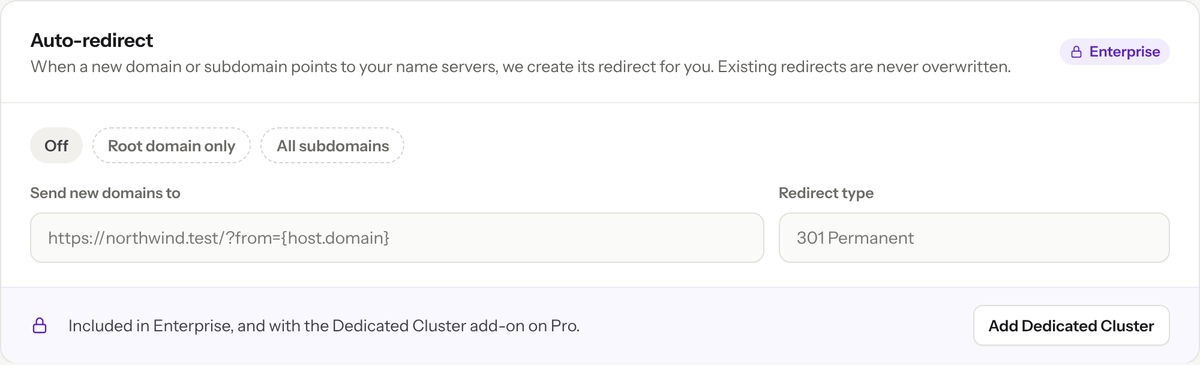
On Pro without the Dedicated Cluster add-on, auto-redirect is locked.
Frequently asked questions
No. It only creates redirects for hostnames that don’t have one yet. Existing redirects are never overwritten.
No, but it is the easiest way. Any domain or subdomain whose DNS points to RedirHub can be picked up. With nameservers, every hostname under the domain reaches RedirHub automatically.
Yes. Each new hostname that gets a redirect counts toward your plan’s domains, so choose All subdomains with care.