
Need to redirect everything on your domain without the hassle of managing your own DNS server?
RedirHub offers dedicated nameservers that automatically configure DNS records to point in the right direction. This is ideal for parked domains where all subdomains should be redirected seamlessly via RedirHub.
Our nameservers are powered by a high-performance edge network, ensuring reliable and fast redirections, just as you’d expect.
Available as an add-on on the Pro plan, and on Enterprise by contract.
Running a large portfolio and want the name servers on your own domain, such as ns1.yourbrand.com? See white-label nameservers.
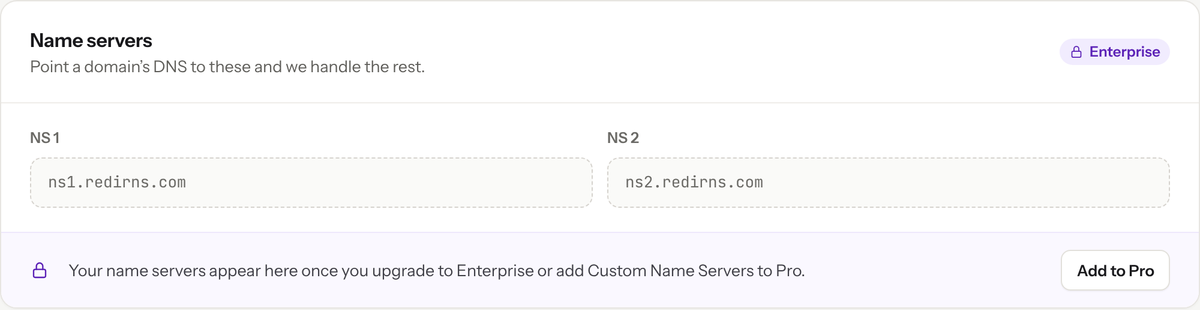
Without Enterprise or the Custom Name Servers add-on, your name servers are locked.
Warning: Changing your nameservers will redirect all traffic under your domain to RedirHub. Proceed with caution and only if you’re sure about the implications! In many cases, it’s best to keep your existing nameservers.
You can find your assigned nameservers in your workspace settings, under Network Security. Each workspace is provided with a unique set of nameservers, enabling domain ownership verification. Make sure to use only your specific nameserver combination.
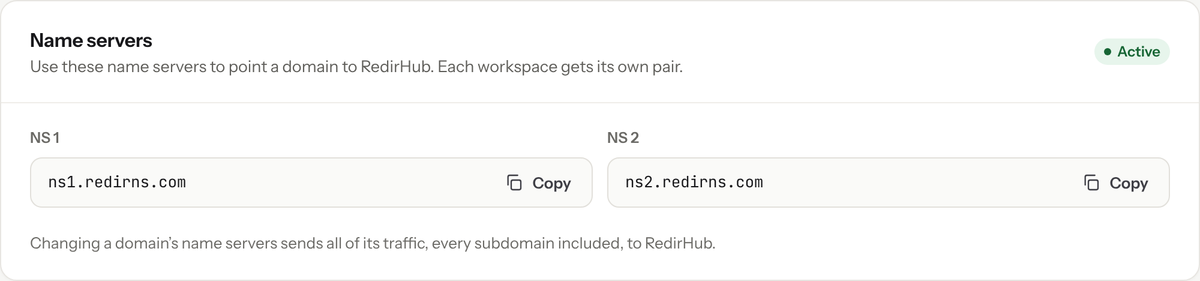
Your workspace’s name servers. Copy them into your domain registrar.
Example Nameservers
The following DNS records will be returned for all domains:
@       IN      SOA     ns1.redirns.com. admin.redirhub.com. (
                            2024072901 ; Serial
                            3600       ; Refresh
                            1800       ; Retry
                            1209600    ; Expire
                            3600 )     ; Minimum TTL

        IN      NS      ns1.redirns.com.
        IN      NS      ns2.redirns.com.

        IN      A       3.33.236.10
*       IN      A       3.33.236.10
        IN      CAA     0 issue "letsencrypt.org"
        IN      CAA     0 issue "sectigo.com"
_dmarc  IN      TXT     "v=DMARC1; p=reject;"
Add your own records#
When your name servers run on your own dedicated edge nodes (Enterprise, or the Dedicated Cluster add-on on Pro), you can add TXT records yourself, for example to verify your domains with a search console or a marketplace. Open Network & security, find DNS records under Name servers, and paste the value the service gives you. Every domain on your name servers answers with it within a few minutes, and so do the domains you add later.
You can keep up to 20 records. The workspace owner and managers can add, change and remove them; members can see them. For MX or other records, or when your name servers run on our shared edge, contact support and our team adds them for you.