
Key takeaways
White labeling means the URL in the code uses your domain, not the generator's hostname; a logo alone does not make a code yours. A dynamic code on your domain lets an authorized editor change the destination after printing. Choose error correction for the placement and keep the quiet zone, contrast and module size intact. Require roles, edit history, bulk controls and workspace ownership so codes outlast staff and agency changes. A custom domain supports continuity but does not prevent phishing, so monitor destinations and inspect physical placements.
68% of U.S. adults had used a QR code during the previous 12 months, according to a 2024 TEAM LEWIS survey of 1,000 adults summarized by Fast QR[1]. That makes a printed code more than a convenient shortcut. It's a public entry point to your website, forms, files, or payment experience.
A white label QR code generator should give you control over that entry point, not just its colors. The practical questions are which domain the code contains, whether someone can change its destination after printing, and who has permission to make that change.
What a White Label QR Code Generator Is#
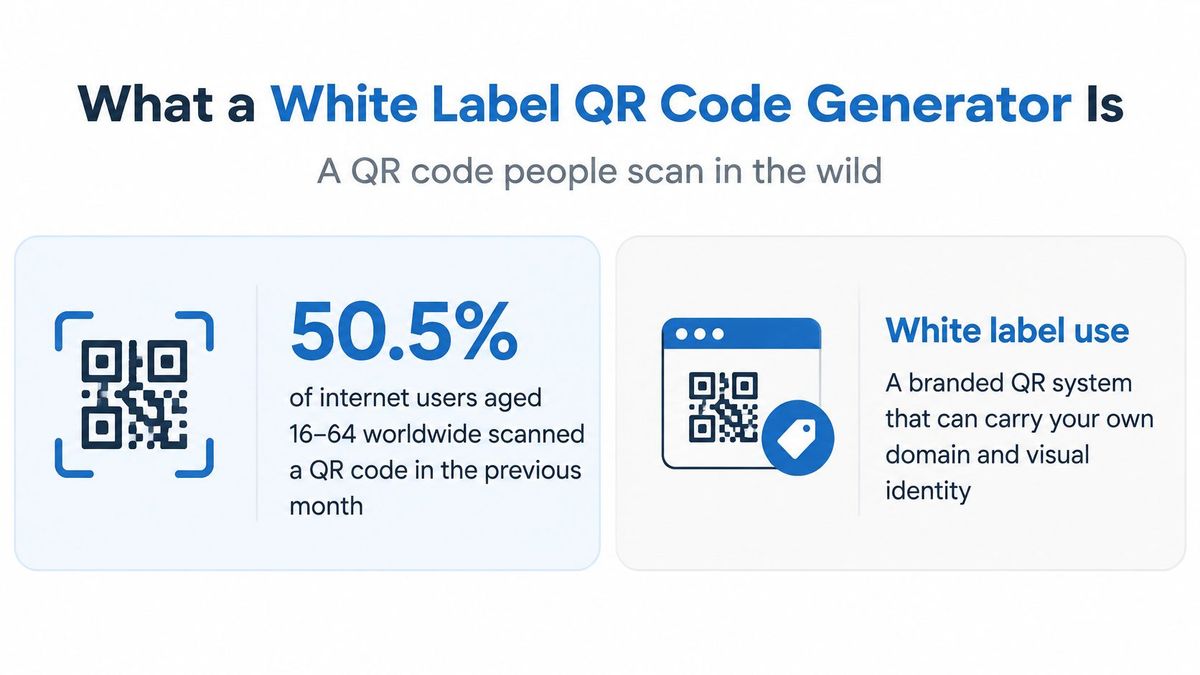
A QR code is a printed doorway to a web destination. The pattern may stay on a menu, package, or event sign for months, while the page behind it can change. White labeling means the URL encoded in the code uses the customer's domain, rather than a generator's hostname.
For example, a restaurant's table card might show its logo, but the code could still send customers through a third-party domain. The design looks branded; the address customers see does not belong to the restaurant. Logo, color and shape rules are covered in our guide to branded QR codes; this one is about the address underneath.
The image and destination are different assets#
A dynamic QR code encodes a stable URL on the customer's domain. That URL redirects to the current destination, so an authorized editor can replace a menu, landing page, or form without changing the printed pattern. The code is the signpost; the redirect record is the route it points to.
A static code can also encode a customer-domain URL, but it does not by itself provide a managed redirect record, destination editing, or platform analytics. Those functions depend on the service handling the encoded URL. Visual branding alone does not make a code safe or scannable.
Brand ownership and agency white labeling#
The term white label can describe two different arrangements:
- Brand-owner white labeling puts the customer's domain, name, and visual identity in the experience.
- Agency white labeling lets an agency present a platform under its own name and manage work for clients. Before choosing this setup, clarify who controls client access, billing, and data.
For events, Wedding Studio QR codes[2] offer a guest-facing example. The infrastructure question remains the same: who can change the destination after the organizer or agency has finished its work? A branded appearance is only one part of the answer.
How the Printed Code Stays Readable#
The file your designer downloads must remain readable after a printer, material, and camera have each affected its appearance. A sharp preview on a monitor isn't proof that the final object will scan.
ISO/IEC 18004[3] defines QR encoding, symbol dimensions, error correction, decoding, and production-quality requirements; its Reed–Solomon recovery levels restore approximately 7%, 15%, 25%, and 30% of codewords at levels L, M, Q, and H respectively. These percentages describe codeword recovery, not a guarantee that you can cover the same percentage of the image with a logo.
Choose recovery for the placement#
| Level | Restores about | Use when | Trade-off |
|---|---|---|---|
| L | 7% of codewords | Clean digital screens and short-lived indoor graphics | Smallest symbol, least damage tolerance |
| M | 15% of codewords | Indoor print, menus, and counter cards | Practical default for most campaigns |
| Q | 25% of codewords | Packaging, mailers, and light outdoor use | Denser or larger than M |
| H | 30% of codewords | Outdoor signage, vehicles, and logo-heavy marks | Largest symbol, highest abrasion tolerance |
Higher correction adds redundant information. For the same encoded content, that can require a denser pattern or a larger physical symbol, so maximum correction isn't automatically the best setting.
Use M as a practical starting point for clean indoor print, then consider Q or H when handling, weather, or partial obstruction is likely. A logo-heavy design still needs testing, even at H. Error correction can't compensate for every placement of an obstruction, and it can't remove glare from a glossy surface.
Check the geometry before downloading#
The quiet zone is the clear space surrounding the pattern. Keep text, borders, illustrations, and neighboring graphics outside it. A designer who crops that space to fit a layout can make an otherwise valid code difficult to detect.
Check contrast and module size too. Modules are the small cells forming the pattern; shrinking a dense code can leave the printer unable to reproduce them cleanly. Prefer dark modules on a light background, avoid decorative treatments that blur cell boundaries, and inspect the exported file rather than relying on the editor preview.
Finally, encode a short, stable HTTPS URL on the customer's domain rather than a long destination with campaign parameters. A shorter payload generally needs a less complex symbol. Keep routing, destination edits, analytics, and monitoring on the server, where they can change without altering the printed pattern.
Features Worth Requiring Before You Buy#
| Capability | Why it matters | If it is missing |
|---|---|---|
| Customer domain in the encoded URL | Public scans show the brand, not the vendor | Every printed code advertises a tool hostname |
| Dynamic destination | Offer, menu, or form can change after print | The code remains tied to the original landing page |
| Short stable slug | Lower symbol density and a URL people can type | Long tracked URLs create unnecessarily dense codes |
| Selectable error correction | Match indoor screens, packaging, or outdoor wear | An unsuitable default leaves little damage tolerance |
| Quiet zone, contrast, and size checks | Catch unscannable files before the print run | A styled code fails at the camera |
| Roles and edit history | Show who changed a destination and allow reversal | Shared logins leave no reliable audit trail |
| Scans, uniques, repeats, and errors | Separate interest from failed destinations | A single scan total hides broken pages |
| Bulk pause, tag, and export | Stop or report a whole campaign at once | Staff make individual edits during an incident |
| Workspace ownership | Codes stay when staff or agencies change | Assets remain tied to one person's login |
Evaluate what happens after export#
A customer domain is valuable because the organization controls the public address, but domain ownership alone doesn't guarantee an easy migration. Preserve an export of the paths and destinations, and establish how another service could serve those same paths if you switch providers.
Without destination editing, replacing a deleted menu or retired registration form becomes a website repair job rather than a straightforward link update. Without a short stable slug, marketers may encode a long tracked address that's awkward to print beside the code and harder for people to type.
Correction settings and rendering checks solve different problems. The former provides recovery capacity; the latter helps prevent a poor file from reaching production. Neither replaces a scan test of the final material.
Test the management workflow#
For permissions, test an actual destination change rather than accepting a feature label. A reviewer should be able to identify the previous destination, the editor, and the time, then restore the approved target. If everyone uses an administrator login, the history won't reliably identify who acted.
Analytics also deserve a demonstration. Use the QR code generator with tracking guide to frame the distinction between recorded scans and useful campaign reporting. Ask how the platform defines unique visitors, handles repeat activity, and reports failed destinations before treating its totals as audience counts.
Bulk controls matter when a campaign must stop, not just when it launches. Tags should let an operator identify the affected materials, preview a change, and export the relevant records without opening every code individually.
Agency buyers have another operational layer. Sup's white-label influencer marketing for agencies[4] provides an adjacent example of services delivered under an agency identity. For QR infrastructure, that presentation must remain separate from client asset ownership and access.
A color picker, logo upload, and download button aren't enough for a durable campaign. The buying decision should turn on what your team can repair, reverse, measure, and retain.
Your domain, the vendor’s servers#
A white label code puts your hostname in the pattern, but every scan is still answered by the vendor’s redirect servers, so their speed is the first thing a person waits for. In RedirHub’s redirect speed benchmark[5] for 27 October to 3 November 2026, the median time to first byte of a redirect, averaged over Washington, D.C., Frankfurt and Tokyo, ranged from 9 ms (Amazon CloudFront) to 586 ms (Apache) across 27 providers. Link and QR code services spread across most of that range:
| Service | Median time to first byte |
|---|---|
| RedirHub | 15 ms |
| Dub | 38 ms |
| Short.io | 55 ms |
| TinyURL | 93 ms |
| Bitly | 115 ms |
| Cuttly | 229 ms |
| Rebrandly | 267 ms |
| BL.INK | 512 ms |
Moving codes to your own domain changes the address people see, not the infrastructure behind it, so add redirect speed to the checklist above and test a code on the vendor’s network from the regions your audience scans in.
Custom Domain Codes Across a Live Campaign#
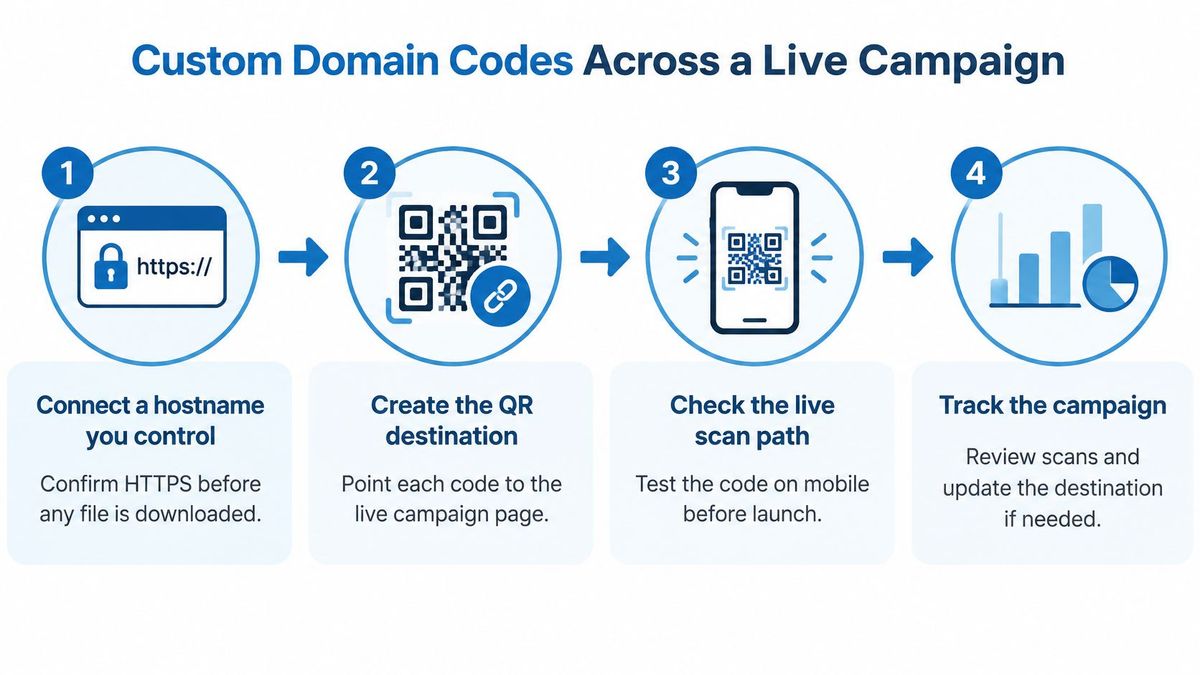
Treat the custom domain as the campaign's public address, not a decorative frame around a vendor link. Before printing anything, assign someone responsibility for keeping that hostname connected, its registration current, and its destinations maintained.
The launch workflow should preserve the public address while allowing the campaign content to evolve.
Build and verify the scan path#
- Connect a hostname you control. Confirm HTTPS works before downloading any image. A certificate warning is a launch blocker, not a detail to fix after distribution.
- Create a short, readable slug. A path such as
menuis easier to recognize and type than a random string. Avoid putting temporary offer details into an address intended to last. - Set the current destination. Point the record to the intended page, PDF, form, or app link, then open the complete redirect path on a phone.
- Choose correction and export. Match the material and placement, approve the image, and retain the same approved file throughout the print run.
- Publish a text fallback. Print the encoded customer-domain address beside the code so people have an alternative way to open it.
- Edit the destination when the offer changes. Leave the public address and printed artwork untouched. Test the replacement before promoting it.
- Compare reporting periods. Evaluate the launch or update against a relevant previous period rather than treating a lifetime total as campaign performance.
Apply destination swaps to real materials#
A restaurant can replace a seasonal menu PDF behind its existing table code. The operator should check that the new document loads on mobile and that any old specials no longer appear in the customer journey.
A product package might initially direct buyers to warranty registration, then later provide recipes or refill information. Keep essential support accessible instead of replacing a required customer task with a promotion.
An event badge can point to an updated schedule without changing the badge artwork. An organizer should verify that the destination is suitable for attendees, not an internal planning document.
Read failures alongside interest#
Review scans, unique visitors, repeat activity, country, device class, and destination errors where those measures are available. Treat location and unique-visitor estimates as reporting signals, not exact identities.
A rise in errors with flat unique visitors warrants a landing-page check before anyone claims growing interest. It may indicate that people are retrying a failed experience. A familiar hostname helps recognition, but it doesn't establish that the page behind it is safe.
Security Controls for Codes People Trust#
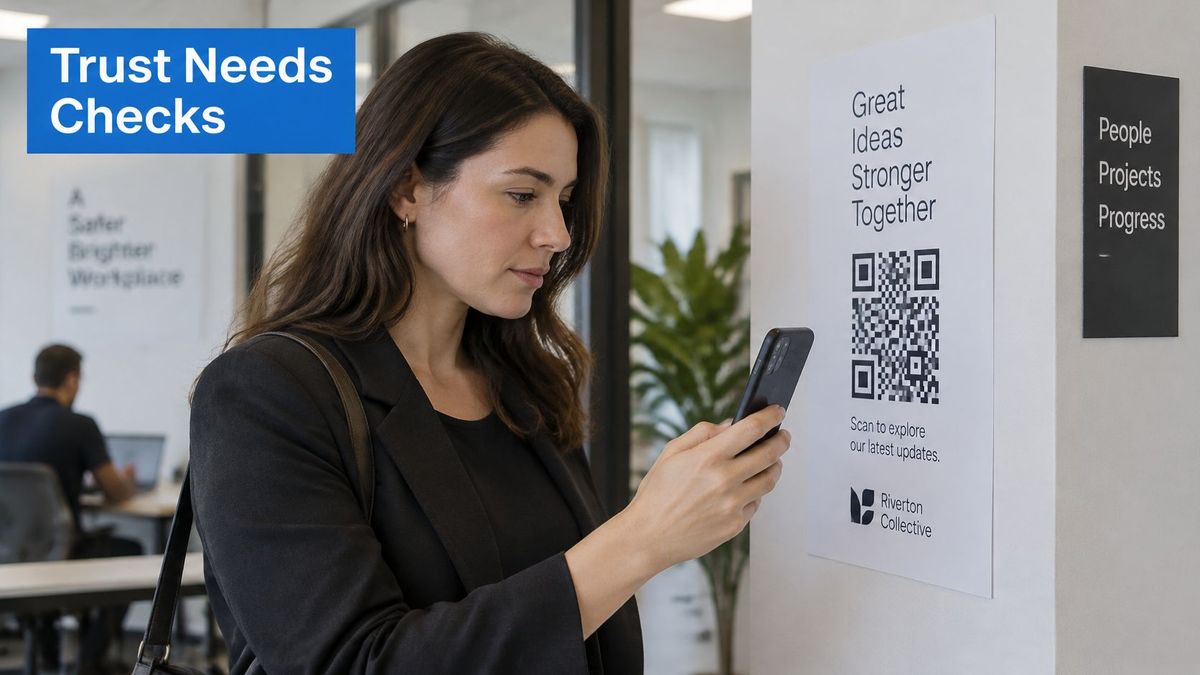
APWG member Mimecast detected 635,672 unique malicious QR codes in email attachments in the second quarter of 2025, according to the APWG phishing activity report[6]. A polished brand mark doesn't establish that a QR destination is legitimate.
A dynamic destination creates an important security responsibility: someone with sufficient access can change where every existing printed copy leads. You need operating rules for that capability, not just confidence in the artwork.
Separate creation, approval, and reporting#
Give staff permissions that match their jobs. A campaign analyst may need reporting access without destination-editing rights, while a designer may need downloadable assets without authority to publish a new target.
Apply explicit operating rules:
- Name the destination owners. Record who can create links, who can edit live destinations, and who approves high-reach changes.
- Review sensitive launches. Require approval before packaging, payment-related materials, or widely distributed advertising goes live.
- Preserve an attributable history. Retain the old destination, replacement destination, editor, and timestamp in a protected audit record.
- Make recovery practical. Document how an operator restores an approved destination or disables access during an incident.
For a destination change, approval should cover the actual address and intended action. A familiar page title or copied logo isn't enough to confirm that a form belongs to the right organization.
Monitor the destination, not just the redirect#
A redirect can respond successfully while sending visitors to a broken or compromised page. Monitor the final destination and review unexpected hostname changes, failed pages, and unusual campaign activity.
Security staff should be able to inventory live codes and identify which printed materials depend on each one. Tagged campaigns make targeted incident handling easier than searching through loosely named records.
Keep control in the client's workspace after an agency handoff, remove access that's no longer needed, and maintain a documented emergency contact. The QR code security guide offers further context for reviewing the risks around the scan journey.
Also inspect physical placements. If someone covers a legitimate poster code with a replacement sticker, your destination permissions won't protect the altered poster. Digital controls and on-site checks address different attack paths.
Placements People Can Actually Scan#
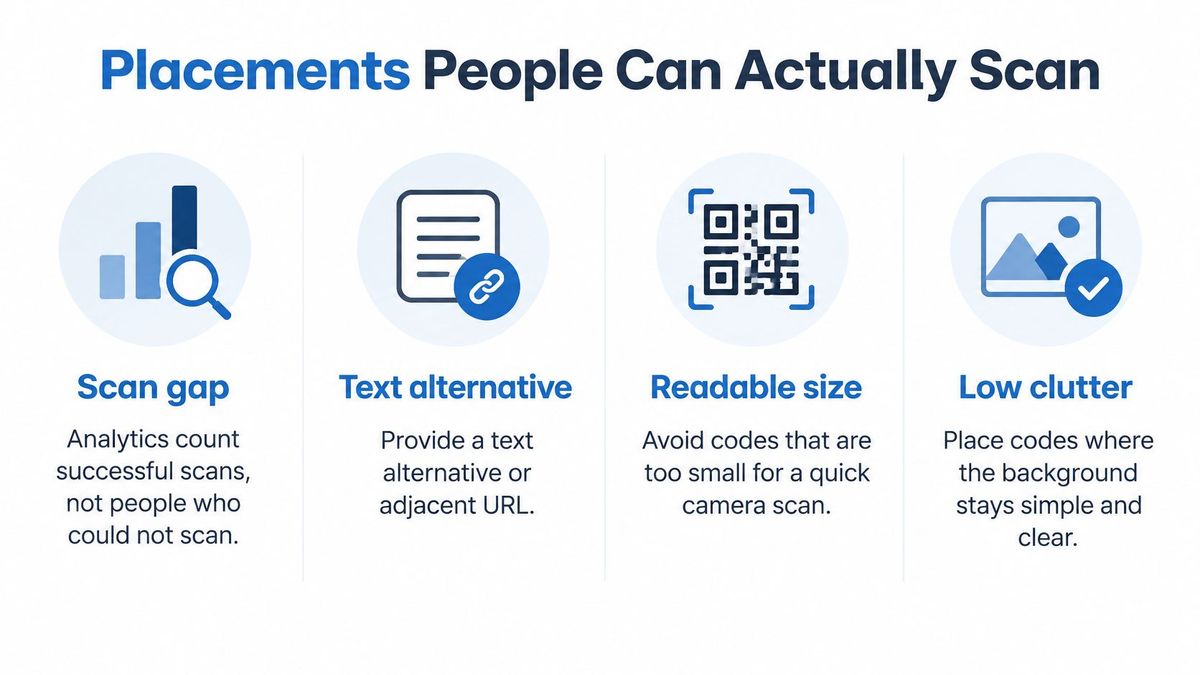
Scan reports don't count everyone who tried and failed. A dashboard can show healthy activity while people with low vision, older cameras, or poor lighting struggle to access the same content.
U.S. Section 508 guidance[7] recommends a text alternative or adjacent URL, warns about small size, poor resolution, low visibility, and lighting, and recommends contrast consistent with WCAG guidance of at least 4.5:1 for normal text and images. Don't treat that contrast figure as a complete QR print specification. The finished placement still needs practical testing.
Match the placement to the person#
For an outdoor bus wrap, start with H correction, generous module size, and a legible short URL underneath. Test while the vehicle is stationary at an appropriate pedestrian viewing point. Don't design an interaction that depends on someone scanning a moving vehicle or using a phone while driving.
An indoor counter card can use M correction when the surface is clean and protected. Keep the quiet zone intact, position the card where a customer can approach it, and avoid placing it behind a reflective display.
A direct-mail piece should print the complete customer-domain address, not just tell recipients to scan. Someone may prefer typing, lack a suitable camera, or be reading the mail while using their phone for another task.
An event sign needs the same attention to reach and alternatives. If its destination collects attendee information, PSW Events' resource on GDPR-compliant event lead collection[8] adds useful planning context. An accessible sign doesn't, by itself, settle the privacy requirements of the form behind it.
Approve the physical experience#
Use a repeatable print-approval routine:
- Test the viewing distance. Scan the code at its intended physical size, not from enlarged artwork on a monitor.
- Use the final material. Check the actual gloss, fabric, glass, or coated stock rather than substituting ordinary office paper.
- Try difficult lighting. Look for glare, shadows, dim areas, and reflections that obscure the pattern.
- Compare phone cameras. Include different devices instead of relying only on the designer's newest phone.
- Open the printed fallback. Type it exactly as printed and confirm that it reaches the same intended content.
- Review the live experience. After launch, investigate destination errors alongside the campaign measures, rather than accepting scan volume as proof of usability.
Keep a record of the approved artwork and material so later print orders don't introduce cropping or scaling changes. The QR code campaigns guide can support planning across placements, while the approval routine confirms whether each physical execution really works.
Keep Codes on a Domain You Own#
A simple generator can be enough for a disposable asset linking to a page you're prepared to keep available. If packaging, signage, mail, or an agency relationship makes replacement difficult, choose managed infrastructure on a domain your organization owns.
Make the decision around the asset's lifetime, not the speed of its first download. A code that remains in circulation needs an accountable owner, a maintainable destination, and a way to recognize failures.
Decide before the next print order#
- Inventory public hostnames. List the addresses already used in printed materials and advertising, including links created by agencies or former employees.
- Identify difficult-to-replace assets. Mark packaging, installed signs, distributed mail, and other materials that can't be readily withdrawn.
- Test operational control. Confirm that your team can retarget a code, pause access, export its record, and investigate errors rather than merely view scans.
- Assign lasting ownership. Keep creation rights and account recovery with the responsible internal team. Treat the agency as a collaborator, not the sole owner.
At RedirHub, white labeling means the brand-owner kind: our dynamic QR codes run on a domain you connect, with HTTPS issued automatically, and their destination can change after printing. They're included on Core, Pro, and Enterprise, with downloads as PNG at 512, 1024, or 2048 pixels, or SVG. The Analytics page shows clicks, unique visitors, QR scans and errors across your domains, each compared with the previous period.
Several checks from the list above map to published features. Each workspace member has one role (Owner, Manager, Editor or Viewer); selecting links opens a bulk bar to tag, change destinations, pause or export them, each previewed before it applies; and on Pro every link shows its change history: who changed it, when, and the old and new values. On Enterprise, by contract, an audit log keeps that history for as long as a link exists.
That gives the organization a stable public address while its team manages the content behind it. You can inspect the workspace through our live demo without signing up before deciding how to organize your domains and campaign records.
Keep every printed code on your own domain
Create dynamic QR codes on a domain you connect, change their destination after printing, and see scans and errors in one dashboard.
Create a dynamic QR codeSources
- [1]Fast QR: QR Code Statistics 2026: Adoption, Usage, and Trends
- [2]Wedding Studio: QR guest album
- [3]ISO/IEC 18004:2015, QR Code bar code symbology specification
- [4]Sup: White-Label Influencer Marketing for Agencies
- [5]RedirHub redirect speed benchmark, 27 October to 3 November 2026
- [6]APWG Phishing Activity Trends Report, 2nd Quarter 2025
- [7]Section508.gov: Accessibility Bytes No. 8: Accessible QR Code Implementation
- [8]PSW Events: Lead Capture at Events: A Practical UK Playbook
Frequently asked questions
It is a QR code tool that encodes URLs on your own domain instead of the generator's hostname, so every printed code carries your brand's address. The term is also used for platforms an agency presents under its own name to manage its clients' codes.
Not necessarily. The logo changes the design, but if the encoded URL runs through a third-party domain, the address behind the code belongs to the vendor. White labeling is about the domain in the code, not its colors.
Yes, if it is dynamic: the code encodes a stable URL on your domain that redirects to the current destination, so an authorized editor can swap the page without reprinting. A static code fixes its destination in the pattern.
M is a practical starting point for clean indoor print; consider Q or H for packaging, outdoor signage or logo-heavy designs. Higher levels make the symbol denser or larger, and none of them replaces a scan test on the final material.
Yes. RedirHub's dynamic QR codes run on a domain you connect, with HTTPS issued automatically, and are included on Core, Pro and Enterprise. Their destination can change after printing, and they download as PNG (512, 1024 or 2048 px) or SVG.

Leo Astarothman is the Brand & Content Lead at RedirHub, where he shapes the company's visual identity, educational content, product experiences, and marketing strategies. He also specializes in system design. Simplifying complex redirect infrastructure into practical resources, product experiences, and campaigns that help businesses understand and adopt modern redirect management.
Related Articles
View All Articles