Key takeaways
Match each QR code to the physical moment it appears in: a menu for a diner, the property page for a buyer, the manual for a product owner. Give every placement its own redirect so you can compare results by location. Keep the printed address stable and change the destination behind it, so a campaign survives offers ending, rebrands and website migrations. Measure the outcome you care about, such as a viewing request or a completed order, not scans alone.
The posters are ready for print, the packaging artwork is approved, and someone asks where the QR code should go. Your homepage is the easy answer. It's rarely the most useful one for someone standing on a platform, sitting at a restaurant table, or looking at a property sign.
Make every QR code earn its place. A scan should remove friction: help a commuter reach a product, a diner open the current menu, or a prospective buyer view the property in front of them. The placement creates an expectation. The destination needs to meet it without making people search again.
Consumer utility is a useful starting point. Survey findings report that 75% of consumers scan primarily for information, compared with 52% for discounts and 35% for payments, according to QR Code Generator's consumer usage research[1]. These motivations aren't interchangeable, so neither should the landing experiences be.
- Start with the physical situation. What does someone need at that moment?
- Define the useful action. Separate opening a page from ordering, registering, or finding an answer.
- Plan beyond launch. Decide who maintains the destination after the materials leave the printer.
Use these placement-led examples alongside your broader QR code marketing strategies[2], with particular attention to what happens after the scan.
1. Homeplus Virtual Subway Store (Seoul, 2011)#
A virtual grocery shelf presents a clear proposition: see something you need, scan it, and continue shopping on your phone. The Homeplus example is useful as a campaign design reference because the physical creative and the intended action are closely connected, rather than asking commuters to interpret an unrelated brand message.
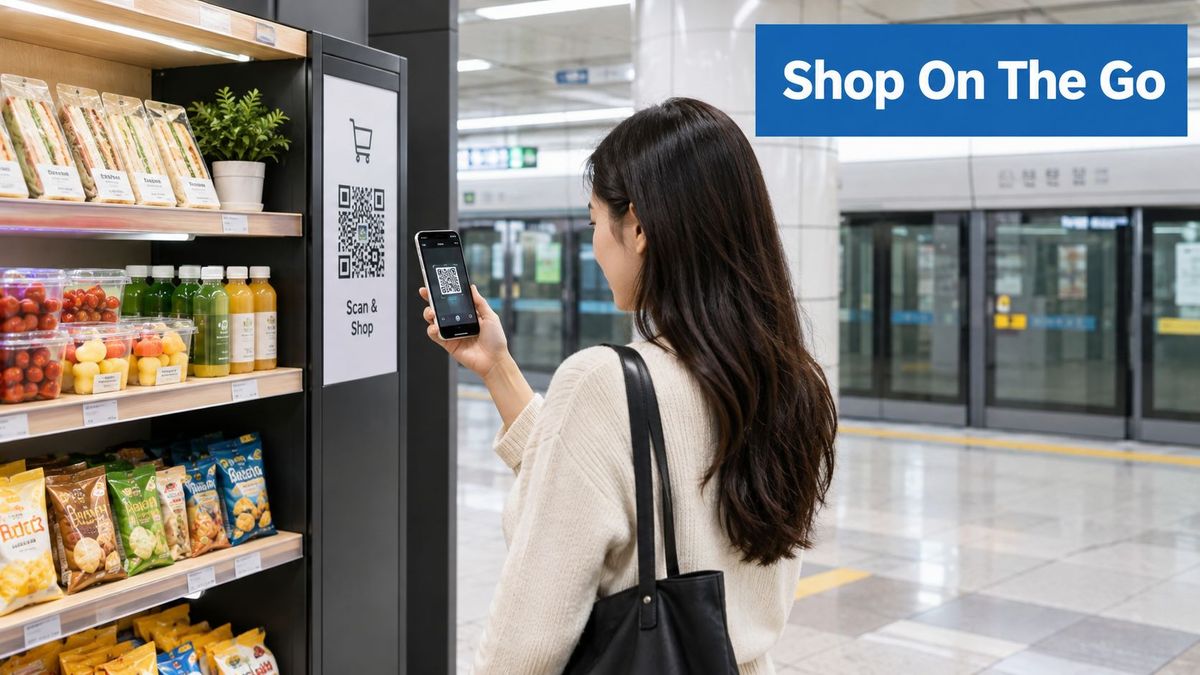
For a campaign built around this pattern, give each pictured product its own destination. A shopper scanning groceries should reach the corresponding product, with availability and delivery information visible before checkout. Sending every code to a general catalog makes the shopper repeat the selection they've already made.
Keep the product promise intact#
Use a stable redirect URL for each product so the team can change the destination without replacing the poster. Update prices and stock in the commerce system, not in the redirect itself, and avoid printing volatile details unless the creative has a clear replacement schedule.
- App users: Offer an app destination when it supports the product journey.
- Other shoppers: Keep a mobile web product page available rather than requiring installation before showing value.
- Unavailable products: Explain the stock issue and offer a relevant substitute, rather than sending shoppers elsewhere without explanation.
- Placement attribution: Associate each code with its station, panel, and product.
Measure product views, cart additions, and completed purchases separately. A busy station might generate curiosity scans without producing orders, so scan volume alone shouldn't determine where the next placement goes.
Also print a short branded address. It gives commuters another way to return when they can't comfortably scan at the placement.
2. Contactless Restaurant Menus and Table Ordering (2020 onward)#
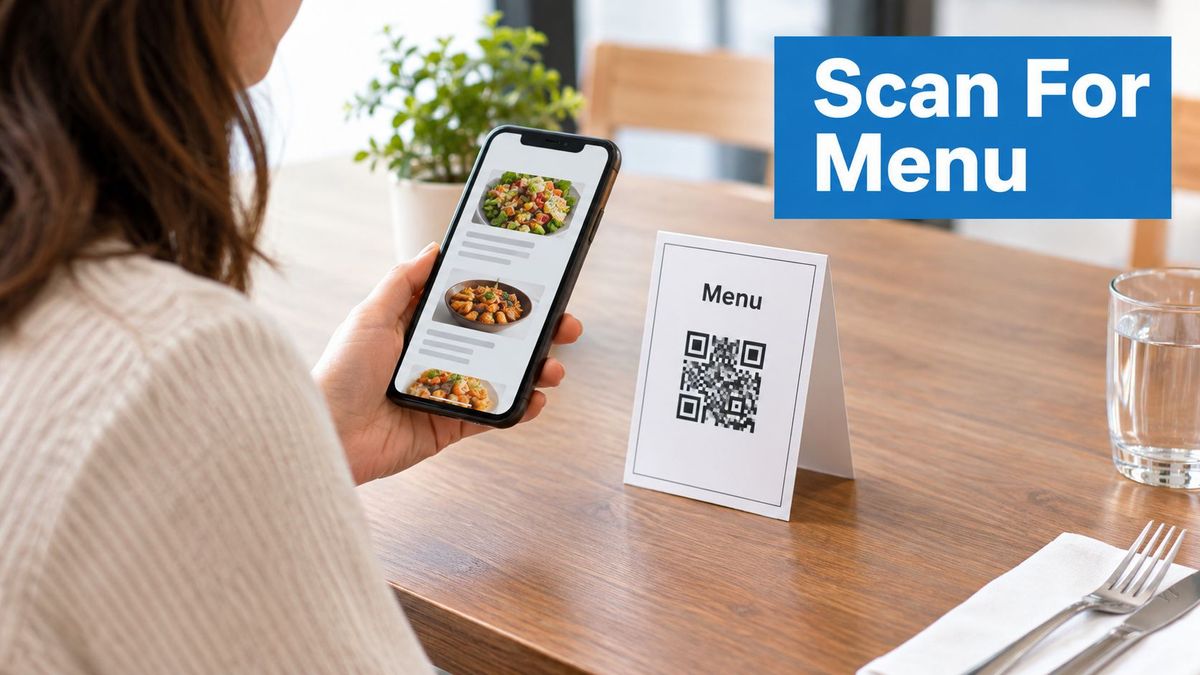
A guest sits down and scans the table card. They need the menu, not a newsletter signup, an app-store prompt, or a full-screen promotion covering the dishes.
Design this campaign around access first, ordering second. A readable web menu can serve guests who only want to browse, while ordering and payment can remain clearly labeled options. The restaurant QR code guide[3] is a relevant planning reference for this placement.
Separate permanent access from changing service#
Keep the printed public URL stable while the menu platform, seasonal menu, or ordering provider changes behind it. Use an owned domain so the address remains recognizable and the restaurant retains control over future routing.
Table-specific ordering needs more care than a general menu. Preserve the table identifier through redirects and test that the ordering page assigns the correct location before accepting an order. Don't include guest information in publicly visible campaign parameters.
- For unavailable dishes: Update the menu content rather than redirecting guests to an unrelated page.
- For ordering outages: Provide a menu-only fallback with a clear instruction to order through staff.
- For guests who can't scan: Print a short address and keep a non-digital menu option available.
The measurement should match the service. Menu access, order starts, completed orders, and payment failures answer different operational questions.
A scan isn't necessarily a marketing conversion. It may just mean the guest needed to read the menu, so don't report every menu opening as newly generated demand.
3. Dynamic QR Codes on Real Estate Yard Signs and Listings#
A buyer outside a property has already supplied the context. The sign should take them to that property, not ask them to search an agency website for the address they're standing beside.
Give each property a dedicated redirect and a clear internal identifier. For implementation planning, real estate QR code guidance can help connect yard signs, listing pages, virtual tours, and inquiry forms without treating them as interchangeable destinations.
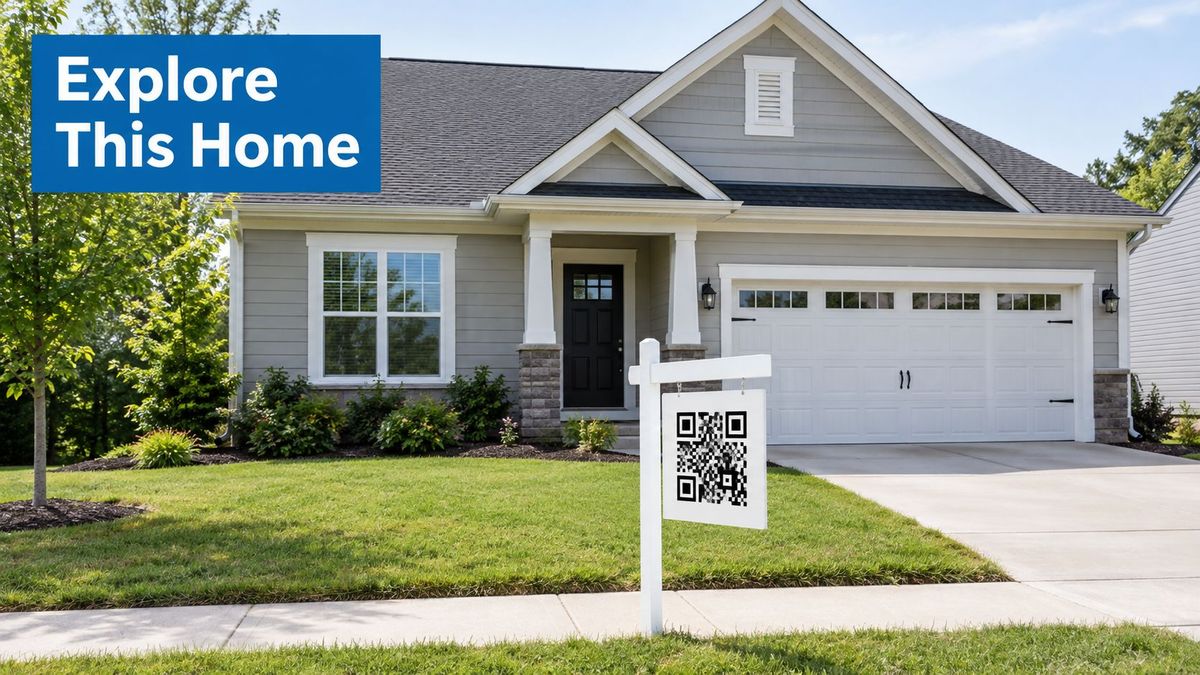
A useful landing page confirms the address immediately, then offers photographs, current status, viewing details, and a direct inquiry option. An open-house sheet can use a different campaign identifier while pointing to a visitor registration experience.
Decide what happens when the property changes status#
The difficult part isn't launching the listing. It's maintaining the destination after a sale, withdrawal, or agency change.
- Sold property: Retain a page explaining the status, with clearly labeled alternatives.
- Changed listing platform: Update the redirect while preserving the printed address.
- Reused physical sign: Check the property mapping before reinstalling it.
- Former agent: Reassign ownership so inquiries don't depend on an unattended account.
Don't redirect a sold property to an unrelated active listing. The visitor needs an explanation before being asked to consider something else.
Test the printed code from the distance and angle a pedestrian would use, including glare and poor light. Keep sufficient clear space around it, and print a readable address underneath.
Measure qualified inquiries and viewing requests separately from scans. Passing traffic, neighbors, and prospective buyers can all interact with the same sign, but they don't represent the same business outcome.
4. Museum and Exhibition Interpretive Labels#
An exhibit label has limited space. A QR destination can offer a deeper layer without forcing every visitor to read a long wall panel: an audio description, a translation, an object history, or research notes.
The code should extend the exhibit, not replace its essential interpretation. Visitors should still understand what they're looking at if their phone battery is flat or the gallery connection is weak.
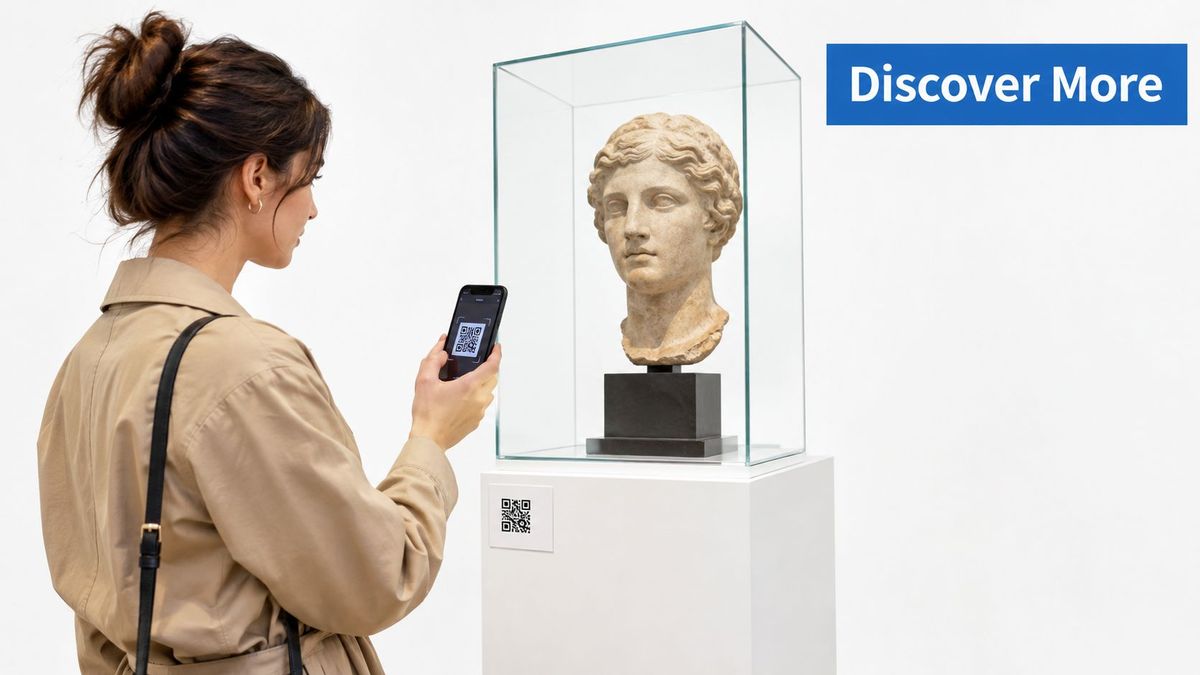
Build a lightweight object page with text available immediately. Let visitors choose whether to load audio or video, and offer transcripts rather than making sound the only way to access the interpretation.
Preserve the object identity#
Assign the persistent URL to the object or interpretive stop, not to a temporary content platform. Curators can then correct text, replace media, or add translations without replacing the physical label.
Language routing should remain reversible. Suggest a language where appropriate, but keep a visible selector so visitors can choose another version without rescanning.
For an outdoor heritage sign, include the essential location and interpretive information on the sign itself. The digital page can supply extended history, accessible text, and route information, but it shouldn't be the only source of necessary directions.
Measure content engagement according to purpose. Audio starts, transcript access, and language selection can be useful signals, but don't describe them as proof of learning.
Assign an editorial owner as well as a technical owner. A destination can remain technically available while its interpretation, rights permissions, or exhibition references need review.
5. Out-of-Home and Transit Advertising with Location Tracking#
Start with the scanning opportunity, not the available advertising surface. A shelter where people wait is a different environment from a roadside placement viewed while moving.
For QR code campaigns in public space, the action must be safe, obvious, and achievable. Don't build the concept around drivers scanning a billboard. Use pedestrian-accessible placements and provide a memorable short address for anyone who wants to respond later.
A transit shelter offer provides a practical scenario. The creative names the benefit, the code opens the relevant offer page, and the destination explains eligibility before asking for personal details.
Give each placement a measurable identity#
Create placement-specific redirects even when the offer is shared. Keep a record connecting each public URL to the shelter, creative version, campaign period, and landing destination.
- Creative promise: Say what the person receives, rather than relying on “scan here.”
- Attribution parameters: Pass non-sensitive placement identifiers into the landing experience.
- Expired offer: Explain that the promotion has ended and provide a relevant next step.
- Alternative access: Print a short address that's readable without standing directly beside the code.
Monthly scanning is familiar behavior: 50.5% of global internet users aged 16–64 reported scanning a QR code during the previous month, according to Krofile's QR code statistics roundup[4]. That measure doesn't establish advertising response or campaign profitability.
Compare downstream outcomes by placement, not just scans. A shelter with fewer interactions could still produce more completed registrations or purchases.
Use location identifiers as placement metadata, not proof of a person's exact location. Someone can photograph an advertisement and scan it later, so the code identifies the original creative more reliably than the scanner's circumstances.
6. Product Packaging and Label QR Codes for Manuals, Warranties, and Recalls#
Packaging can remain in circulation after a campaign ends or a website changes. Treat its QR destination as long-term product infrastructure, not a disposable promotional page.
This placement fits the format's history, which DENSO, the company that developed the QR code, covers in its history of QR code development[5].
For an appliance, route the buyer to a model-specific support page containing setup instructions, documentation, and relevant safety information. Keep warranty registration available, but don't require it before revealing basic operating instructions.
Map destinations to products, not departments#
A generic support homepage makes customers identify the product again. Instead, maintain a product identifier in the redirect inventory and map it to the appropriate documentation destination.
- Model changes: Keep older instructions accessible rather than replacing them with the newest model's manual.
- Support migrations: Map legacy destinations to their corresponding new pages.
- Safety updates: Make notices prominent while retaining access to essential documentation.
- Printed information: Don't use a QR destination as a substitute for information that must remain on the packaging.
Plan how to change a QR code destination after printing before artwork approval. The public URL should survive a documentation-platform replacement.
Measure support tasks separately from marketing actions. A manual download answers a different question from a warranty registration or accessory purchase.
Review destinations whenever the product, support system, or website changes. Give the support team ownership of content accuracy and the web operations team ownership of routing, domain access, and failure handling.
7. Event Signage, Badges, and Session-Based Dynamic Codes#
The room sign says one session, the agenda page shows another, and the speaker has just changed the presentation. Event QR destinations need a publishing process that staff can use under pressure.
Separate codes by room, booth, and purpose. A room sign can open the current schedule, while a session-specific code can lead to slides or feedback. A badge code needs its own privacy and access decisions rather than inheriting the rules for public signage.
Route by context without losing useful content#
For a conference room, maintain a stable room page showing the current and upcoming sessions. Link from that page to session-specific materials so an attendee can still find the presentation after the schedule advances.
Time-based routing can be useful, but it needs a fallback. A delayed session shouldn't leave attendees looking at the next speaker's feedback form.
- Schedule changes: Assign staff responsibility for verifying the room destination after edits.
- Booth lead forms: Explain what follow-up attendees are requesting.
- Access permissions: Limit editing to the destinations each staff member manages.
- Connectivity problems: Keep essential room and session information visible on the sign.
Don't make every interaction a lead capture opportunity. Someone seeking slides may not expect to subscribe to sales emails, and a feedback form shouldn't request information the organizer doesn't need.
Track the intended action for each code: agenda access, material download, feedback submission, or an explicitly requested sales conversation. After the event, update destinations with an archive message and relevant materials rather than abandoning the printed codes.
8. Rebrands and Domain Migrations That Keep Printed QR Codes Working#
A successful launch can become a broken campaign during the next website migration. The artwork hasn't changed, but the encoded address now points to a removed product page, an expired microsite, or a domain nobody is maintaining.
Start with an inventory of public URLs already in circulation. Include packaging, brochures, property signs, event materials, and downloadable documents, then assign each destination a replacement or an intentional retirement experience.
Map the destination before changing the domain#
For a retailer moving its catalog, preserve product-level routing wherever possible. Sending every legacy product code to the new homepage keeps a page available but discards the shopper's original intent.
Keep a separate record of the URL printed in the code and the destination it currently serves. If a code directly contains an old domain, the team must retain control of that domain to manage its route.
- Path mapping: Connect old product and campaign paths to relevant replacements.
- Parameter handling: Preserve useful attribution parameters without forwarding sensitive information unnecessarily.
- Redirect behavior: Have web operations choose and test the appropriate permanent or temporary behavior.
- Change history: Record who changed each mapping and why.
When investigating why a QR code stopped working, check the encoded address, domain ownership, secure connection, redirect route, and final page. Changing the final destination won't resolve every failure.
Test representative printed codes on mobile devices after the migration. Confirm that the page is relevant, campaign parameters arrive, and visitors don't encounter a loop or an unexpected login screen.
Keep ownership explicit after the rebrand. Marketing may approve the destination, but someone must still maintain the domain, certificates, routing configuration, and content.
8 QR Code Campaigns: Side-by-Side Comparison#
| QR code use case | Implementation complexity and resources | Expected outcomes | Key advantages | Ideal use cases |
|---|---|---|---|---|
| Homeplus Virtual Subway Store | High: requires product displays, shopping app, inventory integration, and home delivery | Reported online sales growth during the campaign; increased app downloads and new customers | Turns commute time into a direct purchase journey | Dense urban transit networks, established retailers, and audiences familiar with the brand |
| Contactless Restaurant Menus and Table Ordering | Low to moderate: QR signage and a mobile-friendly web menu; ordering and payment add complexity | Lower printing costs; faster menu updates; engagement data from scans and clicks | No app required; menus can be updated instantly | Restaurants and cafés that frequently change menus or want digital ordering |
| Real Estate Yard Signs and Listings | Low to moderate: dynamic links, property-level codes, and listing-page maintenance | Listing engagement and scan activity by location; fewer sign reprints | One printed code can remain useful as a property's status changes | Property listings, open houses, and neighborhood-level marketing |
| Museum and Exhibition Interpretive Labels | Moderate: requires accessible mobile content, translations, and ongoing curation | Visitor engagement by exhibit; access to richer interpretive content | Adds audio, video, and multilingual details without crowding physical labels | Museums, galleries, heritage sites, and outdoor exhibits |
| Out-of-Home and Transit Advertising | Moderate: unique codes or tracking tags for placements, plus campaign landing pages | Scan performance by location and time; data to guide campaign optimization | Makes offline placements more measurable and destinations adjustable | Billboards, transit shelters, and street-level campaigns with a clear offer |
| Product Packaging and Label Codes | Moderate to high: SKU-level link mapping and long-term destination maintenance | More access to manuals and support; scan data can reveal product support needs | Keeps printed packaging useful as documentation changes | Products with setup guides, warranties, safety details, or recall information |
| Event Signage, Badges, and Session Codes | Moderate: event-specific codes, live content updates, and access controls | Engagement by session or booth; easier access to materials and lead forms | Schedule and content changes do not require reprinting | Conferences, trade shows, and festivals with changing agendas |
| Rebrands and Domain Migrations | High: destination inventory, redirect mapping, testing, and coordination across teams | Fewer broken QR journeys; preserved paths and query parameters | Keeps existing printed codes working after site or domain changes | Organizations migrating websites, rebranding, or managing many printed codes |
Build Campaigns That Stay Useful After Launch#
The strongest QR code campaigns treat the scan as the beginning of an experience, not the entire strategy. Choose a destination that delivers immediate value, give each placement a measurable identity, and provide another route for people who can't use the code.
A working redirect isn't the same as a successful campaign. Someone can reach the page and still fail to find the menu, understand the offer, submit the form, or complete the purchase. Reporting needs to distinguish technical availability from useful outcomes.
That distinction remains a measurement problem. Bitly’s survey of how marketers use QR codes is a useful read on how teams track results, and a reminder to plan what happens after the scan: see its QR code marketer survey[6].
Connect routing to outcomes#
Before printing, agree on the event that represents value for each placement. For a restaurant, that might be successful menu access or a completed order. For a property sign, it might be a viewing request; for packaging, finding the correct setup instructions.
- Identify the source: Maintain campaign and placement identifiers throughout the route.
- Respect consent: Keep tracking choices and data collection consistent with the visitor's expectations.
- Connect the outcome: Reconcile relevant landing-page events with commerce, CRM, or support records.
- State attribution limits: Distinguish a directly observed conversion from a scan that may have assisted later research.
Avoid treating scans as unique people unless your measurement method supports that conclusion. Also avoid claiming incremental revenue just because a purchase followed a scan. Attribution describes an observed connection; proving that the campaign changed behavior requires a stronger evaluation design.
How fast is the redirect behind a scan?#
Every dynamic code sends the scan through a redirect first, so its speed is part of the experience for someone standing at a poster or a table. In the RedirHub redirect speed benchmark[7] (25 providers, median time to first byte measured from Washington, D.C., Frankfurt and Tokyo and averaged, October 14 to 21, 2026), RedirHub’s redirects took a median of 17 ms, against 98 ms for TinyURL, 123 ms for Bitly, 266 ms for Rebrandly and 310 ms for Cuttly. These timings cover the redirect step only, not the page behind it. To check the redirect behind one of your own printed codes, paste its short URL into the redirect speed test.
Assign ownership beyond launch day#
Every printed code needs a destination owner, a technical owner, and an agreed retirement path. Review it when an offer ends, a product changes, a property sells, or a website moves.
For teams managing these responsibilities across many campaigns, RedirHub is one option for combining branded links, dynamic QR codes, domain redirects, analytics, SSL management, and bulk migration rules on customer-owned domains. Those capabilities support routing and maintenance, while the team remains responsible for the destination's usefulness and the interpretation of results.
Build the maintenance plan into campaign approval. It's easier to preserve a useful public URL from the start than to recover control after the materials are already distributed.
RedirHub provides branded links, editable dynamic QR destinations, scan analytics, and redirect management on your own domains. Visit RedirHub to plan stable destinations for your next print campaign and keep existing codes useful through offer changes, rebrands, and website migrations.
Keep every printed code working
Create dynamic QR codes on your own domain, change where each one points after printing, and see which placement gets scanned. Core and Pro come with a 14-day free trial.
Create a dynamic QR codeSources
- [1]QR Code Usage Statistics by Country (2026)
- [2]7 Powerful QR Code Marketing Strategies for Your Business
- [3]Restaurant QR Code Your Complete Guide to Setup and Use
- [4]30+ QR Code Statistics for 2026 (Data & Trends)
- [5]history of QR code development
- [6]From Scans to Strategy: How Marketers Use QR Codes in 2025
- [7]RedirHub redirect speed benchmark, October 14–21, 2026
Frequently asked questions
A good campaign matches the code to the moment someone scans it: a menu for a diner, the property page for a buyer, the manual for a product owner. Each placement gets its own redirect so results can be compared. The destination should load quickly on a phone and offer one clear next step.
Use a dynamic code whenever the destination might change after printing, such as an offer that ends, a product that is updated, or a website that moves. The printed address stays the same while you change where it points. A static code cannot be edited once it is printed.
Give every placement its own code and campaign identifier, then compare the outcome you care about, such as a viewing request, a completed order or a support download, not scans alone. Keep a record that connects each code to its location, creative version and campaign period.
If the code points to your own domain through a redirect, you update the destination and the printed code keeps working. If it encodes an old address directly, you need to keep that domain and map its old paths to the new pages. Test representative printed codes on a phone after any migration.
Yes. Core and Pro each come with a 14-day free trial. You can create dynamic QR codes on your own domain, change their destinations after printing and review scan analytics during the trial.

Leo Astarothman is the Brand & Content Lead at RedirHub, where he shapes the company's visual identity, educational content, product experiences, and marketing strategies. He also specializes in system design. Simplifying complex redirect infrastructure into practical resources, product experiences, and campaigns that help businesses understand and adopt modern redirect management.
Related Articles
View All Articles