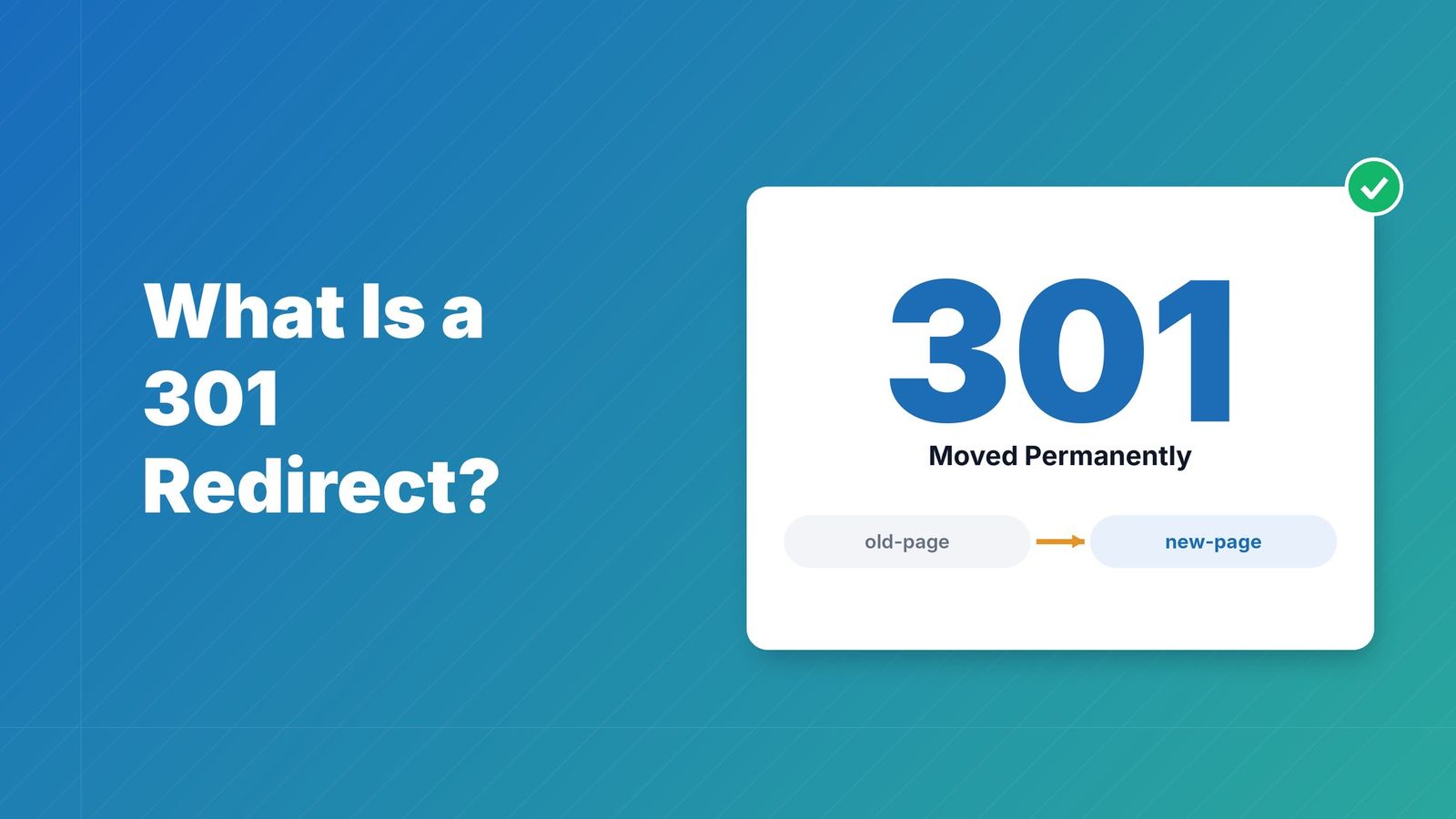
Streamline Your Site Traffic with Modern SEO Redirect Management

Key takeaways
Map every old URL to its closest live page, use a 301 (or 308) for permanent moves and a 302 or 307 only for temporary ones, and return 410 when a page is gone with no replacement. Keep each redirect to a single hop, test the whole map before launch, and keep watching for 404 spikes and chains afterwards. At scale, look for bulk CSV import, pattern rules and automated checks.
Why SEO Redirect Management Matters#
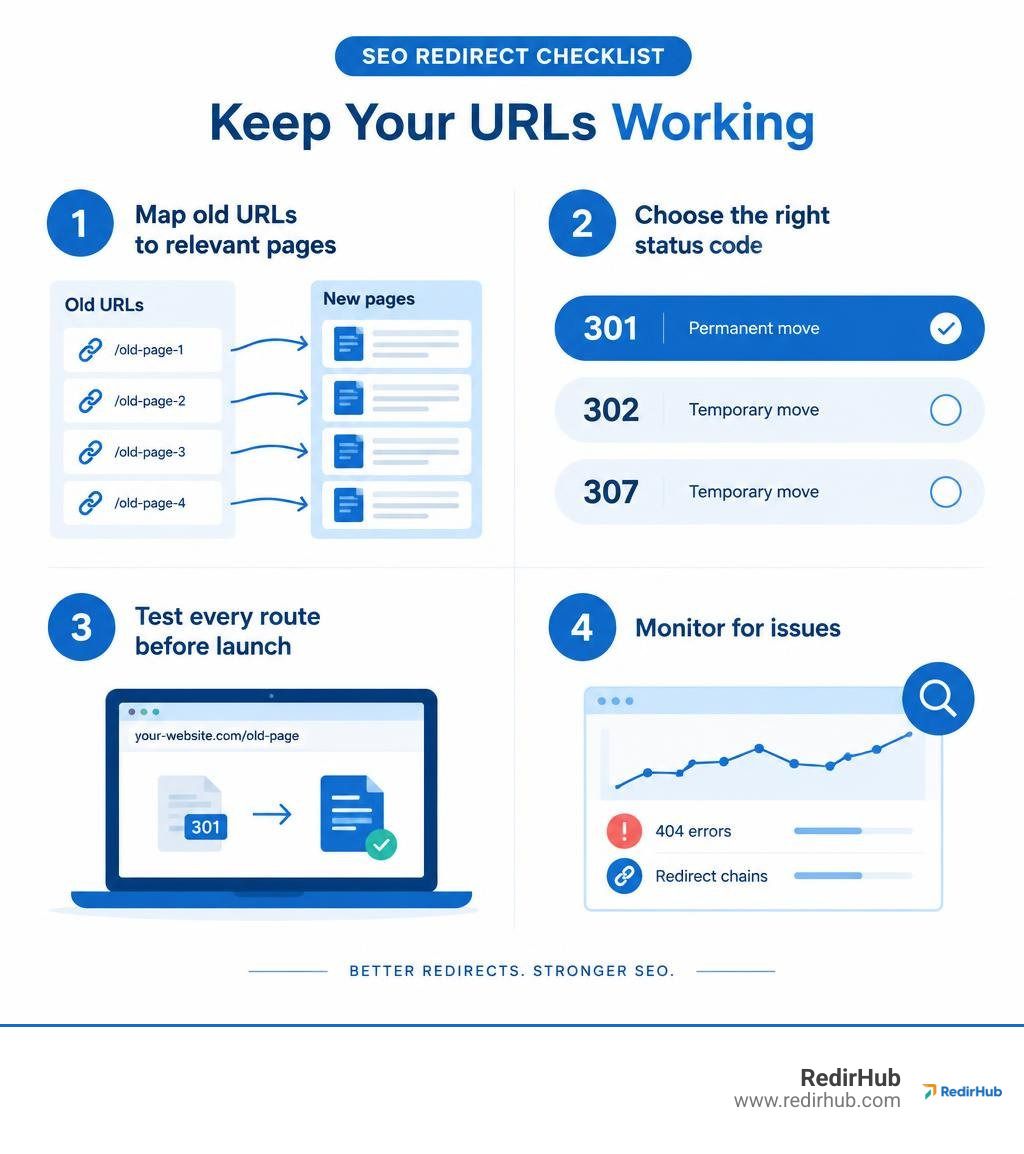
SEO redirect management keeps old URLs useful when pages move. Start with a list of URLs that will change. Send each one to the closest matching live page with a 301 redirect for a permanent move, or a 302 or 307 for a temporary one. Test every route before launch, then watch for 404 errors and redirect chains.
This helps visitors reach the page they expected and gives search engines a clear path to the new URL. For teams managing many domains, one redirect map and regular checks make bulk changes easier to control.
Understanding Redirect Status Codes and SEO Impact#
Every time a web crawler or human visitor clicks a link to an old URL, your server sends back an HTTP status code. This code serves as the primary instruction manual for search engines. It explains whether the change is permanent, temporary, or an intentional content retirement. Choosing the wrong code can confuse search engine crawlers, waste crawl budget, or delay the transfer of accumulated search rankings.
| Status Code | Type | Link Equity Passed | Search Index Behavior | Typical Use Case |
|---|---|---|---|---|
| 301 Moved Permanently | Permanent | Full transfer | Replaces old URL with new destination | Site migrations, URL restructures, permalink updates |
| 302 Found | Temporary | Minimal / Delayed | Retains old URL in search index | Flash sales, temporary maintenance, A/B landing tests |
| 307 Temporary Redirect | Temporary | Minimal | Retains old URL; guarantees HTTP method | Short-term service relocations preserving form POST data |
| 308 Permanent Redirect | Permanent | Full transfer | Replaces old URL; guarantees HTTP method | API endpoint updates, modern permanent moves |
| 410 Gone | Permanent Removal | None | Accelerates immediate index removal | Pruned content, permanently discontinued products |
| 451 Unavailable For Legal Reasons | Legal Block | None | Excludes URL based on regional legal orders | Geo-blocked content, compliance removals |
Permanent vs Temporary: Evaluating 301, 302, 307, and 308 Codes#
Choosing between permanent and temporary signals determines whether search engines update their index. When you implement a 301 redirect, search engines transfer accumulated PageRank, anchor context, and historical signals to the new URL. The search index updates to display the new destination. Modern HTTP/1.1 and HTTP/2 standards introduced 308 permanent redirects, which act identically for link equity while strictly preserving the initial HTTP request method.
Temporary redirects tell search engines to keep indexing the original URL. When comparing 301 vs 302 status codes, a 302 or 307 does not consolidate authority immediately. If left in place for years, search engines may treat a 302 as permanent, but relying on this behavior creates indexing ambiguity. Reviewing the nuances of technical redirect types and SEO effects helps you deploy the right status code for your technical goals.
Handling Content Removals: 410 Gone vs 451 Legal Restrictions#
Not every missing URL requires a redirect. When content is intentionally pruned without a direct replacement, sending the old link to a generic page creates a soft 404 error. Returning an HTTP 410 Gone status explicitly signals to search crawlers that the page was permanently removed and should not be recrawled frequently. This removes obsolete URLs from the index faster than a standard 404 Not Found.
When legal mandates require content exclusion, HTTP 451 Unavailable For Legal Reasons communicates regional compliance or copyright takedowns. Search engines recognize that the removal stems from regulatory requirements rather than broken site architecture.
Crawl Budget, Link Equity Transfer, and Indexing Mechanics#
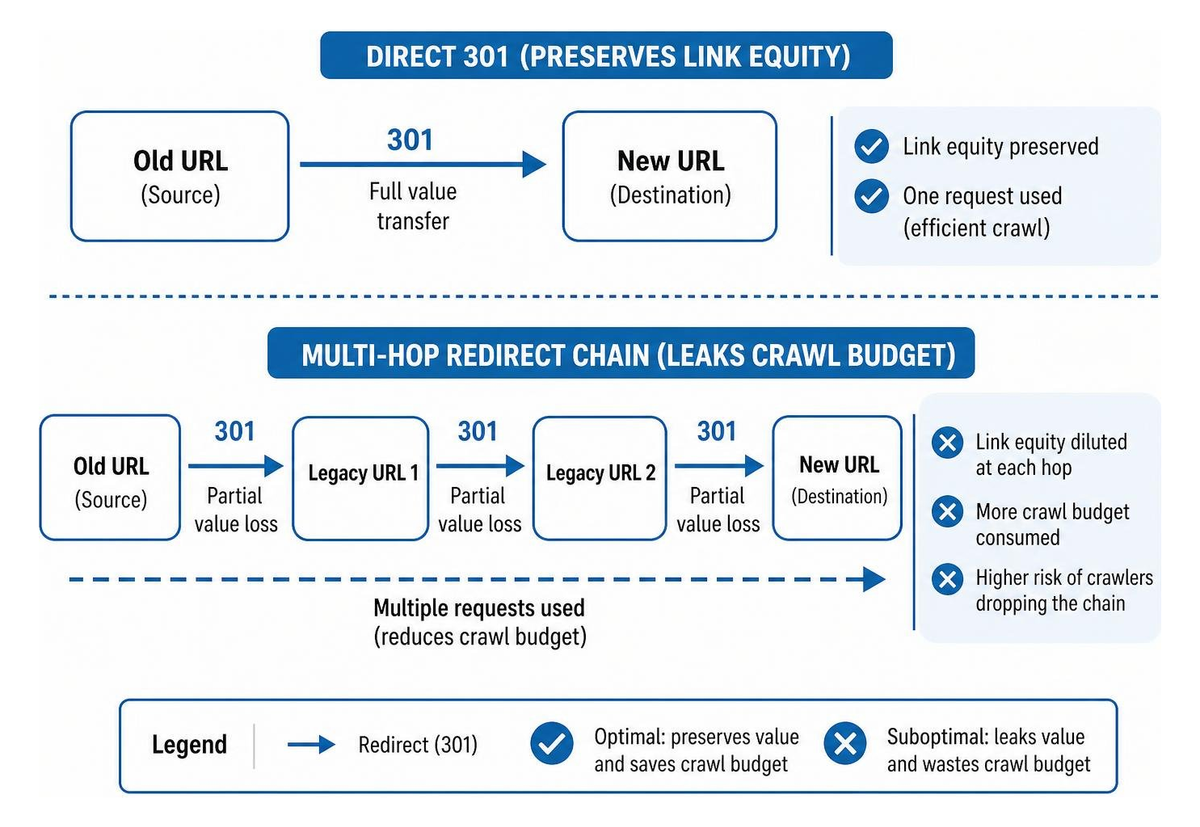
Search engines allocate a finite crawl budget to every domain based on its authority, size, and server response speed. When crawlers encounter redirects, each additional hop consumes a request. A single direct 301 transfers authority smoothly. However, if your redirects bounce through multiple legacy URLs, crawlers may abandon the path before reaching the final destination.
Platform systems often offer built-in routing rules. For instance, the BigCommerce 301 Redirects Documentation highlights how dynamic targets maintain equity automatically when product slugs change.
Core Pillars of Effective SEO Redirect Management#
Disciplined redirect governance requires a balance between architectural performance, operational tooling, and network hygiene.
Architectural Approaches to SEO Redirect Management#
Where you execute your redirects impacts your Time to First Byte (TTFB). Teams generally choose between three layers:
- Origin Web Servers (.htaccess, NGINX, Apache): Rules placed directly in server configuration files execute quickly before CMS processing begins. However, managing thousands of lines in configuration files creates deployment risks.
- CMS Plugins: Redirect plugins installed directly within content management systems, such as the WordPress SEO Redirection Plugin[1], provide basic controls for site administrators. While convenient, running redirect lookups through PHP and database queries adds overhead to every request.
- Edge-Delivered Infrastructure: Hosted services handle DNS routing and SSL handshakes at the network edge before traffic touches the origin server. When comparing DNS redirects with server redirects, edge platforms answer from servers close to the visitor and keep redirect rules off your host.
Essential Tool Features: Regex, CSV Import, and Automation#
Enterprise redirect workflows require automated tooling. Regular expressions (regex) allow you to redirect thousands of structured URLs using a single rule. High-performance CSV import tools simplify mass updates during redesigns.
When managing enterprise domain redirects at scale, choose tools that offer automated entry tracking, condition-based rules, and clear logging you can review.
Mitigating Latency, Redirect Chains, and Circular Loops#
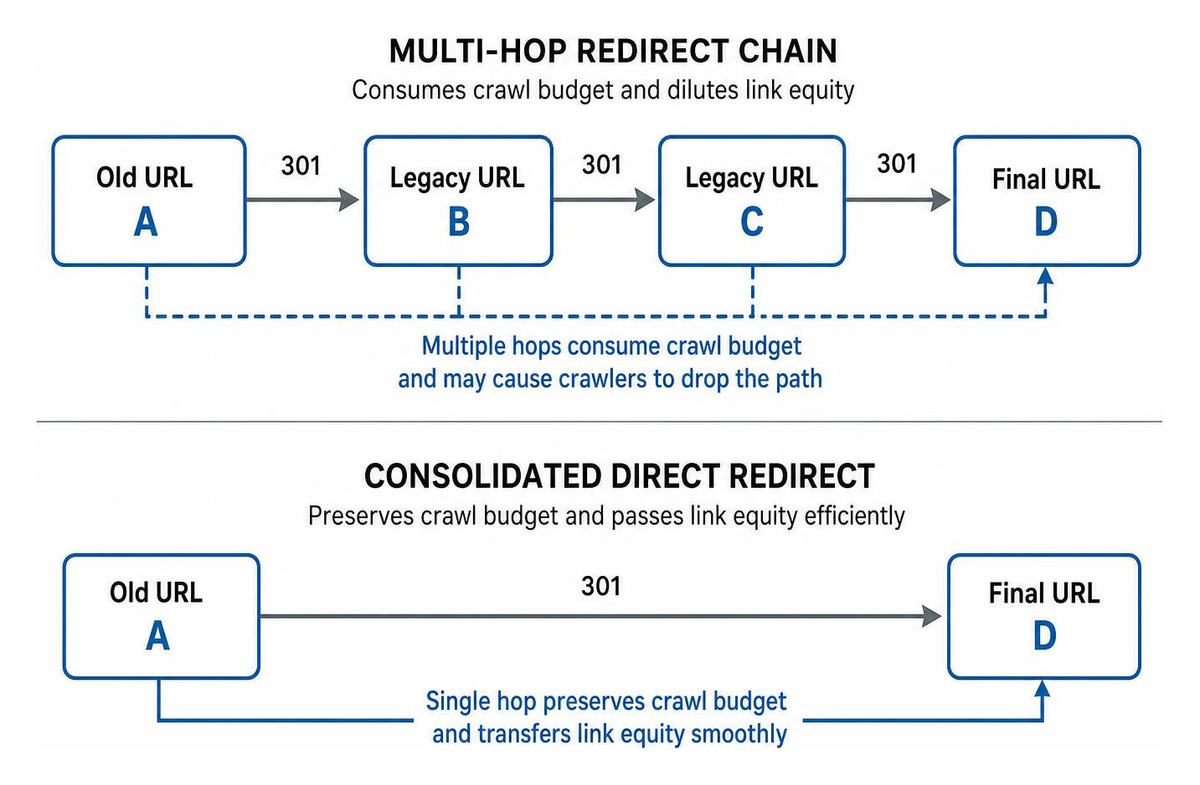
Redirect chains occur when URL A redirects to URL B, which then redirects to URL C. This compounds server latency and dilutes link signals. Circular loops create browser errors and block indexing entirely.
Understanding why redirection speed is crucially important ensures your technical setup maintains high Core Web Vitals scores. Regularly running a redirect chain checker tool lets you flatten multi-hop paths into direct routes.
Redirect speed is measurable, so we measure it. Over 2026-10-27 to 2026-11-03, the median time to first byte of redirects across 27 providers, measured from Washington, D.C., Frankfurt and Tokyo, ran from 9 ms (Amazon CloudFront) to 586 ms (Apache), with nginx at 327 ms and our own service at 15 ms (RedirHub redirect speed benchmark[2]). That time is added to every visit before the destination starts to load, which is why a single direct hop beats a chain.
Step-by-Step URL Mapping and Site Migration Governance#
Executing a site launch without structured redirect planning risks sudden ranking drops.
Inventory Audits and Value-Based URL Prioritization#
Start by gathering an inventory of all existing URLs from XML sitemaps, analytics data, and backlink indexes. Group URLs by organic traffic and revenue impact so your highest-value assets receive exact 1-to-1 matches. Integrating structured website migration planning with migration redirect mapping tools ensures no orphan URLs are overlooked.
Staging Validation, Error Budgets, and Launch Protocols#
- Audit the Staging Environment: Crawl staging domains to verify all redirects resolve as direct 301s without redirect chains.
- Map Equivalency: Route every old URL to the most relevant equivalent page. Avoid routing large sections of content to the homepage.
- Define an Error Budget: Establish operational thresholds (e.g., maximum allowable 404 rates post-launch) to guide deployment sign-offs.
- Execute DNS and SSL Switch: Point DNS records to your primary host or edge redirect provider and verify automated SSL provisioning.
Post-Launch Monitoring and Automated 404 Recovery#
Following deployment, review Google Search Console coverage reports and conduct real-time redirect log analysis. Automated monitoring catches unexpected 404 spikes early, allowing your team to map missing destinations before organic rankings fluctuate.
Complex Enterprise Scenarios: E-Commerce, International, and Campaigns#
Enterprise environments often involve dynamic inventory, multi-region routing, and complex campaign tracking.
Streamlining E-Commerce and Multilingual Sites with SEO Redirect Management#
E-commerce catalogs encounter frequent product deprecations. When an item sells out permanently, route its URL to the closest product variant or parent subcategory to preserve shopping intent.
For international stores using plugins like WPML or custom subdirectories, combine hreflang tags with country-specific URL redirect optimization. This ensures international users and local search crawlers land on the correct regional language variant.
Preserving UTM Parameters and Paid Campaign Continuity#
Marketing campaigns frequently use query parameters for attribution. If a vanity link redirects to a destination while dropping query strings, tracking data is lost. Ensuring your setup supports preserving UTM parameters through redirects keeps paid media attribution and analytics accurate across all channels.
Conclusion#
Effective redirect architecture protects your site visibility, maintains clean crawl paths, and ensures a seamless experience for visitors.
Whether consolidating domains or updating URL structures, taking control of your routing rules avoids technical debt. Learn more about streamlining and setting up modern URL redirects with RedirHub's edge-based platform to keep your site traffic moving smoothly.
Manage redirects without touching your servers
Point a domain you own at RedirHub, keep paths and query strings, and check the full redirect chain before you cut over. Pro comes with a 14-day free trial; Core starts right away.
See the URL redirect serviceSources
Frequently asked questions
Modern search engine systems treat permanent 301 redirects as strong canonicalization signals, passing full ranking equity to the target destination provided the content intent matches closely.
Server-level and edge redirects process rules before application code runs, reducing server response times. CMS plugins evaluate rules within the application layer, which can increase TTFB under high traffic volumes.
Audit server logs and run crawl simulations to identify multi-hop paths. Update legacy source URLs directly to point to their final destination, flattening the path into a single hop.

Leo Astarothman is the Brand & Content Lead at RedirHub, where he shapes the company's visual identity, educational content, product experiences, and marketing strategies. He also specializes in system design. Simplifying complex redirect infrastructure into practical resources, product experiences, and campaigns that help businesses understand and adopt modern redirect management.
Related Articles
View All Articles