Wildcard Redirects: How They Work and How to Set Them Up

Key takeaways
A wildcard redirect is an HTTP rule that matches a pattern (a prefix, suffix, or regular expression) and forwards every matching URL. A wildcard DNS record only controls where unknown subdomains resolve. It does not redirect anything. Use a 301 or 308 when the move is permanent, and point each old URL straight at its final destination. Avoid chains. A catch-all rule that sends every old URL to your home page is the most common mistake. Where a matching page exists, keep the path or map it explicitly. Keep the rules for at least a year during a migration, and test with real old URLs before launch. If you manage many domains or can’t touch server config, a hosted redirect layer on your own domain removes the file editing.
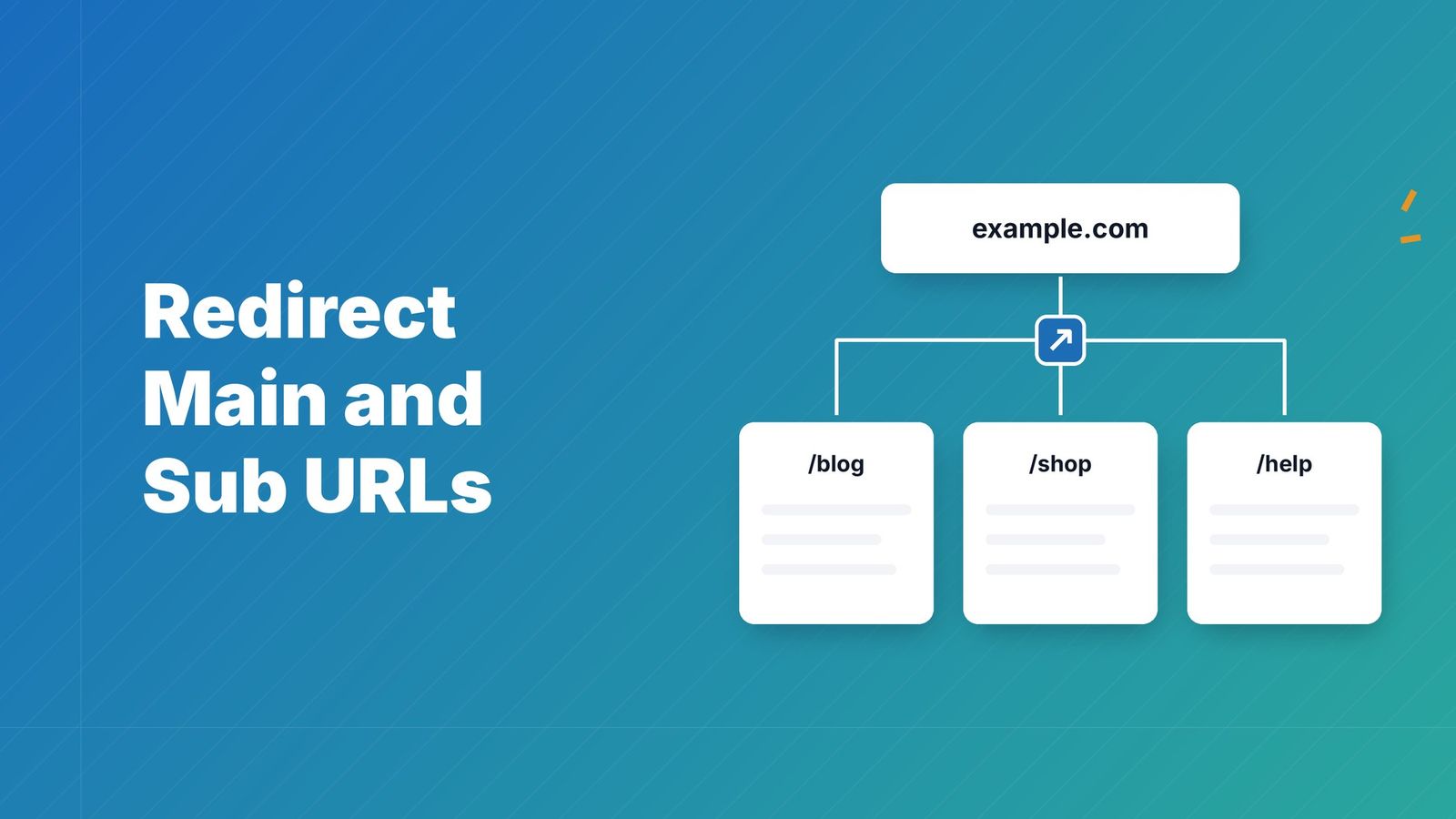
A wildcard redirect is a single rule that matches many URLs by pattern and sends them somewhere else. Instead of listing 4,000 old addresses one by one, you write something like “everything under /blog/ goes to the same path on the new domain” and let the server do the rest. This guide covers the two meanings people mix up (DNS wildcards and HTTP redirects), working patterns for Apache and NGINX, the SEO mistakes that cost rankings, and when a managed redirect layer is the better choice.
What a wildcard redirect actually is#
The word “wildcard” covers three different things, and search results mix them freely.
Wildcard (pattern) redirects. A rule with a placeholder. The placeholder can stand for “any characters after this point” (a prefix match), “any characters before this point” (a suffix match), or a captured segment that is reused in the destination. Typical examples: /old-blog/* to /blog/*, or *.olddomain.com to newdomain.com.
Wildcard DNS records. A record with an asterisk in the leftmost label, such as *.example.com, answers queries for subdomains that have no record of their own. AWS documents how asterisks work in record names[1], and the key point for this topic is that DNS only decides which server answers. The redirect itself is an HTTP operation that happens after DNS resolution, on the server that receives the request.
Wildcard prohibition at the registry level. The third use is about top-level domain registries: operators are barred from synthesizing responses for non-existent domains. That is a rule for registries, not something you configure on your own site.
So a complete wildcard setup for subdomains usually needs both layers: a wildcard DNS record so every subdomain reaches your server, and a server-side rule that decides where each request should go.

The patterns you will actually use#
Most real-world needs fall into six patterns.
| Pattern | Example source | Example destination | Typical use |
|---|---|---|---|
| Prefix, path preserved | /old/* | /new/* | Renamed section |
| Prefix, path dropped | /discontinued/* | /products/ | Retired category with one landing page |
| Suffix match | /resources/ | Moved downloads | |
| Subdomain wildcard | *.old-brand.com | new-brand.com | Rebrand |
| Whole domain, path preserved | old.com/* | new.com/* | Domain change |
| Regex with capture | /blog/(\d{4})/(.*) | /articles/$2 | Dropping dates from URLs |
The difference between the first two rows is the one that matters most. Preserving the path keeps one-to-one relevance, which is what you want when the new site mirrors the old one. Dropping the path is only right when no equivalent pages exist.
Wildcard redirects on Apache (.htaccess)#
A common question is how to redirect everything after a certain path through .htaccess. On Apache, that is the job of mod_rewrite. The Apache mod_rewrite documentation[2] describes RewriteRule and the flags that go with it, including R for redirect.
A prefix redirect that keeps the rest of the path:
<code class="language-apache">RewriteEngine On
RewriteRule ^old-section/(.*)$ /new-section/$1 [R=301,L]
</code>
The parentheses capture everything after old-section/, and $1 inserts it into the destination. L stops further rule processing, which prevents accidental double matches.
A whole-domain redirect that keeps paths and query strings:
<code class="language-apache">RewriteEngine On
RewriteCond %{HTTP_HOST} ^(www\.)?old-domain\.com$ [NC]
RewriteRule ^(.*)$ https://new-domain.com/$1 [R=301,L]
</code>
A few things trip people up:
- Order matters. Rules run top to bottom. Put specific rules above general ones, or the catch-all swallows everything.
- Escape dots. An unescaped
.in a regex matches any character. - Test with a 302 first. Browsers cache 301s aggressively. Use
R=302while testing, then switch to 301 when the rule behaves. - Mind the server.
.htaccessworks on Apache only. If your host runs NGINX, the file is ignored.
Wildcard redirects on NGINX#
NGINX handles hostnames through server_name. The NGINX web server guide[3] explains that a server name can be an exact name, a wildcard with an asterisk at the start or end, or a regular expression, and that exact names win over wildcards when several match.
Redirect every subdomain of an old domain to the new one:
<code class="language-nginx">server {
    listen 80;
    server_name .old-domain.com;
    return 301 https://new-domain.com$request_uri;
}
</code>
The leading dot matches both old-domain.com and any subdomain. $request_uri carries the original path and query string, so deep links survive.
For a path prefix inside a site:
<code class="language-nginx">location ~ ^/old-section/(.*)$ {
    return 301 /new-section/$1;
}
</code>
Prefer return over rewrite for simple redirects. It is clearer and cheaper to evaluate.
Choosing the status code#
The code you return tells browsers and search engines how to treat the move.
- 301 (Moved Permanently) and 308 (Permanent Redirect) say the resource has a new permanent address. The MDN reference for 301[4] describes browsers following the
Locationheader automatically. - 302 and 307 are temporary. Use them for A/B tests, short promotions or maintenance pages.
Google’s guidance is that permanent redirects help consolidate duplicate URLs and signal that the new URL should be indexed[5], while temporary redirects keep the source page’s indexing priority. If the change is long-term, use a permanent code. A wildcard rule left on 302 after a migration is a quiet, common error.
What RedirHub traffic shows about permanent and temporary codes#
Across 422,184 redirect requests served by RedirHub's edge in the six hours to 16:20 UTC on 22 October 2026, 244,061 came from people and the rest from bots (42.2% of all requests). Of the requests from people, 82.3% received a 301 or 308, 1.3% a 302 or 307, and fewer than 0.03% an error (4xx or 5xx).
| Response to a person's request | Share of requests |
|---|---|
| 301 or 308 (permanent) | 82.3% |
| 302 or 307 (temporary) | 1.3% |
| 4xx or 5xx (error) | 0.026% |
Permanent codes dominate, so a wildcard rule still on a temporary code after a migration stands out as the exception to audit. The figures leave out five accounts that each carried more than 10% of traffic, count people only (bots excluded), and come from the redirect access log, not from a sample of customers; the per-account list of one of the two clusters was capped at 1,000 accounts, which only omits the smallest. On RedirHub, domain redirects with 301, 302, 307 and 308 are included on Core, Pro and Enterprise, while wildcard subdomain redirects are included on Pro and Enterprise only.
SEO mistakes that wildcard rules make easy#
Because one rule touches thousands of URLs, one wrong rule damages thousands of pages at once.
Sending everything to the home page#
The lazy catch-all, /* to /, looks tidy and loses relevance. A visitor who clicked a link to a specific guide lands on a generic home page and leaves. Search engines may also treat mass redirects to an irrelevant page as a soft 404. Redirect to the closest equivalent, and use a broader parent category only where no equivalent exists.
Creating chains#
Say http://old.com/page redirects to https://old.com/page, which redirects to https://www.old.com/page, which redirects to https://new.com/page. That is three hops. Google’s documentation notes that Googlebot can follow a limited number of hops, and that direct redirects are preferred[5] because chains add latency and can slow indexing. Write the rule so the first response already points to the final URL, with protocol, host and path all corrected at once.
Forgetting the query string and fragments#
Campaign parameters such as UTM tags often ride along on old links. Check whether your rule preserves the query string where you want it. In Apache, a redirect to an absolute URL carries the original query string unless you tell it otherwise, as the Apache documentation explains. In NGINX, $request_uri includes it, while $uri does not.
Mixing up www and non-www#
Pick one canonical host and redirect the other to it. Google’s guidance on consolidating duplicate URLs[6] lists redirects as a strong signal of your preferred version, and either choice is fine as long as you stay consistent. If you need a walkthrough, our note on redirecting non-www to www covers it.
Removing rules too early#
Google says redirects may be treated as a canonicalization signal, not an absolute command, and that it can still choose a different canonical based on other factors, as its canonicalization documentation[7] explains. In practice, keep permanent redirects in place for at least a year after a move, and longer for URLs that still earn external links.
A safe process for a wildcard migration#
- Inventory the old URLs. Pull them from your sitemap, server logs, analytics and a crawl. Google’s site move documentation[8] stresses mapping every old URL to its new home.
- Group them by pattern. Most sites collapse into a handful of wildcard rules plus a smaller list of one-off exceptions.
- Write exceptions first. Individual mappings go above the wildcard rules so they win.
- Test against real URLs. Run a sample of several hundred old URLs, including the oddest ones, and check status code, final destination and number of hops. A redirect checker shows each hop and status code for a single URL.
- Launch with permanent codes. Switch from 302 to 301 once the tests pass.
- Monitor. Watch crawl errors, 404s and traffic by section for weeks. Fix gaps with new rules, not by editing old ones in a hurry.
Google also notes that large sites can move in sections to test the effect, while smaller sites often do better moving everything at once. For a deeper look at planning, this piece on site migration SEO and URL mapping[9] goes through the mapping stage in detail, and our SEO domain change guide covers what to do on the domain side.
Where server files stop being practical#
Editing .htaccess or an NGINX config is fine for one site you control. It gets painful when:
- You own dozens of domains, some parked, some legacy, some bought for a campaign.
- Marketing needs to change a destination, but changes require a developer and a deploy.
- Your site runs on a platform with no access to server configuration.
- Redirect rules live in four places (CMS, CDN, server, registrar) and nobody knows which one wins.
The ordering also matters. As MDN explains[10], redirection is triggered by the server sending a 3xx response with a Location header, so it happens before any page content is sent. Client-side tricks like JavaScript or meta refresh are a last resort when you can’t reach the server layer. A dedicated redirect layer keeps you at the right level without requiring server access.
Speed is the other cost of leaving the server layer, and it is small: RedirHub's median time to first byte was 16 ms, against 12 ms for the fastest of 25 providers, measured from Washington, D.C., Frankfurt and Tokyo (RedirHub redirect speed benchmark, 15–22 October 2026[11]).
Our perspective#

Most redirect trouble we see is not about syntax. It is about ownership. A rule gets written once by whoever was on the project, lives in a config file, and years later nobody remembers why /promo/* points where it does. Then a domain expires, a printed brochure or QR code keeps sending people to a dead page, and the fix needs a ticket.
We built RedirHub around the idea that links and redirects should sit on your own domain and stay under your control, with SSL handled for you, rather than depend on a shared shortener or a pile of server files. Our advice for wildcard rules is the same whichever tool you use: write the narrowest pattern that does the job, point it straight at the final URL, keep a list of exceptions, and review the rules on a schedule. Treat redirects as long-term assets, because the links in the wild will outlive your current site design.
Managing wildcard and domain redirects without config files#
RedirHub lets you manage domain redirects and branded links on your own domains, with SSL and analytics, and change destinations without touching printed materials. If you are moving a site, our website migration service and 301 redirect service for SEO migrations are built for that job. Plans are published on the pricing page: Core is $49 per month and Pro is $119 per month. Enterprise is set by contract. Wildcard subdomain redirects (catch-all subdomain redirects) are included on Pro and Enterprise only, while domain redirects, path forwarding and query parameter forwarding come with Core, Pro and Enterprise.
Quick reference: wildcard DNS versus wildcard redirect#
| Question | Wildcard DNS record | Wildcard redirect |
|---|---|---|
| Layer | DNS | HTTP (server, CDN or redirect service) |
| What it does | Answers for subdomains with no record | Sends a 3xx response to a new URL |
| Changes the address in the browser | No | Yes |
| Needed for catching any subdomain | Yes | Yes, to decide the destination |
| Where you set it | DNS provider | Server config, CMS or redirect platform |
One more DNS detail for multi-domain setups: a CNAME can’t sit at the zone apex (the bare example.com), while some providers offer alias-style records that can. AWS describes this in its comparison of alias and non-alias records[12]. If you point bare domains at a redirect service, check which record type your DNS provider supports at the apex.
Worked example: a rebrand with three subdomains#
Imagine a company moving from acme-tools.com to acme.com. It has a blog, a support site on help.acme-tools.com, and a few regional subdomains such as uk.acme-tools.com.
A clean plan looks like this:
- Add a wildcard DNS record on the old domain so any subdomain, including ones nobody remembers, reaches the redirect layer.
- Create explicit rules first:
help.acme-tools.com/*tosupport.acme.com/*, anduk.acme-tools.com/*toacme.com/uk/*. - Add a general rule:
*.acme-tools.com/*toacme.com/*, as a fallback. - Add the root rule:
acme-tools.com/*toacme.com/*. - Return 301 for all of them, with HTTPS in the destination so there is one hop.
- Test 200 old URLs from the sitemap and from analytics, then check them again after a week.
The explicit rules protect the sections with different structures, and the fallback catches strays. Without the order, the fallback would flatten the support site into the main domain’s paths, where nothing matches.
Manage wildcard redirects without config files
Point your old domain at RedirHub, add wildcard subdomain redirects on Pro, and change destinations without touching a server.
See domain redirectsSources
- [1]Amazon Route 53: DNS domain name format
- [2]Apache HTTP Server: mod_rewrite
- [3]NGINX: configuring a web server
- [4]MDN: 301 Moved Permanently
- [5]Google Search Central: Redirects and Google Search
- [6]Google Search Central: consolidate duplicate URLs
- [7]Google Search Central: canonicalization
- [8]Google Search Central: site moves and migrations
- [9]site migration SEO and URL mapping
- [10]MDN: Redirections in HTTP
- [11]RedirHub redirect speed benchmark, 15–22 October 2026
- [12]Amazon Route 53: choosing alias or non-alias records
Frequently asked questions
No. A wildcard DNS record only makes unknown subdomains resolve to a server. A wildcard redirect is an HTTP rule that tells visitors and crawlers to go to a different URL. Many subdomain migrations use both.
Not when they map old pages to relevant new ones with a permanent code and no chains. They hurt when they send everything to the home page, stay on a temporary code, or are removed after a few weeks. Google’s documentation recommends permanent redirects for permanent moves.
Use 301 or 308 if the move is permanent, such as a domain change or restructure. Use 302 or 307 only for short-term cases like a campaign or maintenance. Test with a temporary code, then switch to the permanent one when everything checks out.
At least a year for a site migration, so search engines have time to reprocess the content. Keep them longer if old URLs still receive traffic or external links, since removing the rule would turn those visits into errors.

Leo Astarothman is the Brand & Content Lead at RedirHub, where he shapes the company's visual identity, educational content, product experiences, and marketing strategies. He also specializes in system design. Simplifying complex redirect infrastructure into practical resources, product experiences, and campaigns that help businesses understand and adopt modern redirect management.
Related Articles
View All Articles