Forward Domain Name: How to Redirect Safely in 2026

Key takeaways
Choose the redirect code first: 301 for a permanent move that only sees GET traffic, 308 when forms or API calls still reach the old host, and 302 or 307 only for short-lived forwards. Build a URL-by-URL destination map before touching DNS, keep paths and query strings, and leave MX and TXT records alone. Check at least 20 URLs with curl -I for one hop each, and keep the old forward live for at least a year, longer for URLs that still get traffic or backlinks.
The old brand domain still gets visits after the rebrand. Bookmarks, ads, and partner links hit it every day, and the homepage opens, so the forward looks finished. Then a product URL lands on the wrong page, a form posts into a dead end, and search tools keep the temporary code you meant as a stopgap. A working forward domain name is a routing system you can test, not a one-time DNS tick.
Pick a Redirect Type Before You Forward#
Say the old brand still receives traffic and the team has to tell browsers and search engines what that move means. The code you pick is that message.
Forwarding a domain name means sending a request from one URL to another destination. As the MDN guide to HTTP redirections[1] explains, the server answers with a 3xx status code and a Location header that names the next URL. HTTP 301, “Moved Permanently,” says the address has changed for good. HTTP 302, “Found,” says the destination may change again and that clients should keep using the original URI later. That split matters for migrations, campaign URLs, and SEO. 301 and 302 come from HTTP/1.0, and early clients disagreed about whether a POST stayed a POST or became a GET. HTTP/1.1 added 307 Temporary Redirect so the original method is preserved. The permanent twin, 308, does the same for a move that will not come back.
| Option | Permanence | Keeps request method | Use when |
|---|---|---|---|
| 301 Moved Permanently | Permanent | Not guaranteed | Permanent domain move where only GET traffic arrives |
| 302 Found | Temporary | Not guaranteed | Short campaign or maintenance window on the old domain |
| 307 Temporary Redirect | Temporary | Yes | Temporary forward that must keep POST or form requests intact |
| 308 Permanent Redirect | Permanent | Yes | Permanent move for forms, APIs, or any non-GET traffic |
| Frame or masked forward | Temporary by design | Not applicable | Old address must stay visible in the browser bar |
I would start with 301 for a permanent move that only sees GET traffic, and 308 when forms or API calls still hit the old host. Use 302 or 307 for a short campaign or a maintenance window. Frame forwarding, which keeps the old address in the bar, fits only when that visibility is required. It can muddy analytics and indexing, so it is a last resort.
Before you publish the rule, list the request types that reached the old domain in the last 90 days. If any are POST, choose 308 instead of 301. For the broader choice between temporary and permanent codes, our comparison of 301 and 302 redirects walks through the search side. If you are also changing CMS platforms, redirect old URLs after changing platforms[2] is a useful companion for the page map.
Map Your URLs and Forward the Domain Step by Step#
Broken forwards usually trace back to a missing map. Export the top URLs from analytics and Search Console, add every URL that still has backlinks, and list each hostname that still gets traffic: the apex, campaign subdomains, and old product hosts. A root domain automatically covers its www variant in one domain slot when both use the same destination, so www needs no separate entry.
Build the destination map#
For each old URL, write one destination: the equivalent page on the new domain, the closest relevant page, or a deliberate 404 or 410 when the page is gone. Sending the whole catalog to the homepage turns a pricing URL into a soft miss for visitors and crawlers alike.
Agency teams that deliver migrations for several clients usually keep this map in a shared sheet before anyone touches DNS. The checklist on migration planning for agency delivery teams[3] works well for that handoff, especially when WordPress is the destination.
Point DNS, then turn the rule on#
For a rebrand, a merger, or a retired domain, the old domain's DNS is pointed to RedirHub. Do that only after the map exists and the new site answers.
- Connect every hostname. The root domain covers its www variant in the same domain slot, so both forward from one entry. Only other hosts need their own connection, such as a campaign subdomain like go or an old product hostname.
- Provision HTTPS. Browsers request https before any redirect is sent, and a missing certificate fails the visit before the Location header exists. Once a domain points at RedirHub, it checks each DNS record and issues the certificate for the root domain and www.
- Create the domain redirect. Choose Domain Redirect, enter the source in Redirect from and the destination in Redirect to, then pick Keep the path so
/products/amoves with the forward. Reserve Everything to one URL for pages with no equivalent. Forwarding every path to the homepage drops deep links. - Load the map in bulk. Import the CSV and apply the status code you already chose. One row per old URL beats a catch-all when new paths don't match the old ones.
- Cut over, then sample. Point the old domain's DNS at the forwarding service and wait until it shows Connected. Then run
curl -Ion at least 20 URLs across root, www, deep paths, and query strings. Keep the old site live until the sample passes; those results decide its retirement date.
Redirects propagate globally without DNS delays or server redeployments. Watch the live rules for the first week anyway: new backlinks and old ad URLs surface after launch, and those rows belong in the same map.
DNS Records to Set Before Redirecting#
A forward has two layers. DNS sends the hostname to forwarding infrastructure. An HTTP server then returns the redirect and the destination URL. DNS alone can't emit a 301 or keep a path. The record only gets traffic to the right place.
You don't need a website or hosting to redirect a domain. You only need control of the domain's DNS. No nameserver change is required, the domain stays with the registrar, and email records stay as they are.
| Record | Points to | Used for | Caution |
|---|---|---|---|
| A or AAAA on the apex | Forwarding service address supplied by the provider | Root domain forward | Apex can't use a CNAME with most DNS providers |
| CNAME on www | Forwarding service hostname | www forward | Can't share a name with other records on the same host |
| CNAME on a campaign subdomain | Forwarding service hostname | Subdomain forward such as go.example.com | Each subdomain needs its own rule |
| MX | Mail provider, unchanged | Email delivery | Overwriting MX stops incoming mail |
| TXT | Verification or SPF values, unchanged | Domain verification and email authentication | Removing them can break verification or sending |
The apex uses an address record because a CNAME at the zone root collides with other data most providers already store there. www and each campaign host can use a CNAME to the forwarding hostname. If you are weighing an alias against an HTTP forward, CNAME versus a redirect separates the two jobs.
Leave MX and TXT alone while you edit the web records. For a retired brand, point its DNS to the forwarding service only after the new site is live, and keep the old zone's TXT values so verification and mail authentication survive the cleanup.
Keeping Paths, Queries and HTTPS Working#
A root-only forward is the failure people notice a week later. /old-page looks fine, but /products/a?utm_source=spring returns the homepage or a 404. Campaign tags stop matching, and the deep link the ad promised is gone.

Path and query forwarding sends a deep URL to the matching page on the new domain, and UTM tags pass through. RedirHub supports that domain-level routing so each legacy URL maps to its equivalent destination automatically. Say old.example.com/blog/post-12?ref=email should become new.example.com/blog/post-12?ref=email. Confirm that pattern on five real URLs from analytics before cutover, not on the homepage alone.
One hop, including wildcards#
Wildcard subdomain redirects, which are included on Pro and Enterprise, cover a set of subdomains with one rule, paths kept, when every host should land on the same destination pattern. A wildcard certificate covers *.example.com, so you aren't issuing one certificate per campaign host. The rule still has to name a real destination. A wildcard that dumps every host on one unrelated page is just a fancier homepage dump.
Chains are the other failure. Each legacy URL should reach the final page in one hop. Map the old URL straight to its final equivalent, not to an intermediate page that redirects again.
A 2025 ACM study of redirecting URLs analyzed 11 million redirecting URLs and found that only about 50% terminated successfully. 13.22% had indeterminate termination statuses, and 0.42% exceeded four redirect steps. Domain and path changes lined up with migrations, rebranding, and security risks. A redirect that exists isn't the same as a forward that works. Measure final status, hop count, destination availability, and deep links.
Test the deep links. Opening the root domain doesn't prove the routing.
Setup Checks and Fixes for Broken Forwards#
Run curl -I on the old root, on www, on a deep path, and on the plain http address. Each response should be the 3xx code you chose, with a Location header that names the final URL in one hop. curl ignores the browser cache, which is why it beats clicking around.
Hover's guide to managing domain forwarding[4] lines the codes up the same way: 301 for a permanent move, 302 for a temporary route, 307 when a temporary redirect must keep the method, and 308 when a permanent one must. The same guidance is blunt about treating every forward as equal. A 302 tells search engines the move is temporary when it isn't, and a 301 or 302 can change how clients replay a POST. Masked forwarding can load the destination while the old address stays visible, which complicates usability, analytics, and indexing. The guide also cites a Google Search Central redesign and URL migration that produced a 159% increase in clicks and a 23% increase in impressions three months later, with clicks up 240% year over year across the broader migration period. That isn't a promise for every site. It is a reason to measure against your own baseline.
| Symptom | Likely cause | Fix |
|---|---|---|
| Root works, /products/a returns 404 | Only the root path was forwarded | Turn on path keeping or map each deep URL |
| Certificate warning on www | www hostname not connected or certificate not issued | Connect www and wait until the domain shows Connected |
| ERR_TOO_MANY_REDIRECTS | Destination redirects back to the old domain | Point the rule at the final canonical URL |
| Two or more hops before the page | Old URL forwards to an intermediate page | Map the old URL straight to the final destination |
| Search tools report 302 | Temporary code chosen for a permanent move | Change to 301 for GET-only traffic or 308 for non-GET traffic |
| Old address still shows for some users | Browsers cached an earlier 301 | Clear the cache and retest with curl -I from outside the browser |
| Email stops after the change | MX records overwritten during DNS edit | Restore the MX values from the mail provider |
Validate a few non-GET requests as well as GET. A form that becomes a GET will look fine in a browser tab and fail in production.
Check chains, certificate expiry, and destination availability on a schedule, not only at launch. Alert when any URL needs more than one hop. A bulk redirect checker is the practical way to retest the sample after each map edit.
How fast a forward should answer#
A forward that takes a second to answer is a slow forward, even when the status code is right. In RedirHub's redirect speed benchmark[5] for 29 October to 5 November 2026, 27 providers' redirects were timed from Washington, D.C., Frankfurt and Tokyo, without following the redirect. RedirHub's median time to first byte was 15 ms, behind Amazon CloudFront at 11 ms and Fastly at 12 ms. The benchmark is published as open data under CC BY 4.0, so you can repeat the comparison on your own URLs.
How Long Old Forwards Should Stay Live#
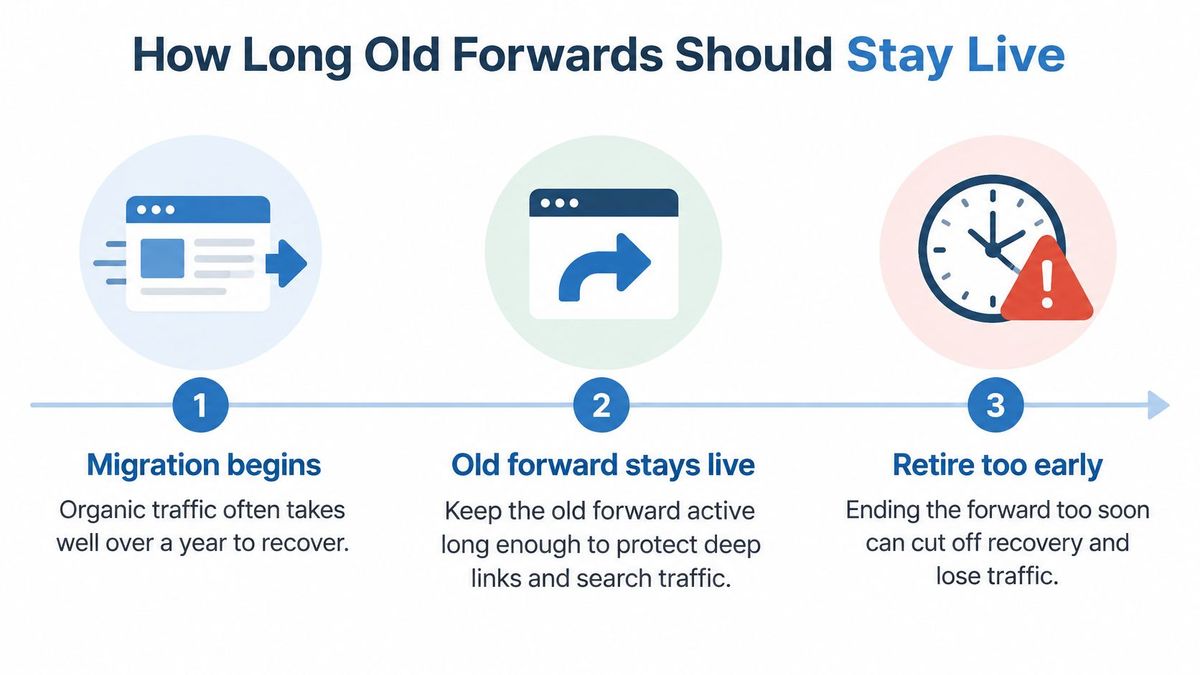
A domain forward is not a low-risk admin change you can undo next quarter. An analysis of 892 domain migrations, covered in Veza Digital's rebrand write-up[6], reported an average of 523 days to regain the former level of estimated organic traffic, with 17% not recovering within 1,000 days. Retiring the old forward early is the expensive move.
| Phase | Keep the forward | Watch |
|---|---|---|
| Months 0 to 3 | Active with monitoring | Redirect errors, chains, and certificate status |
| Months 3 to 12 | Still active | Traffic, referring domains, and customer use of old links |
| Year 2 onward | Permanent forwards only for URLs with traffic or backlinks | Retire only after sustained zero traffic and no backlinks |
If the team is unsure the new site will stick, test first with a temporary code so you can roll back. Don't flip the same URL between 301 and 302. That sends conflicting signals to caches and crawlers. Once you are sure, switch once and leave it.
Obsolete URLs with no close replacement get a closer choice: the nearest relevant page, or a deliberate 404 or 410 when the page is gone. A blanket homepage redirect is the option I would not use. Pair the retention list with a search-friendly site structure[7] on the new domain so the destinations you keep pointing at are worth the wait. Write the retention policy down and review it every quarter against traffic, backlinks, and real customer use.
RedirHub routes domain forwards on your own hostnames, with 301, 302, 307, and 308, path and query preservation, and HTTPS issued when the domain shows Connected. If you are retiring a brand, spare TLD, or campaign host, map the old URLs and keep the forward observable instead of hoping the homepage is enough. Visit RedirHub to connect the domain and test the deep links before you cut DNS over.
Redirect whole domains without a server
Point a domain you own at RedirHub, keep paths and query strings, and check the full redirect chain before you cut over. Pro comes with a 14-day free trial; Core starts right away.
See the URL redirect serviceSources
- [1]MDN guide to HTTP redirections
- [2]redirect old URLs after changing platforms
- [3]migration planning for agency delivery teams
- [4]Hover's guide to managing domain forwarding
- [5]RedirHub redirect speed benchmark, 29 October to 5 November 2026
- [6]Veza Digital's rebrand write-up
- [7]search-friendly site structure
Frequently asked questions
Use 301 for a permanent move when only GET traffic reaches the old domain. Use 308 when forms or API calls still hit the old host, because 308 keeps the request method while 301 may turn a POST into a GET. Use 302 or 307 only for short campaigns or maintenance windows.
No. You only need control of the domain's DNS. The domain stays with your registrar, no nameserver change is required, and your email records stay as they are.
Not if you leave the MX and TXT records alone while you edit the web records. Overwriting MX stops incoming mail, and removing TXT values can break verification and email authentication.
Turn on path keeping so a deep URL such as /products/a moves with the forward, and check that query strings pass through. Test five real URLs from your analytics before you cut DNS over, not only the homepage.
Keep it active with monitoring for the first three months and through the first year. After that, keep permanent forwards only for URLs that still get traffic or backlinks, and retire one only after sustained zero traffic.

Leo Astarothman is the Brand & Content Lead at RedirHub, where he shapes the company's visual identity, educational content, product experiences, and marketing strategies. He also specializes in system design. Simplifying complex redirect infrastructure into practical resources, product experiences, and campaigns that help businesses understand and adopt modern redirect management.
Related Articles
View All Articles