How to Redirect Your Domain to Social Media (Without Hurting Your Brand)

Key takeaways
Use an HTTP-level redirect (not a meta refresh or JavaScript) so the jump happens before the page loads. Choose a 302 or 307 if you may change the destination later, and a 301 or 308 only if the move is permanent. Registrar forwarding usually fails if your domain uses third-party nameservers. Set the rule where your DNS actually lives. Do not redirect a domain that already holds content or traffic straight to a profile. Use a subdomain or a small hub page. If the link will be printed, use a redirect layer you control so you can change the destination later without reprinting.
You can redirect a domain to a social media profile in about five minutes: set a forwarding rule at your registrar or DNS provider, point it at your profile URL, and choose a permanent or temporary redirect. The hard part is not the click path. It is choosing the right redirect type, avoiding DNS conflicts, keeping link previews correct and deciding whether a direct redirect is really the best home for that domain.
This guide walks through all four, with the failure points that trip people up.
What redirecting a domain to social media actually does#
When someone types yourbrand.com into a browser, your server (or your forwarding service) answers with a redirect response. In HTTP, redirection is triggered by a server sending a response with a status code starting with 3 and a Location header holding the destination URL[1]. The browser then loads the new address, in this case your Instagram, Facebook, LinkedIn, YouTube, TikTok, X (formerly Twitter) or Pinterest page.
Common reasons people do this:
- Your website is under construction and you want visitors to land somewhere maintained.
- You are a solo professional whose LinkedIn profile is your main presence.
- You run a shop on a social platform and want a short, memorable address for it.
- You have a campaign or event and need a vanity address for a poster, a podcast mention or a business card.
EuroDNS lists similar use cases[2], including website maintenance, personal branding and social storefronts. All of them are reasonable. The setup mistakes are what cause damage.
Redirect or masked forwarding: pick the visible method#
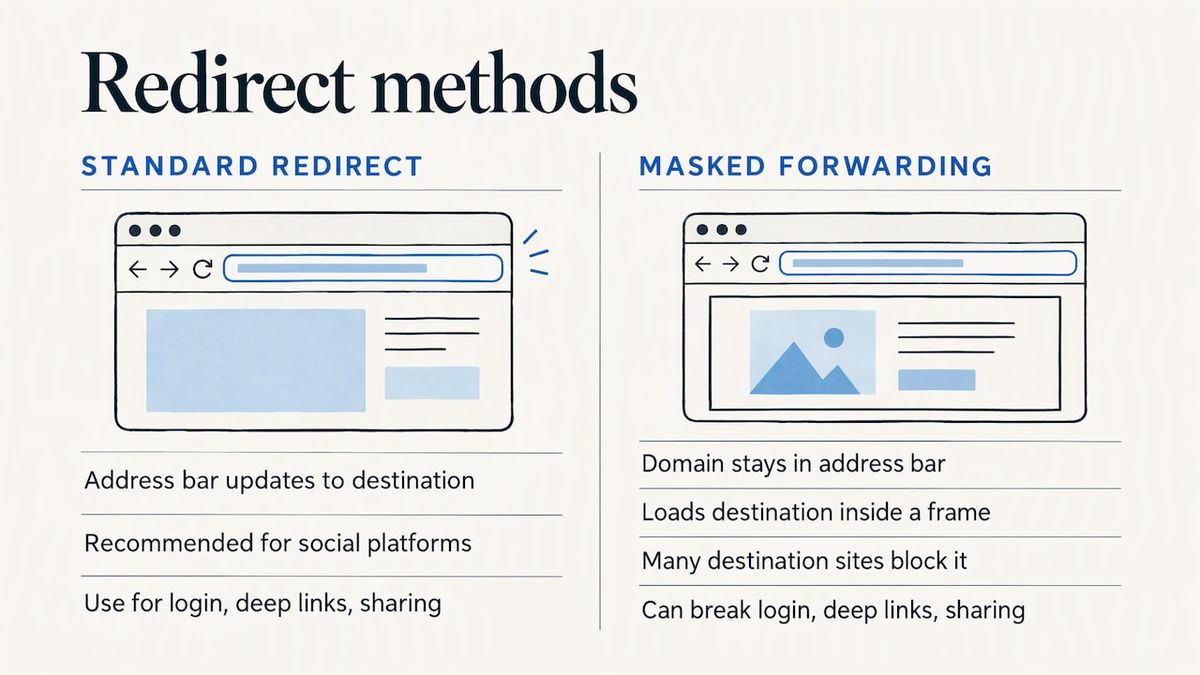
Most forwarding tools offer two modes. With a standard redirect the address bar updates to the destination, while masked forwarding keeps your domain in the address bar by loading the destination in a frame[3]. The same source notes that some destination sites do not allow masked forwarding, which the registrar cannot override.
For social platforms, treat masked forwarding as a non-starter. Even where it appears to work, it can break login prompts, app deep links and sharing. Use a standard redirect.
Choose the redirect type: 301, 302, 307 or 308#
The status code tells browsers and search engines how to treat the move.
| Code | Meaning | Use it for social redirects when |
|---|---|---|
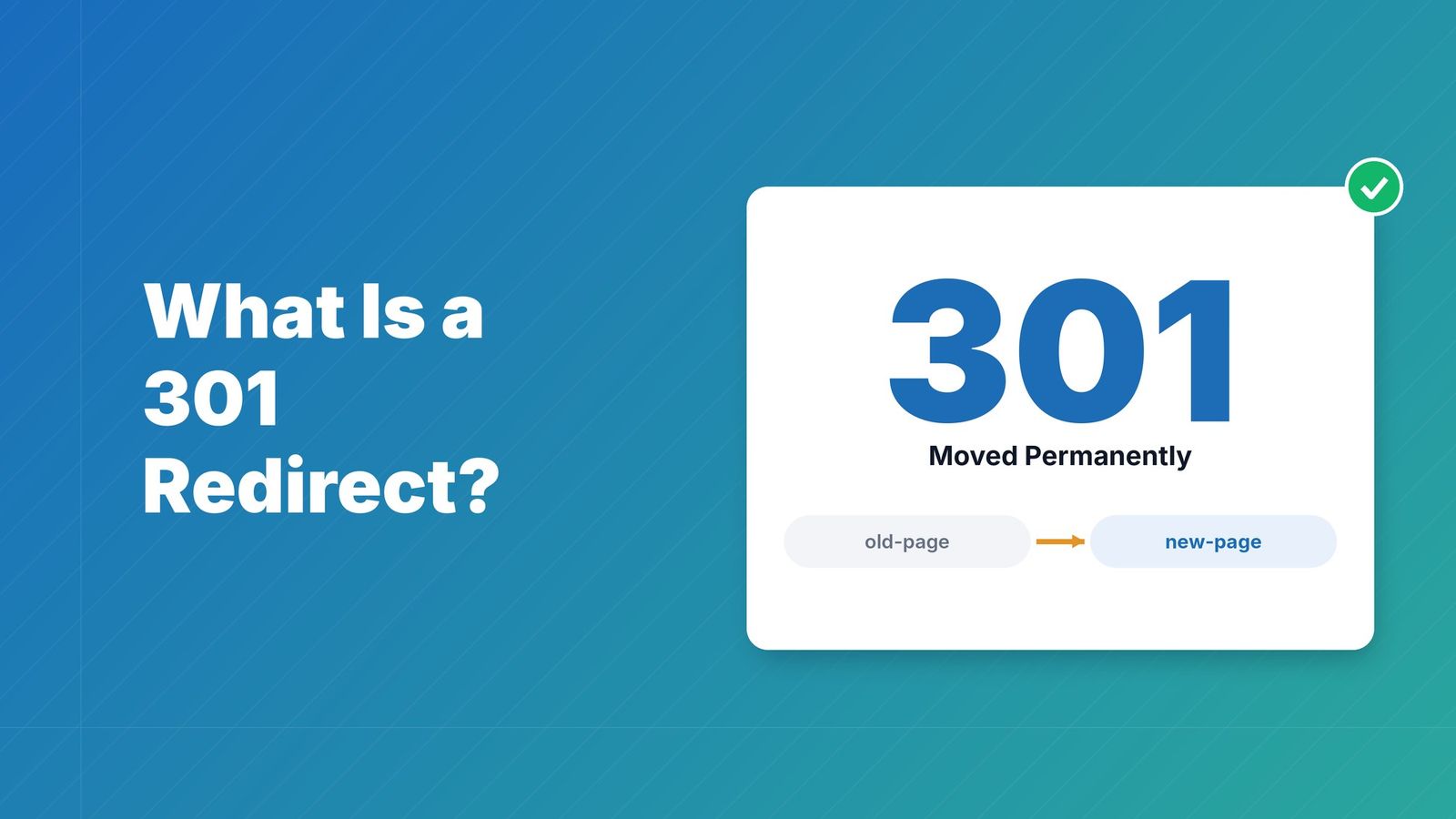
| 301 | Permanent | The domain will point to this profile for the foreseeable future |
| 308 | Permanent, request method preserved | Same as 301, but you want strict method handling |
| 302 | Temporary | A campaign, a seasonal destination or a test |
| 307 | Temporary, request method preserved | Same as 302, with strict method handling |
Google’s crawling documentation says 301 and 308 are strong signals that a URL has moved permanently, while 302 and 307 are weak signals[4]. The same page states that Google crawlers follow up to 10 redirect hops by default. MDN explains that 308 behaves like 301 but stops the client from changing the original request method[5], which matters for non-GET requests and rarely for a person typing a URL.
A practical rule: if you are not sure you will never change the destination, use a temporary redirect. A permanent redirect can be cached by browsers, which makes reversing it slower in practice. For a deeper comparison, see our guide to 301 vs 302 redirects and their SEO impact.
Set it up: the usual path#
- Find where your DNS is managed. Look at your domain’s nameservers. If they belong to your registrar, use the registrar’s forwarding tool. If they belong to a website builder or a managed DNS provider, the rule must be created there.
- Copy the exact destination URL. Open your profile in a browser and copy the full address, including
https://. Avoid shortened or tracking-parameter versions. - Create the forwarding rule. Enter your domain as the source, paste the profile URL as the destination, and choose a standard redirect and the status code from the table above.
- Decide on
www. Forward bothyourbrand.comandwww.yourbrand.comto the same place, or one will show an error or an old page. - Confirm HTTPS works. Visit
https://yourbrand.comas well as thehttp://version. If only one works, your forwarding setup is missing a certificate for the domain. - Test in a private window and on mobile. Cached redirects and app handoffs behave differently from a desktop browser.
Why registrar forwarding sometimes fails#
Registrar forwarding typically requires the registrar’s default nameservers[6]. If you have pointed the domain to a third-party host or a managed DNS provider, the built-in tool will likely fail, and you must create the redirect in that provider’s dashboard or through URL rules instead. This is a common reason a “simple” forward does nothing.
Avoid loops#
A redirect loop happens when the destination triggers another rule that sends visitors back. Browsers give up on the link, and link-preview scrapers such as Facebook’s cannot read the destination. An SEO plugin issue thread on circular redirects[7] shows how easily one slips in. Keep the chain to one hop, and make sure the destination URL is final.
Redirect a domain to Instagram, Facebook, LinkedIn, YouTube, TikTok or X#
The method is the same for every platform: the destination is the public address of your profile, page or channel. Copy it from the browser rather than typing it, and open it in a private window first to make sure it loads for someone who is not logged in. Typical addresses look like this:
| Platform | Profile address to use as the destination |
|---|---|
| https://www.instagram.com/yourhandle | |
| https://www.facebook.com/yourpage | |
| https://www.linkedin.com/in/yourname or https://www.linkedin.com/company/yourcompany | |
| YouTube | https://www.youtube.com/@yourchannel |
| TikTok | https://www.tiktok.com/@yourhandle |
| X (formerly Twitter) | https://x.com/yourhandle |
| https://www.pinterest.com/yourbrand | |
| https://wa.me/yournumber | |
| Telegram | https://t.me/yourusername |
If you want a ready-made setup for these platforms, RedirHub’s social media redirects page covers pointing a domain at Instagram, Facebook, LinkedIn, YouTube and more.
Use HTTP redirects, not meta or JavaScript tricks#
If you control a web server, you may be tempted to add a meta refresh tag or a script. Do not. MDN describes HTTP redirects as the preferred approach, since they happen before the page begins to load[1], which makes them faster and more dependable for both browsers and crawlers. Page-level redirects also flash a blank or intermediate page, and some social crawlers do not run scripts at all.
Should you redirect straight to a profile at all?#
This is the question most tutorials skip.
It is fine when the domain is new, has never held content, and exists only as a short address for a profile, a campaign or a business card.
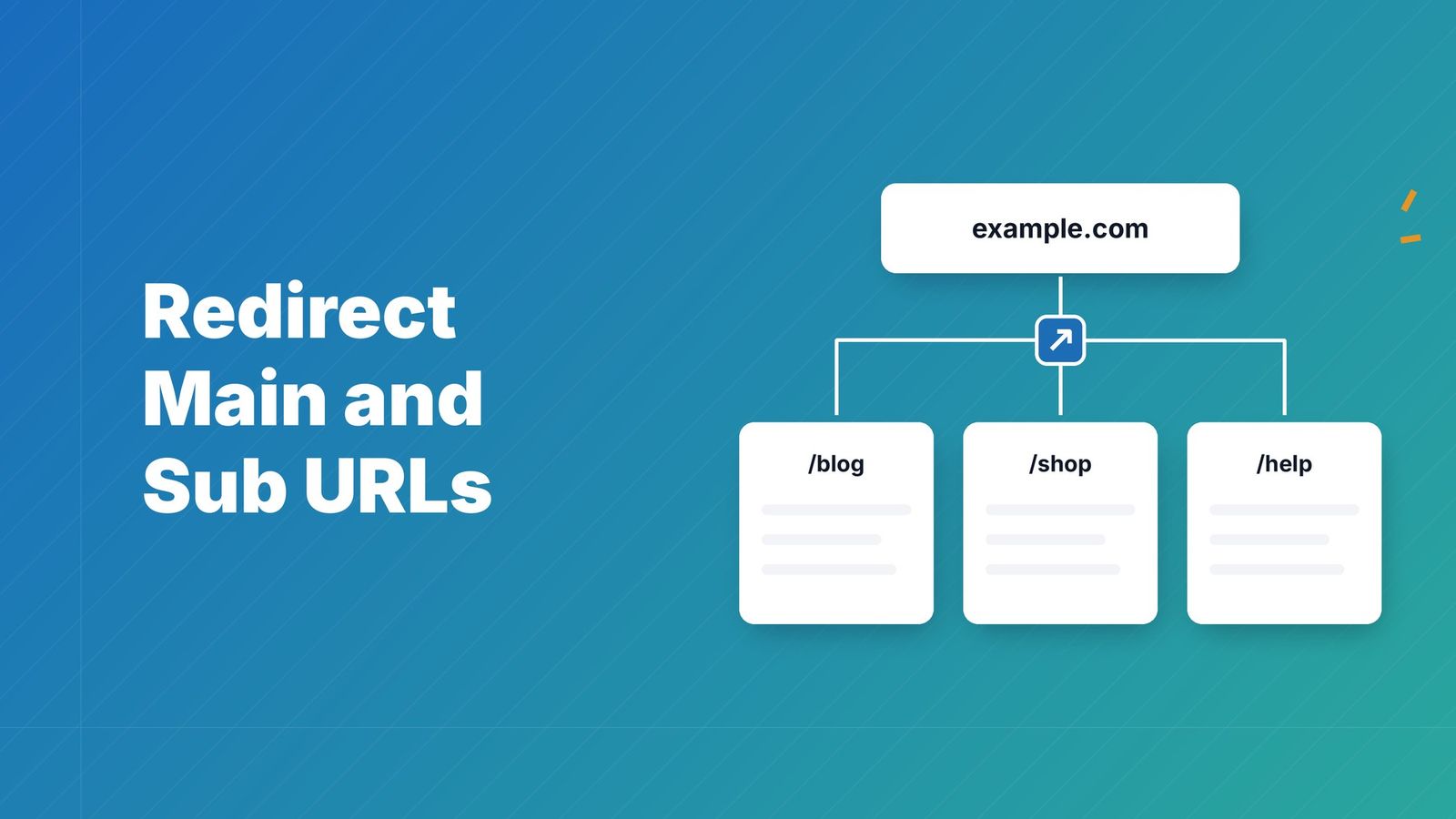
Think twice when the domain used to run a website, has inbound links, or is your main brand name. Redirecting a root domain that previously held content can cost you search traffic, and sending returning visitors to an Instagram, Facebook or LinkedIn profile can confuse people who expect your original content and fragment your branding. A subdomain keeps the active site where it was; a webmaster Q&A thread on redirecting a naked domain to a social profile[8] weighs the same trade-off.
The better pattern for most businesses:
- Keep your main domain pointed at a real page, even a single-page site.
- Use a subdomain or a separate vanity domain, such as
go.yourbrand.comoryourbrand.link, for the social redirect. - Or send visitors to a hub page that links to all your profiles when your audience splits across Instagram, Facebook, LinkedIn, YouTube and TikTok. Our guide to branded links for social media shows cleaner links for bios, posts and campaigns. If you also run QR-based loyalty or rewards programs, BonusQR’s guide to branded customer loyalty programs[9] covers the digital identity side.
What RedirHub redirects point to#
Across 193,375 redirect requests from people (bots excluded) on RedirHub between 21:34 UTC on 18 October 2026 and 03:34 UTC on 19 October 2026, only 0.38% sent visitors to one of twelve social or messaging platforms we checked (Instagram, Facebook, LinkedIn, YouTube, TikTok, X, Pinterest, WhatsApp, Telegram, Threads, Snapchat and Reddit). Facebook was 0.16% of requests, YouTube 0.03% and Instagram 0.01%; the rest went to other websites and apps. We left out the accounts that each handled more than 10% of requests on their cluster (82% of human requests) and any platform reached by fewer than five accounts, and this is a six-hour snapshot, so read it as a sign that most redirects point to websites, not as a ranking of platforms.
Pick a domain that reads well offline#
Practitioners suggest specialized extensions such as .SOCIAL, .LINK or .PAGE for redirects to social media[2], because they produce a cleaner, more memorable address for business cards and printed materials. Whatever extension you choose, the principle is the same: the shorter and more speakable the address, the more likely someone types it correctly from a flyer. Our post on vanity URLs and how to set one up goes through naming and setup.
Fix wrong link previews after redirecting#
After you redirect, someone shares your domain on Facebook and the preview shows an old image or no image. That usually means Facebook cached older metadata. ProPhoto’s support article[10] names duplicate Open Graph tags as a common cause of a wrong preview and suggests scraping the page again in the Facebook Sharing Debugger until the preview is right. A developer thread about a Facebook share link that hit a redirect error[11] turns to the same debugger. LinkedIn has a similar Post Inspector for its own previews.
If the preview is still wrong:
- Check that the redirect resolves in one hop and returns a clean response.
- Confirm the image on the destination meets the platform’s size guidelines.
- Remember that a link to a profile shows the profile’s preview, not a custom one. If you want a controlled preview, send people to a page you own.
Our perspective: a redirect is an asset you should own#
We build link and redirect infrastructure, and we see the same pattern repeatedly. A team registers a domain, forwards it to an Instagram page, prints it on packaging or event signage, and a few months later the destination changes: a new campaign, a renamed handle, a move to another platform. The printed material is now permanent, but the redirect is stuck, and nobody remembers which registrar account holds it.
That is why we think of social redirects as part of your branding, not a one-time setting. Three habits make the difference:
- Put the redirect on a domain you own and can manage in one place. A shared shortener’s domain is not yours; if the service changes terms, your printed links go with it.
- Make the destination editable. The address on the poster should never be the thing you cannot change.
- Measure it. If a QR code or vanity URL sits on printed material, you want to know whether anyone scans or types it, and from where.
The tradeoff is real: a built-in registrar forward costs nothing and is perfectly adequate for a hobby project. Once the link carries campaign weight, control and analytics start to matter more than saving a few dollars.
When the link goes on print: dynamic redirects and QR codes#
Printed material is where redirects get expensive to get wrong. A business card, a menu or a trade-show banner cannot be edited after the fact. Two approaches solve it:
- A vanity or branded link on your own domain, whose destination you can change at any time. Today it points to Instagram, next quarter to a landing page.
- A dynamic QR code that encodes a short redirect rather than the final URL, so the code stays the same while the destination changes.
With RedirHub, you create branded links and domain redirects on your own domain, with SSL handled for you, and update the destination without touching the printed asset. If you need scannable codes for packaging or signage, our dynamic QR codes work the same way, and the click and scan analytics show which placements actually drive visits. Plans are Core, Pro and Enterprise, and Core and Pro have a 14-day free trial; see pricing for what each includes.
This is a business tool. If you only need a one-off forward for a personal page, your registrar’s free option is the simpler choice.
Checklist before you publish the redirect#
- The domain’s nameservers match the place where you created the rule.
- Both the root domain and
wwware forwarded, over HTTP and HTTPS. - The redirect is a single hop with the right status code for how permanent it is.
- The destination URL is the clean, final profile address.
- You tested on a phone, in a private window, and with the Sharing Debugger if the link will be shared on Facebook.
- If the domain ever hosted content, you have a plan for those old URLs. Our guide to setting up a 301 redirect covers mapping old pages to new ones.
- You know who owns the domain account and where the redirect rule lives.
Point your domain at any social profile
Redirect your domain to Instagram, Facebook, LinkedIn, YouTube, TikTok or X with a 301 or 302 you can change later, on your own domain with SSL handled for you.
See social media redirectsSources
- [1]Redirections in HTTP, MDN
- [2]Redirect your domain to social media, EuroDNS
- [3]Adding URL forwarding, Name.com help
- [4]How HTTP status codes affect Google’s crawlers, Google for Developers
- [5]308 Permanent Redirect, MDN
- [6]How to forward a domain, Hostinger
- [7]Circular redirect issue, Yoast SEO on GitHub
- [8]Redirecting naked domain to a social profile, Webmasters Stack Exchange
- [9]Branded Customer Loyalty Program: The 2026 Guide to Digital Identity, BonusQR
- [10]Wrong preview for a link to my site, ProPhoto Support
- [11]Facebook share link returning 404 redirect error, Stack Overflow
Frequently asked questions
Open your registrar’s or DNS provider’s forwarding settings, enter your domain as the source and the full profile URL (Instagram, Facebook, LinkedIn or any other public profile) as the destination, and choose a standard redirect. If your domain uses third-party nameservers, create the rule in that provider instead of at the registrar. Then test on desktop and mobile.
Use a 301 (or 308) if the domain will point to that profile permanently. Use a 302 (or 307) if you might change the destination, for example after a campaign. Google treats the permanent codes as strong signals and the temporary ones as weak signals, so the choice mostly affects how search engines treat the old address.
Facebook likely cached older metadata or scraped the page during an error. Paste the URL into the Facebook Sharing Debugger and scrape it again until the preview updates. Also check for redirect loops, which stop the scraper from reading the destination.
It can be, if that domain has held content or has inbound links. Visitors who expect your site may be confused, and you give up control of your branded address. Keep your main domain on a real page and use a subdomain or a separate vanity domain for the social redirect.
Yes. The method is the same for every platform: use the public address of the channel or profile as the destination, such as youtube.com/@yourchannel, tiktok.com/@yourhandle or x.com/yourhandle. Open the address in a private window first to confirm it loads for someone who is not logged in.

Leo Astarothman is the Brand & Content Lead at RedirHub, where he shapes the company's visual identity, educational content, product experiences, and marketing strategies. He also specializes in system design. Simplifying complex redirect infrastructure into practical resources, product experiences, and campaigns that help businesses understand and adopt modern redirect management.
Related Articles
View All Articles