
Key takeaways
Deleting a link ends its public redirect, but the URL lives on in print, bookmarks, search results and partner pages. Before deleting, check where the URL appears and whether an equivalent page exists: if it does, keep the link and change its destination or use a permanent 301 or 308 redirect; if not, let the URL return 404 or 410, never a blanket redirect to the homepage. Export the analytics and history you need first, swap printed QR codes before removing them, and remember that a lapsed plan pauses links rather than deleting them.
The table tent is still sitting on a distributor's counter. The QR code printed on it points to an offer page you retired in the spring. Nobody scanned it for weeks, so nobody noticed, until a sales rep tried it in front of a buyer and got an error page.
That's how most link deletions go wrong. The dashboard action takes a few seconds. The consequences take months to surface: a printed code with nowhere to go, a paid ad pointing at a dead page, a bookmark that lands on a bare error, a partner's resource page linking to a domain you let expire.
Deleting a link is a decision about what the public URL still does in print, in search results and on other people's pages. Treat it as that decision and the work becomes a short, orderly process. Treat it as a button and you'll spend the next quarter explaining broken links you can't fix without a reprint.
What Deleting Does to Each Link Type#
Start with the question asked only after the damage: what stops working once this link is gone? The answer depends on the link type, because every entry on the Links page behaves differently the moment it disappears.
A branded short link stops redirecting. The short URL is still in the email sequence, the printed flyer and the conference badge, and everyone who follows it lands on an error. A dynamic QR code stops sending scanners anywhere, which is worse, because the code itself is still on the packaging. A domain redirect stops forwarding an old address to a new one, so inbound links and bookmarks on the old domain break at once. A website migration mapping stops sending old URLs to their replacements, and the pages that ranked for those URLs lose the path forward.
Deleting a link is also not the same as removing it from the web, and that gap catches teams out. Google's position is that a site owner should remove or update the content and return a 404 or 410 for permanent absence; its Search Console Removals tool exists to update Google results, not to erase the underlying page (Google Search Console Help[1]). Cached copies, indexed references, third-party archives and screenshots survive all of it. So do the physical copies.
One more distinction worth holding on to. Managed links are the active branded links, dynamic QR codes and migration mappings in a workspace, counted separately from domains. A plan that lapses pauses the links it no longer covers rather than deleting them, and those links start redirecting again as soon as a plan covers them. That difference matters if you've already told a colleague a code is dead.
Before you delete anything, run two checks. Where does this URL already exist outside your dashboard: packaging, signage, paid creative, email footers, partner pages, an API client. And is the destination still needed by someone, even in a different form. Neither check takes long, and both are cheaper than a reprint.
| Link type | What deleting does | Check first |
|---|---|---|
| Branded short link | Public URL stops redirecting to its destination | Emails, posts and printed copies of the short URL |
| Dynamic QR code | Scans stop reaching the destination | Packaging, signage, flyers and ad creative |
| Domain redirect | Old address stops forwarding to the new page | Inbound links and bookmarks to the old address |
| Website migration mapping | Old URL stops forwarding to its replacement | Search rankings and external links to the old URL |
| Paused link after a plan lapses | Not deleted; redirects again once a plan covers it | Whether it should stay paused or be removed |
Delete, Redirect or Return a 404 or 410#
The mistake that does the most damage is also the most common: point every deleted URL at the homepage and call it handled. Google explicitly warns against redirecting deleted URLs to the homepage, inventing replacement content to absorb the traffic, or blocking nonexistent URLs in robots.txt, because those patterns create soft 404s and obscure how a site is built (Google Search Central on URL changes[2]).
The choice follows one question: does a substantially equivalent page exist? If it does, keep the URL alive and send it to the closest match with a permanent redirect. If it doesn't, let the URL return an error rather than inventing a destination.
Error responses aren't a housekeeping failure, they're the normal state of the web. Pew Research Center collected a random sample of just under 1 million webpages from 2013 to 2023 and found 25% were no longer accessible by October 2023, with 16% of pages dead while their root domains still worked and 9% lost because the whole domain stopped functioning (Pew Research Center on disappearing online content[3]).
The case for moving a link instead#
If the destination moved inside your own setup, changing the link's destination beats deleting it: the URL people already have keeps working, which is the difference between a migration and a set of reprints. In RedirHub a link's source URL cannot be edited after it is created, so a new slug means a new link plus a redirect from the old URL, and a CSV import shows what will be added, updated or removed before anything is written.
The redirect code you pick decides how much of the old URL's value survives. 301 and 308 are permanent, and 308 preserves the original method and request body, which matters for anything that isn't a simple page view. 302 and 307 signal that the original URL may return, so they're a maintenance tool, not a deletion substitute. If you want the mechanics before you choose, how redirect types affect SEO covers the differences properly.
A page that must stay reachable but shouldn't appear in search needs noindex, not deletion. Blocking crawlers with robots.txt keeps the page live and still indexed, which is often the opposite of what's intended.
| Situation | Action | Response | Why |
|---|---|---|---|
| Page is permanently gone, no replacement | Delete the link and let the URL return an error | 404 or 410 | Tells search engines the URL is intentionally gone |
| Content moved to an equivalent page | Keep the URL and set a permanent redirect to the closest match | 301 or 308 | Passes visitors and link value to the new address |
| Change is temporary or reversible | Keep the link and change the rule later | 302 or 307 | Signals the original URL may return |
| Page must stay reachable but leave search results | Keep the page live and add noindex | 200 with a noindex tag | Keeps the page working while removing it from results |
| Sensitive content must come down now | Delete the resource, then request removal from search | 404 or 410 | Removal requests act on search results, not the source page |
Write the decision into the link's record before you delete anything. Six months from now, "we removed it because the offer expired" is a far better answer than a shrug.
How to Delete a Link Step by Step#
A short URL in a printed brochure, partner page or scheduled email can keep drawing visitors after a campaign ends. Deleting it changes what happens when someone uses that URL, so check its public use before you remove it.
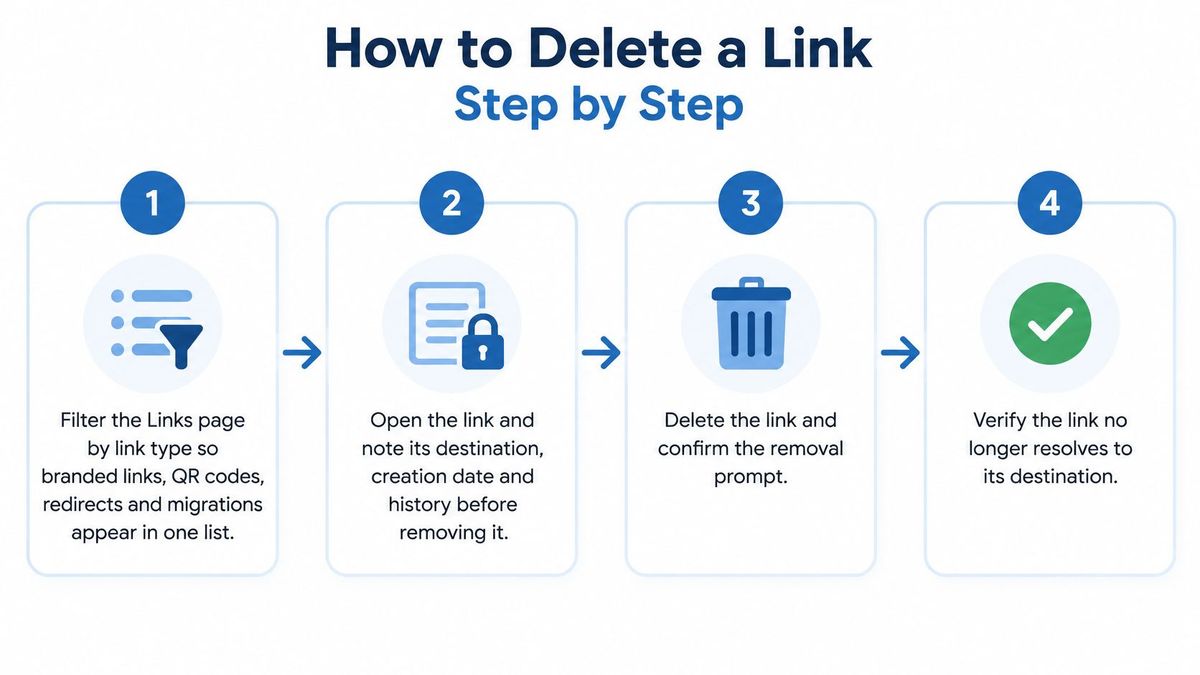
- Filter the Links page by link type. RedirHub lists branded links, dynamic QR codes, domain redirects and website migrations on one Links page. Narrow the list to the type you intend to review, then check the selected rows before taking a bulk action.
- Open the link and read its record. Note the destination, creation date and, on Pro, its change history. This can help distinguish an expired campaign URL from a link that still supports a live page or another team's work.
- Save the click figures to your campaign file. Record the performance information you need before deleting the link, so your campaign file retains a reference to how the URL performed.
- Check where the public URL appears. Look for it in printed materials, email sequences, paid ads, partner pages and API clients. A URL can remain in circulation even after the campaign that created it has ended.
- Choose whether to delete, pause or redirect. If visitors should reach a new destination, change the link's destination rather than deleting it. If you need a different slug, create a new link and redirect the old URL to it. A link's source URL cannot be edited after creation.
- Select the link and confirm deletion. Finish the checks in steps three to five before confirming. Deletion ends the public redirect, so anyone using the old URL may no longer reach its destination.
What to do after you confirm#
Check the old URL in a private browser window and note what happens. If it still reaches the destination, confirm that you deleted the intended link and consider whether a cached response is involved.
For larger clean-ups, select the links on the Links page: the bulk bar can pause, resume or delete them, and each action is previewed before it applies. Through the RedirHub MCP server, bulk updates and deletes return a dry run first and apply only after it is confirmed. Use that preview to check the intended set before confirming a bulk deletion.
What RedirHub still shows after a link is gone#
According to RedirHub's published product facts (as of 17 November 2026), Analytics lists the URLs on each domain that returned 404 Not Found, for domains connected through DNS and through Integration Mode alike, so an old URL that visitors still request after a deletion shows up per domain instead of failing silently. On Pro and Enterprise, the workspace audit log keeps a link's history for as long as the link exists, and click and scan history goes back 90 days on Core and 6 months on Pro: export the history and the figures you need before you delete the link.
What Happens to Analytics and Link History#
A deleted URL can leave gaps in a campaign report if its performance was never exported. Analytics are tied to the link, so save the clicks and scans you need before deletion. Choose a date range, then label the export with the channel and campaign.

Once the URL stops resolving, it no longer records activity as a live link. For the final report, compare tagged-source performance rather than relying on raw clicks alone. A high click count does not show whether the link brought useful traffic; the same principle applies to how roofers separate leads from noise[4].
Keep the report with the link's change history and the deletion decision. On Pro, RedirHub's link change history shows who changed a link, when, the old and new values and where the change came from (dashboard, API, MCP, CSV import or auto-redirect).
That record helps explain later why the URL stopped working and what it was contributing before deletion.
What to Do About QR Codes Already in Print#
A product box on a retail shelf still carries a code for a promotion that ended in Q1. Deleting that dynamic QR code makes every printed copy stop reaching a destination, and those copies can't be recalled, collected or patched. This isn't a rare failure. Pew Research Center found that 23% of sampled news webpages contained at least one broken link, and 21% of government webpages did, in an analysis that included 5% of all sampled links on news pages no longer being accessible (Pew Research Center's link rot report[5]). Even staffed newsrooms with editorial processes leave dead ends behind. A printed code has no editor.
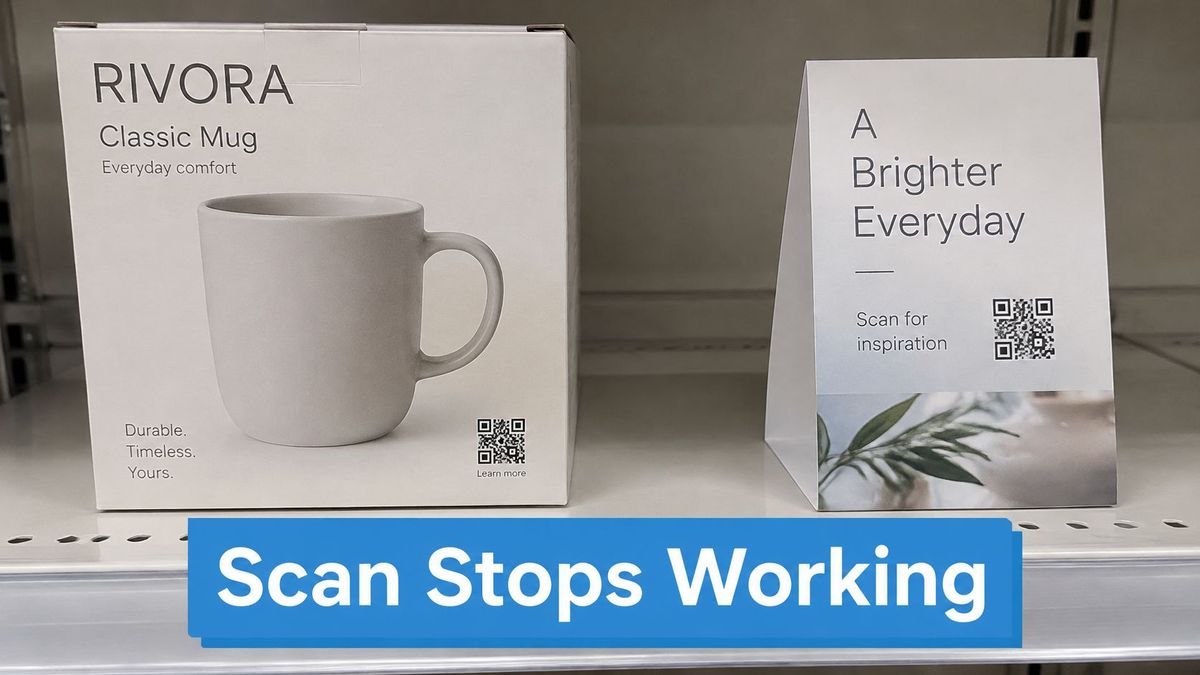
Work the surfaces, not the dashboard:
- List every surface carrying the code. Packaging, table tents, signage, flyers, email footers, paid creative, partner pages and saved bookmarks. Anything you can't recall is a live reference.
- If the offer continues anywhere, keep the link and change its destination. The existing code then opens the replacement page and nobody reprints. Changing a QR code destination after printing is the routine version of this fix.
- If the offer has to stop, swap the physical piece first. Put a notice or a new code on the surface, confirm the swap is out, and only then remove the link. Deleting first means the old stock lies to people for however long it stays on a shelf.
- Watch scan logs for several weeks and note which surface still sends people. A failed scan after removal is the expected result, not a tracking fault. Record the failed scan, the surface and the date, and close that inventory line.
One operational wrinkle: a paused link redirects again as soon as a plan covers it. If a promotion paused because billing lapsed, scans start working again without anyone deciding that they should, which is awkward when you've already told a retailer the code is finished.
Confirm the Deletion Across Every Channel#
A deleted link can still be present in search results, saved bookmarks, partner pages, and ad campaigns. Confirm what the public URL now does, then record the decision so the team can explain it later.
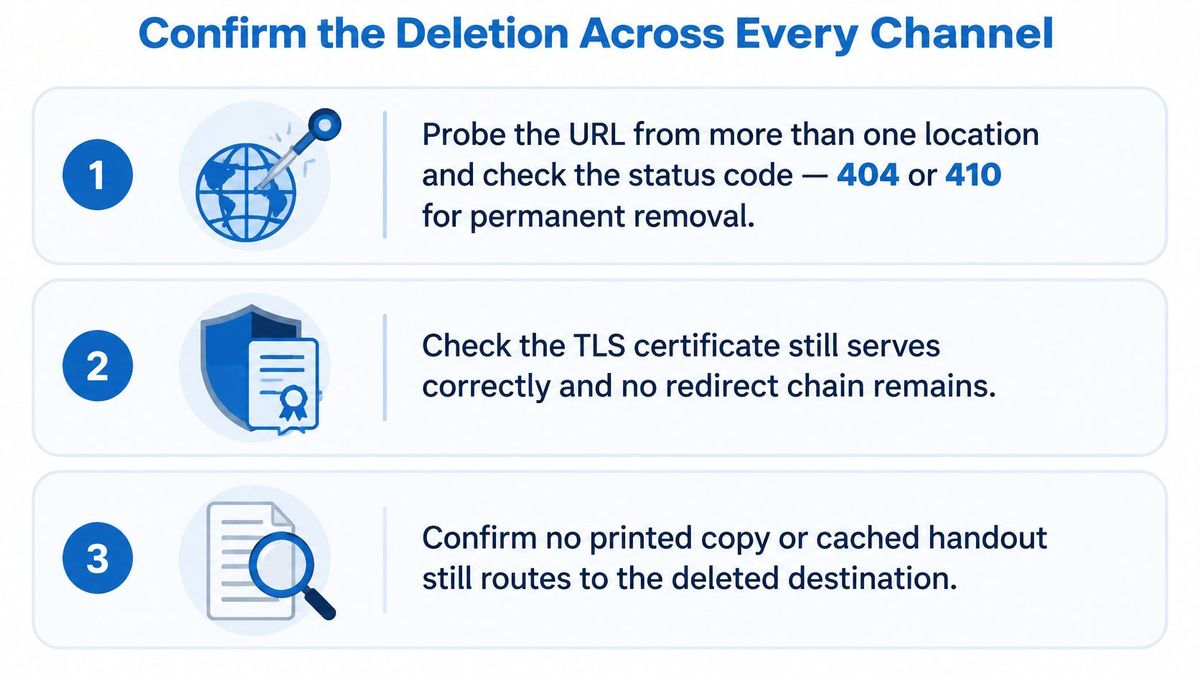
Run the confirmation in three layers.
The URL itself. Open the old URL and check that it returns the status you intended. Confirm that HTTPS works and that no unintended redirect sends visitors to the homepage or through extra hops.
Cache and crawler. The change in your link settings, any cache updates, a crawler's next visit, and search index changes may happen at different times. Set a monitoring window and a calendar reminder rather than assuming everything updates at once. Google's guidance on 404 (Page Not Found) errors[6] explains how it handles URLs returning 404 or 410 responses.
Every remaining source of traffic. Check QR scan logs, ad platforms, partner pages, and API clients. These channels can keep sending visitors to a URL after you have changed its destination or removed it.
Keep an audit trail as an operational practice. Record the link identifier, owner, timestamp, previous destination, reason for the change, and person who made it. This gives the team enough context to distinguish an intentional removal from a broken campaign or an accidental edit.
One Links page lists branded links, dynamic QR codes, domain redirects, and website migrations. Use it to identify the affected link, then open the public URL and confirm its response. Close the task only after the monitoring window ends.
Change the destination, keep the link
Manage branded links, dynamic QR codes, domain redirects and website migrations on one Links page, and point a link somewhere new without reprinting anything.
Manage your redirectsSources
- [1]Removals and SafeSearch reports tool - Search Console Help
- [2]Site Moves and Migrations | Google Search Central
- [3]38% of webpages from 2013 are no longer accessible | Pew Research Center
- [4]Google Ads Conversion Tracking for Roofers | Bluelight
- [5]When Online Content Disappears | Pew Research Center, May 2024
- [6]404 (Page Not Found) errors - Search Console Help
Frequently asked questions
The short URL stops redirecting, so anyone who follows it from an email, a printed flyer or a bookmark lands on an error. Copies of the URL that already exist are not affected by the deletion, which is why you should check where it appears first.
No. Google warns that redirecting deleted URLs to the homepage creates soft 404s. Redirect a URL with a 301 or 308 only when a substantially equivalent page exists, and otherwise let it return 404 or 410.
Every printed copy stops reaching a destination, and those copies cannot be recalled. If the offer continues, keep the dynamic QR code and change its destination; if it has to stop, replace the printed piece first and remove the link afterwards.
No. In RedirHub, when a plan ends or a workspace goes over its plan, the links the plan no longer covers are paused, not deleted, and they redirect again on their own as soon as a plan covers them. Pausing suspends the redirect; deleting ends it.
Both tell search engines the page is gone. Use 410 when you want to signal that the removal is permanent and intentional, and 404 when the URL simply no longer exists; either is better than redirecting to an unrelated page.

Leo Astarothman is the Brand & Content Lead at RedirHub, where he shapes the company's visual identity, educational content, product experiences, and marketing strategies. He also specializes in system design. Simplifying complex redirect infrastructure into practical resources, product experiences, and campaigns that help businesses understand and adopt modern redirect management.
Related Articles
View All Articles