
Your profile sets the language you see RedirHub in and how dates and times are shown. The Notifications page controls every email RedirHub sends. Both are in your account settings and available on every plan.
Step 1: Choose your language#
Open your account settings and click Profile. Under Language & region, pick a Language. The dashboard and your emails come in 9 languages: English, Deutsch, Español, Français, Italiano, 日本語, 한국어, Português and 简体中文.
Step 2: Set your country and timezone#
In the same section, choose your Country or region and Timezone. They decide how dates and times are shown and when scheduled emails, such as summary reports, arrive.
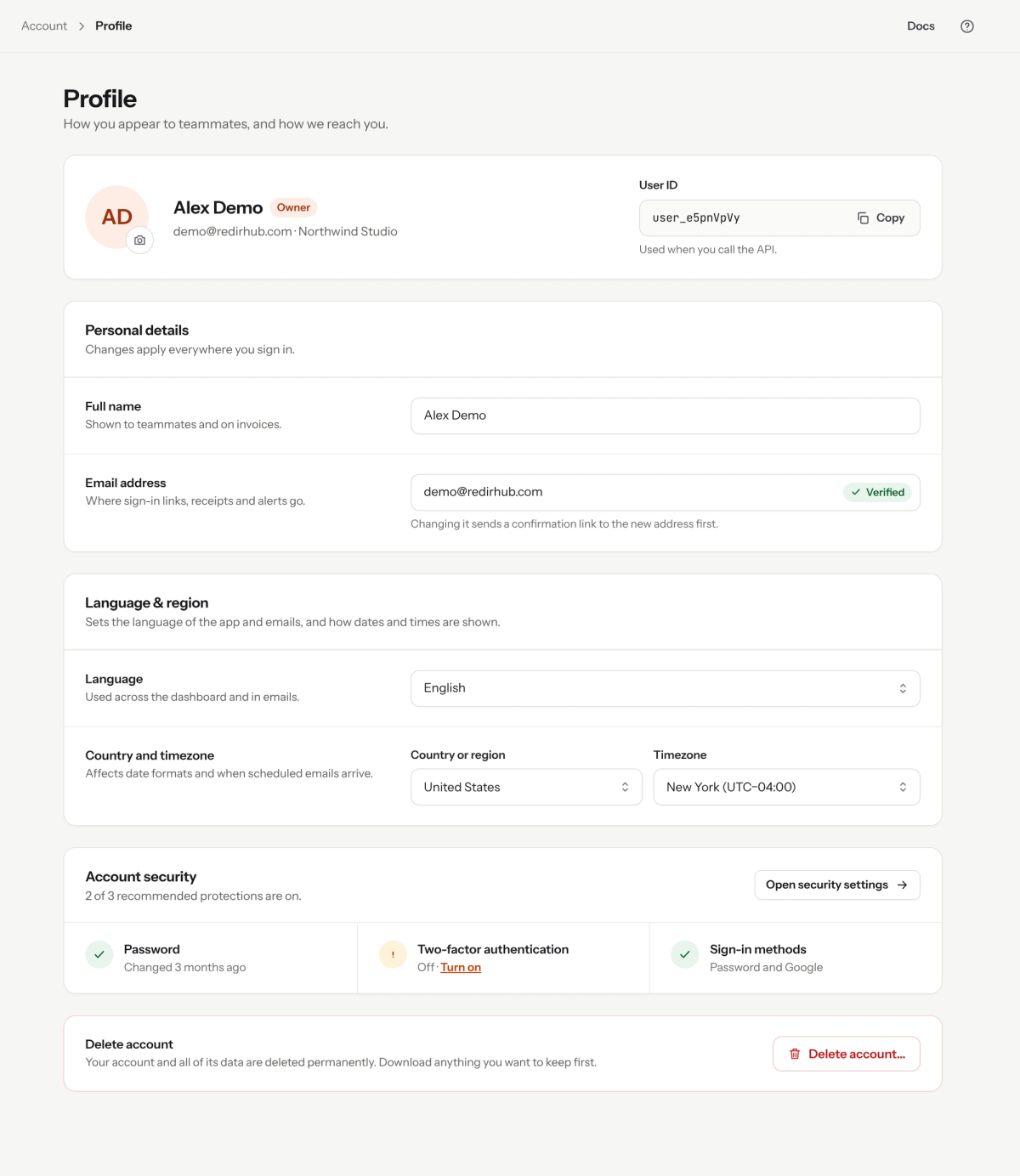
Language & region on your profile.
Step 3: Pick your email notifications#
Click Notifications. Changes save as you make them.
Summary report: choose Never, Weekly (Monday) or Monthly (the 1st). Daily is available on Enterprise. The report covers visits, domains that need attention and your busiest links.
Workspace emails go to the owner, and to managers when that is switched on:
- Domain status: when a domain starts or stops pointing to RedirHub. These are batched, at most one email every 30 minutes.
- Capacity: when your plan’s quota runs low, and when links are paused because a limit was reached.
- Plan and billing: receipts and renewal reminders. These are always sent, and receipts also go to the billing email.
- Daily new-links digest (Enterprise): a CSV of every redirect added the day before.
Just you covers your own emails across every workspace you belong to: summary reports, monitor alerts (down and recovery) and import results.
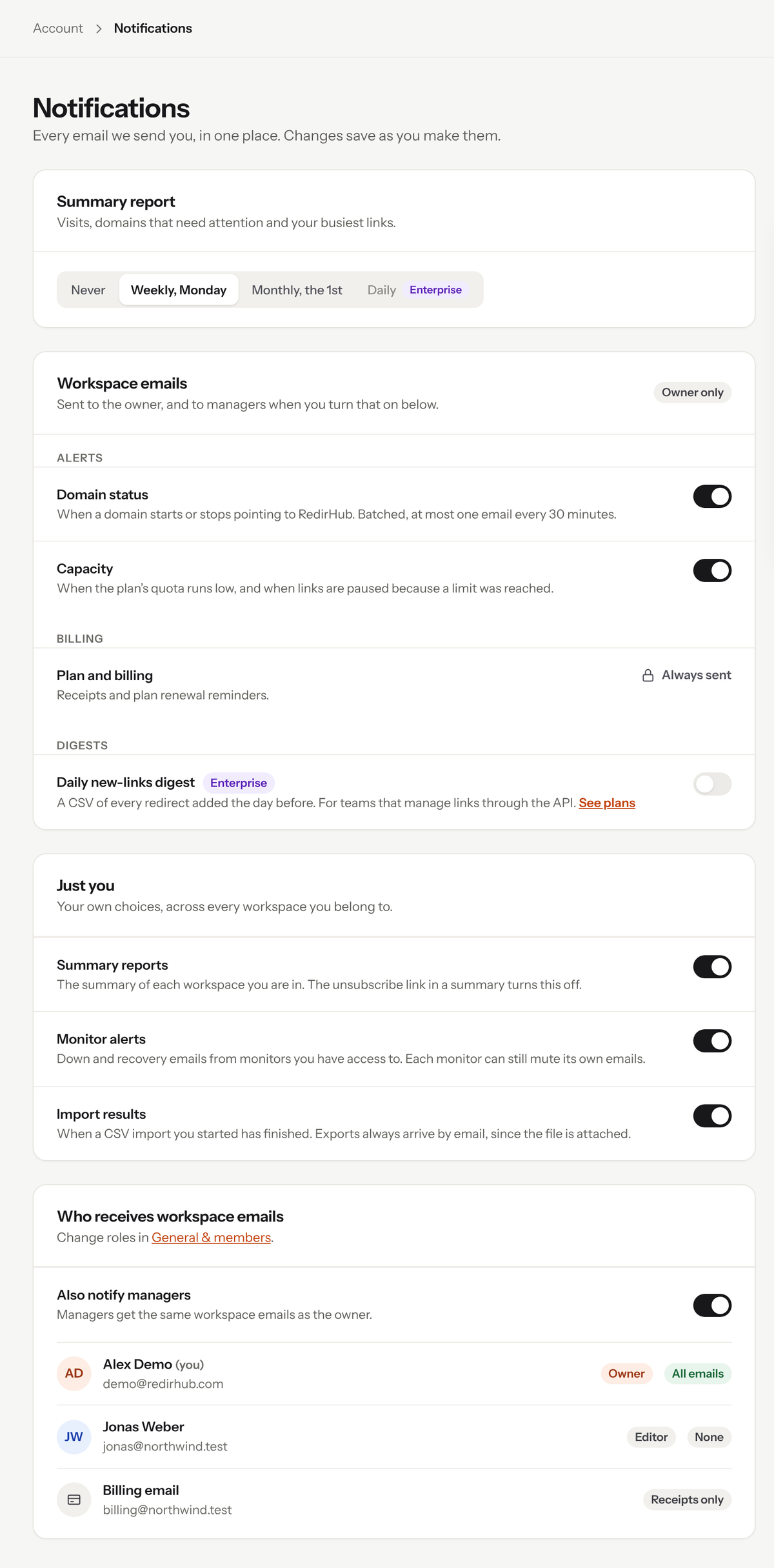
Every email RedirHub sends, on one page.
Step 4: Decide who gets workspace emails#
Under Who receives workspace emails, turn on Also notify managers to send managers the same workspace emails as the owner. Roles are changed in General & members.
Good to know#
- Only the owner and managers can change workspace emails.
- Your language, country and timezone apply to you only. Teammates choose their own.
Frequently asked questions
The dashboard and emails come in 9 languages: English, German, Spanish, French, Italian, Japanese, Korean, Portuguese and Simplified Chinese.
Scheduled emails follow the timezone on your profile. Check Country or region and Timezone under Language & region.
No. Receipts and renewal reminders are always sent. Receipts also go to the billing email.
Yes. Turn on Also notify managers under Who receives workspace emails.