
The audit log is one page for every link change in your workspace. It shows who changed a link’s destination, UTM parameters, redirect type, status or password, what the value was before, and whether the change came from the dashboard, the API or an AI assistant. Use it to answer “who changed this, and when?” across all your links at once. The audit log is available on Enterprise by contract.
Step 1: Open the audit log#
Open your workspace settings and, under Workspace, click Audit log. Changes are listed newest first and grouped by day.
Step 2: Read a change#
Each entry shows:
- Who made the change: a teammate, an API token or an AI assistant acting for a teammate.
- What changed and on which link, with the old value crossed out next to the new one.
- When and where: the time and the source, such as Dashboard, API or AI assistant.
Passwords are never shown. The log only records that a password was added or changed.
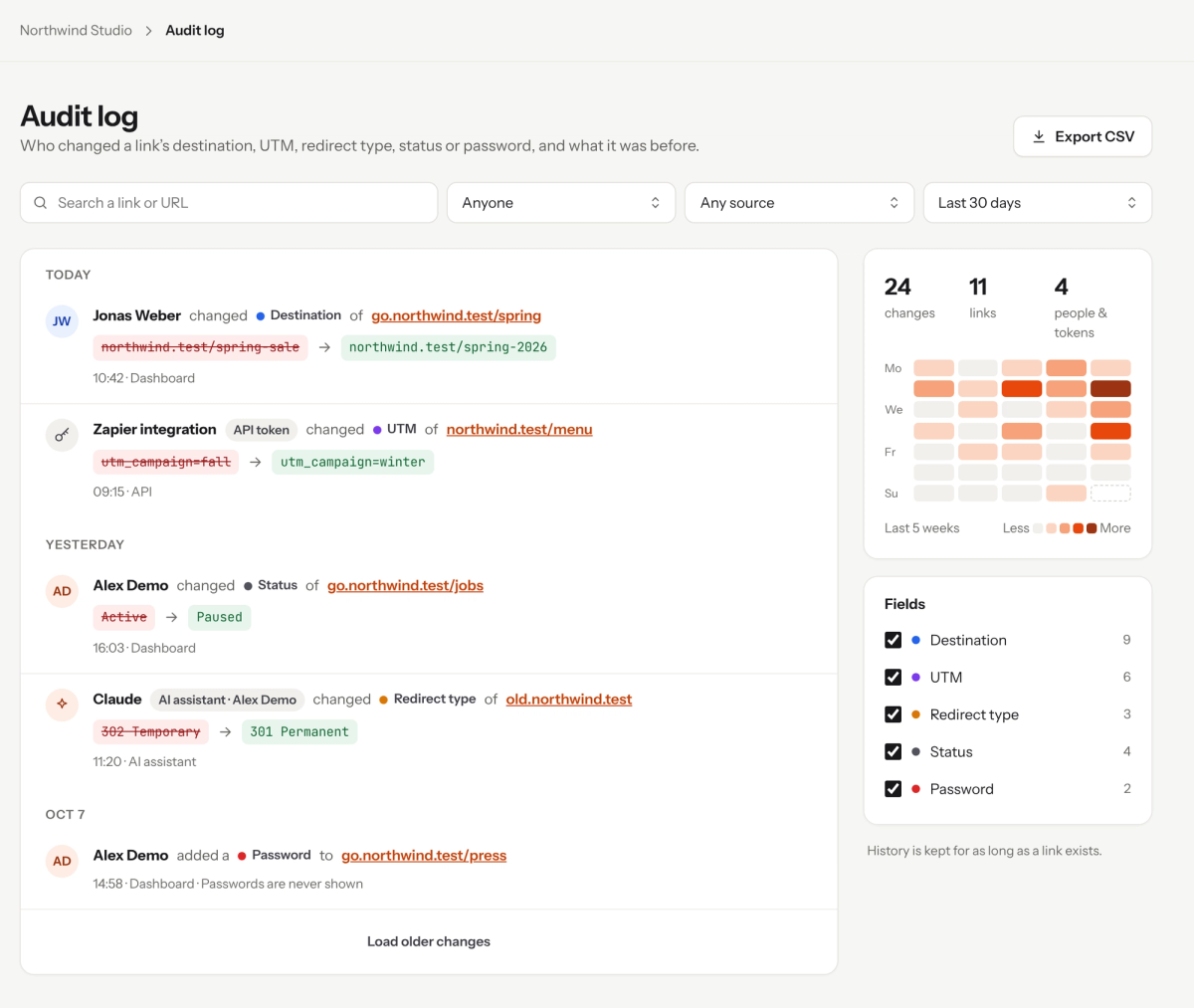
The audit log lists every link change with its old and new value.
Step 3: Filter the log#
Narrow the list with the filters at the top and on the side:
- Person or token: changes made by one teammate or one API token.
- Source: Dashboard, API or AI assistant.
- Date range, such as the last 30 days.
- Fields: tick the fields you want to see, such as Destination or Status.
The activity heatmap shows how many changes were made on each day of the last 5 weeks, with totals for changes, links and people and tokens.
Step 4: Export as CSV#
Click Export CSV to download the changes, for example for a compliance review or to share with your team.
Good to know#
- History is kept for as long as a link exists.
- On Pro, each link shows its own changes in Destination history. The audit log brings every link together on one page.
- Changes made with an API token are listed under the token’s name, so give tokens names you will recognise.
Frequently asked questions
The audit log is available on Enterprise by contract. On Pro, you can see each link’s changes in its Destination history.
For as long as the link exists.
Yes. Every change shows its source: Dashboard, API or AI assistant. API changes show the token that made them.
No. It shows that a password was added or changed, never the password itself.