


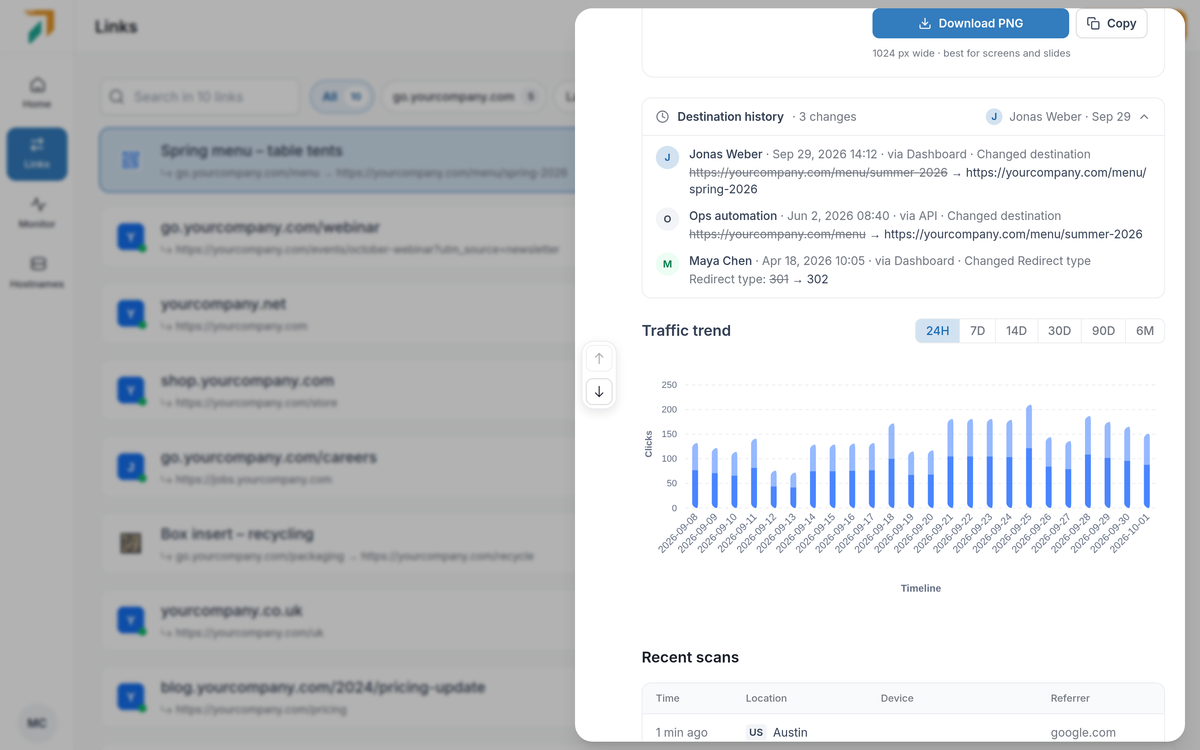
Links → open a link → Destination history
When a link suddenly goes somewhere new, the first question is who changed it. Open any link in Links and the answer is right there, next to how the link has been doing.
Destination history#
- Every change, newest first. Who made it, when, and what changed: the old value crossed out next to the new one, for the destination and every other setting.
- Where it came from. Each change says whether it was made in the dashboard, through the API or MCP, by a CSV import or by Auto-redirect, so automated edits are easy to tell apart.
- Part of Pro. Changes are recorded on every plan. On other plans the link shows how many changes it has, and upgrading to Pro shows them in full.
Longer traffic trends#
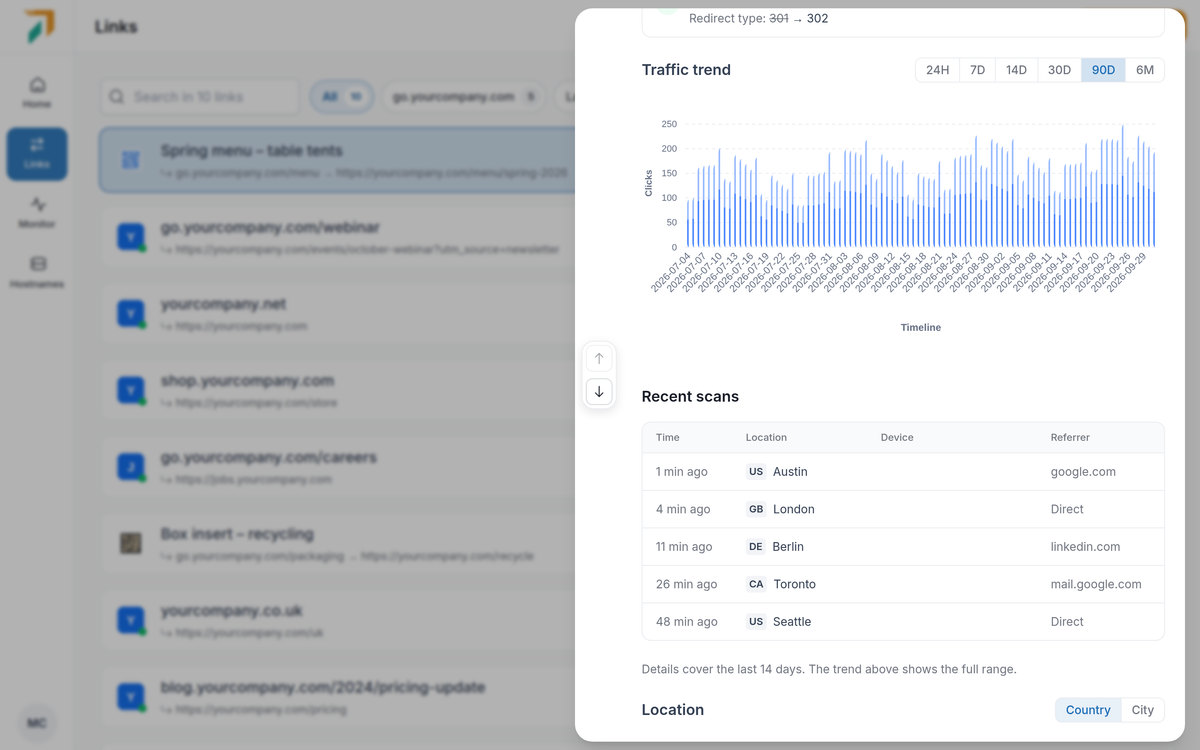
Links → open a link → Traffic trend
- Pick the range. View clicks and unique visitors for the last 24 hours, 7, 14, 30 or 90 days, or 6 months.
- How far back. Paid plans see 90 days of trend; Pro sees 180 days.
- Every report for the last 14 days. Location, technology, domain and referrer breakdowns follow the range you pick, up to the last 14 days. For longer ranges the trend shows the full period and the breakdowns cover the last 14 days. Enterprise keeps detailed reports for longer.
- Recent visits. The latest visits are always listed, even on a quiet link, with their time, location, device and referrer. View all to see more.