Key takeaways
Treat the redirect map as test data: for every priority legacy URL, check for one permanent 301 or 308 hop, a 200 destination and a destination that actually replaces the old page. Baseline your URLs and analytics before launch, then check crawl signals, tracking and speed template by template. After launch, compare old and new cohorts instead of totals, and keep permanent redirects in place long after Google's minimum.
You have a launch date, a redirect map in a spreadsheet, and a staging site that looks ready. What you don't have yet is proof that every page that earns clicks, links, or revenue today will still do that job after the move. That's the gap website migration testing has to close, before launch and for months after it.
Why Launch Day Is Not the Finish Line#
A team launches on Friday afternoon. The homepage loads, key landing pages return 200s, and traffic over the weekend looks close enough to normal. By Tuesday, someone checks Search Console by landing page instead of by total clicks. A handful of legacy URLs that used to drive demo requests now return 404s, and two product categories are losing impressions.
Nothing dramatic broke. That's the problem. Small failures hide inside aggregate traffic for days, especially when the homepage and brand searches hold steady. By the time the pattern is obvious, search engines have already recrawled the broken URLs and users have already hit dead ends from old campaign links.
A Site Move Is an Indexing Event#
Search engines don't treat a migration as a fresh design with the same authority attached. They have to discover the new URLs, process the redirects, and transfer signals from the old addresses. Google's site move documentation[1] describes that work in terms of testing redirects, verifying properties, and watching indexing and traffic after launch.
That makes website migration testing a staged process with distinct jobs at each stage:
- Baseline first: Record which URLs matter and how they perform now.
- Redirect validation: Prove every priority legacy URL reaches the right replacement.
- Crawl and indexing checks: Confirm the new site doesn't block or mislabel its own pages.
- Analytics and performance checks: Verify measurement and speed on the new setup.
- Long tail monitoring: Watch old and new cohorts until residual traffic settles.
Work through those stages in order and you'll be able to make concrete decisions. Which cohorts are safe to launch. Which defects block release. When a traffic dip is a technical fault and when it's a genuine change in demand.
If your move is a domain change rather than a rebuild, start with our SEO domain change guide and build the redirect map with the Migration Redirect Mapper. This guide picks up where they stop: proving the map works.
Building a Baseline Before You Change Anything#
Start by exporting every indexable URL from the current site. Pull from a full crawl, the XML sitemap, Search Console, and your analytics landing pages, because no single source catches everything. Pages with backlinks but little internal linking often show up only in link data. Old campaign pages often show up only in analytics.
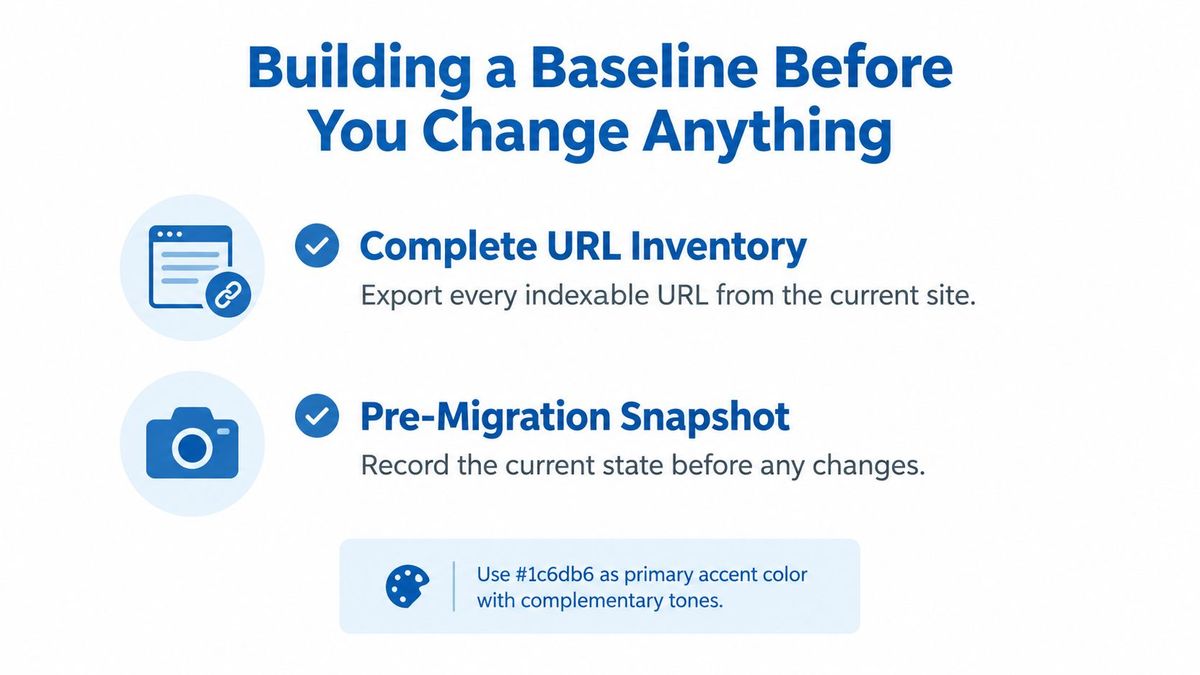
Then segment that inventory. Don't treat thousands of URLs as one undifferentiated list.
Segment by Value and Template#
Group URLs by organic clicks, backlinks, conversions, revenue, crawl frequency, and page template. Segmentation turns an unmanageable list into cohorts you can set different bars for. Your priority cohort needs complete redirect coverage. A low value archive might only need a deliberate decision to redirect, consolidate, or retire each page.
The stakes justify the effort. According to Wenstein's analysis of 892 domain migrations[2], 17% had not recovered their previous organic traffic even after 1,000 days. You can't diagnose that kind of long term loss if you never recorded what you started with.
Consider a common pattern. One template, say location pages, holds most of the backlinked URLs because partners link to individual locations. That cohort needs full coverage before anything goes live, even if its total traffic looks modest. Losing those destinations wastes links you can't recreate.
Capture the Snapshot#
Save these exports before anyone touches DNS or deploys:
- Search Console performance: Clicks and impressions by page, plus index status for both properties.
- Analytics landing pages: Sessions, conversions, and revenue by starting URL.
- Server logs: Which URLs search bots request, and how often.
- Backlink report: Referring pages and their target URLs.
If your move also changes hosting, work through the environment steps in Up North Media's host migration guide[3] alongside this snapshot, so server changes don't muddy your before and after comparison. Freeze these files with dates in the filenames. They're the reference point for every post launch argument about whether something changed.
Validating Redirects and Destinations One URL at a Time#
A redirect map is a testable data set, not a planning document. Each row makes a claim: this old URL sends visitors to that new URL, permanently, in one step. Test each claim.
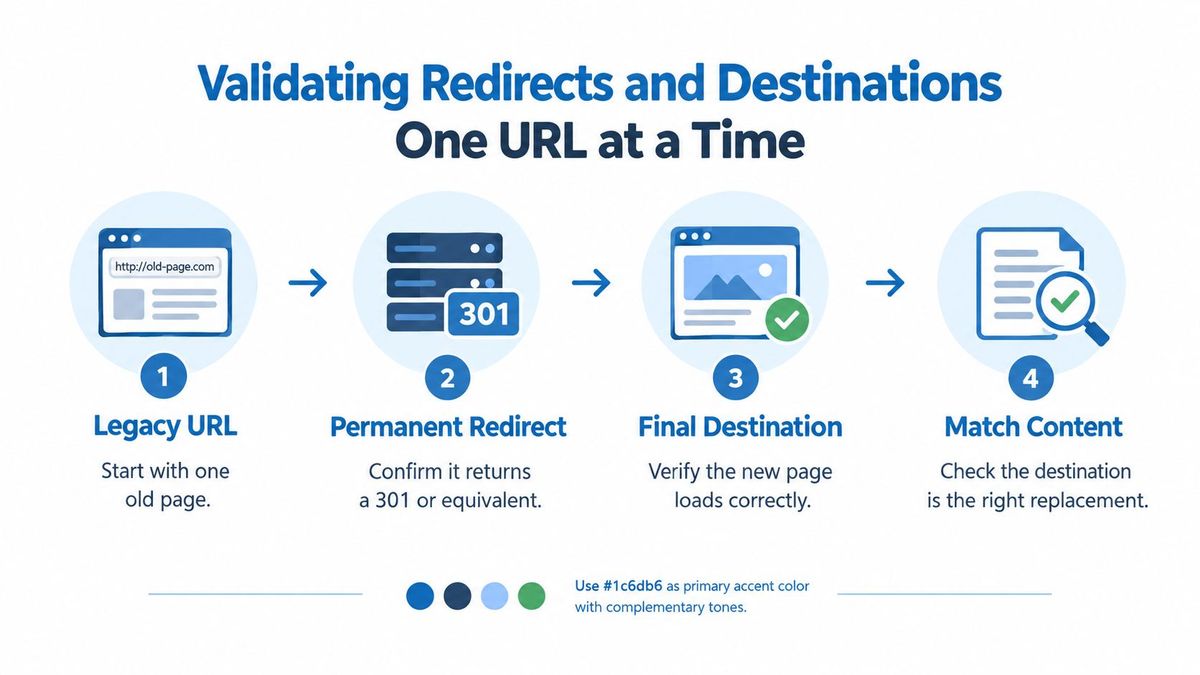
Run the same sequence for every legacy URL in your priority cohorts:
- Check the status code: Confirm a permanent 301 or 308 response, not a temporary one.
- Count the hops: Confirm the URL reaches its destination in a single redirect.
- Check the destination status: Confirm the final page returns a 200.
- Check content relevance: Confirm the destination is the right replacement, not a generic fallback.
Why Permanent and Single Hop Matter#
A 302 or 307 tells search engines the move is temporary, which is the wrong signal when the old URL is never coming back. Chains are a different failure. An old URL that redirects to an intermediate URL, which redirects again, adds latency and creates more places for something to break. Every extra hop is another rule someone can delete later by accident.
Every hop is a full extra request before the page starts to load. Here is what one redirect request costs when it is done well: in RedirHub's redirect speed benchmark for 18 to 25 October 2026[4], the median time to first byte of a redirect was 18 ms for RedirHub and 11 ms for the fastest of the 26 providers measured, averaged over Washington, D.C., Frankfurt and Tokyo. Those figures are for a single redirect. A chain pays that cost once per hop, before the destination page even begins to respond.
Path and query preservation needs its own check. Campaign links, UTM tags, and filter parameters ride in the query string, and a rule that drops them breaks attribution and deep linking at the same time. Test a sample of real campaign URLs from your baseline, not just clean paths. This connects directly to the work in protecting search-driven revenue during a redesign[5], because revenue pages are exactly where a dropped parameter or wrong destination costs the most.
Match the Tool to the Scale#
For individual URLs, Google's URL Inspection Tool shows how Google sees a specific page. For large sets, that's too slow, so script the checks or use a bulk redirect checker for large URL sets and work from the exception list instead of clicking through results.
Watch for bulk regex rules that catch too much. A pattern written to move one retired section can sweep up unrelated pages and send them all to the homepage. That looks fine in aggregate response codes, since everything returns a redirect and then a 200. It fails the relevance check completely.
Averaging hides damage. A redirect map that's mostly correct can still be wrong on the twenty URLs that carry your conversions.
Checking Crawlability and Indexing Signals#
Redirect checks prove old URLs go somewhere sensible. This layer proves the new site lets search engines find, crawl, and index what they land on. A page can return a perfect 200 and still be invisible if its own signals say otherwise.

Crawl the new site by template and inspect the signals template by template. Most catastrophic errors aren't page level. They're inherited from a shared header, a config file, or a staging setting that shipped to production.
The Signals That Hide Pages Silently#
- Robots.txt: Confirm it doesn't block important sections or resources the pages need to render.
- Noindex directives: Confirm staging noindex tags and headers didn't reach production templates.
- Canonical tags: Confirm each page canonicalizes to its live URL, not a staging hostname or a parameterized variant.
- Hreflang: Where you serve multiple languages, confirm return tags still point to live equivalents.
- Structured data: Confirm key templates still carry valid markup after the rebuild.
A leftover staging noindex on one category template is the classic version of this failure. Every page in that category loads normally for users. Search engines drop them anyway. A template level crawl catches it in minutes, because you'll see the directive repeated across the whole cohort instead of checking pages at random. For a structured way to work through these checks on money pages, use a technical audit framework to check service page crawlability and indexing[6] before launch day.
Sitemaps and Internal Links#
Your new XML sitemap should list only final destination URLs. No legacy addresses, no redirected URLs, no staging hostnames. After submitting it, check sitemap processing and index status in Search Console for the new property, and confirm submitted pages are being indexed rather than discovered and skipped.
Internal links deserve the same scrutiny. Navigation, breadcrumbs, and in-content links should point straight at final URLs, not at legacy addresses that rely on a redirect hop. Every internal link through a redirect wastes crawl effort and obscures which URL you want indexed. Crawl the new site, extract every internal link target that returns a redirect, and fix the source links rather than leaning on the redirect layer to cover for them.
Verifying Analytics and Performance on the New Site#
A migration can succeed for search and still blind your reporting. If the analytics tag doesn't fire on a new template, you'll read a tracking gap as a traffic collapse, or worse, miss a real collapse because you assume it's a tracking gap.
Confirm Measurement Template by Template#
Check that the analytics tag fires on every template, not just the homepage and a sample product page. New templates introduced in a redesign are the usual gap. Someone builds a fresh landing page layout, and the tag container never gets added.
Rebuild goals and events wherever URLs changed. A goal defined as a visit to an old thank you page URL will stop recording. Test each conversion path end to end on staging, then again on the live domain, and confirm the events land in your reports with the new paths.
Campaign parameters need the same treatment. Click a real tagged link, follow it through the redirect, and confirm the parameters arrive on the landing page and in the session data. The mechanics of how to preserve UTM parameters through redirects matter here because a rule that strips the query string reassigns paid and email traffic to direct.
Compare Performance Against the Baseline#
Test the new hosting setup with the same templates you benchmarked before launch. Compare time to first byte and page load for priority templates, and test from locations that match your actual audience rather than whichever test server is the default. A site that's fast near the data center and slow where your customers are hasn't passed.
Keep the scope realistic with a staged approach:
- Staging first: Run the full performance suite on the staging copy.
- Small live subset: Move a limited section and compare real results before full cutover.
- Priority templates only: Benchmark the layouts that carry traffic, not every page type.
For large sites, moving a portion first lets you observe real traffic and indexing effects before committing everything. Decide your rollback thresholds in advance, while you're calm. If priority templates are materially slower than baseline, or conversion events aren't recording, that's a rollback or pause conversation, not something to monitor hopefully for a week.
Monitoring Redirects and Traffic After Launch#
Launch day validation tells you the migration works at that moment. It says nothing about next month. Old URLs keep receiving visits from backlinks, bookmarks, cached references, and search results that haven't updated yet, so the test window has to match that reality.
Compare Cohorts, Not Totals#
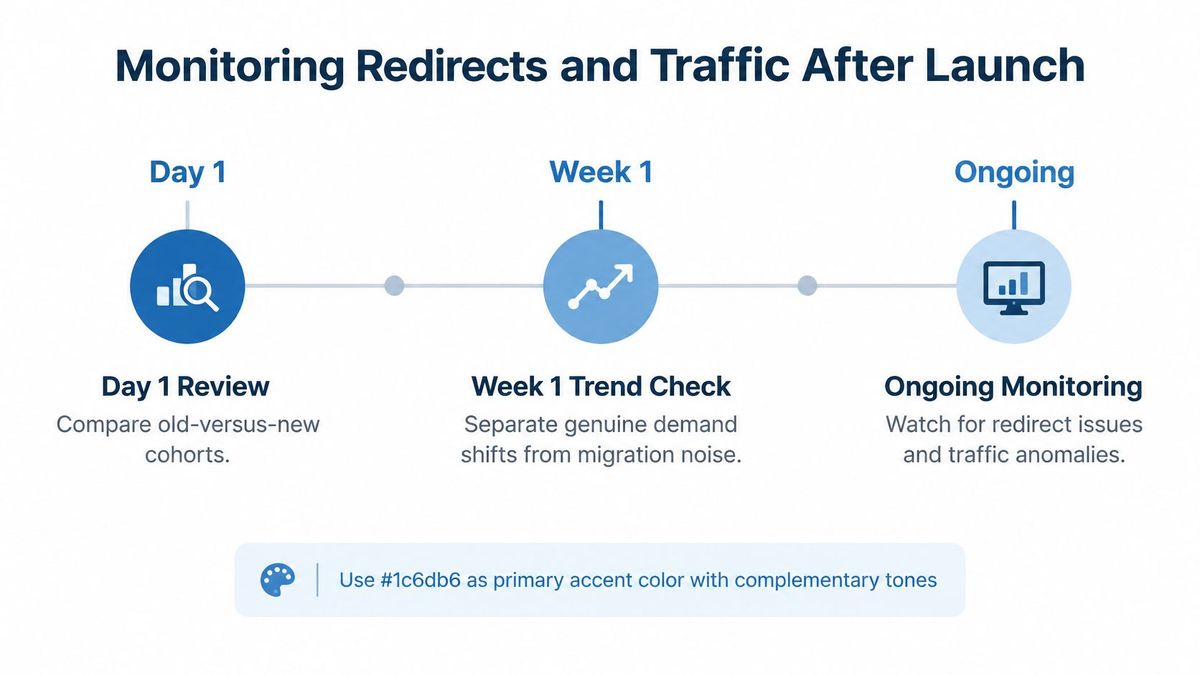
For at least the first few weeks, compare old versus new cohorts daily. Pair each legacy URL or template group with its replacement and track clicks, impressions, and landing page sessions against the baseline for that cohort. Totals will deceive you. Growth in one section can mask a broken redirect set in another.
Separate genuine demand changes from technical failures by triangulating three sources. Server logs show what bots request and what status they receive. Search Console shows indexing and search performance by page. Analytics shows what users do after landing. When logs show bots hitting 404s on legacy URLs, that's a technical defect regardless of what demand is doing. Setting up redirect monitoring with destination health checks turns that log review into alerts instead of a manual chore someone forgets by week three.
Alert on the specific failures that matter:
- Unexpected 404s: Any priority legacy URL returning an error.
- Status changes: A 301 that becomes a 302 or gains an extra hop.
- Residual traffic: Legacy addresses in analytics that suggest missed mappings.
Keep Rules for the Long Term#
Google's migration documentation[7] recommends keeping redirects active for at least 180 days, and longer when old URLs continue receiving Google Search traffic. Broader site move guidance commonly points to at least one year, because referring sites and search engines update on their own schedules, not yours.
We recommend keeping permanent redirects in place indefinitely after a website migration, because external backlinks, bookmarks, and indexed URLs may continue sending traffic for years. Deleting a rule to tidy up a config file can break a link that still sends customers. Keep redirect rules in version control so every change is reviewable and reversible, and regression test the priority set after any deploy that touches routing.
Choosing Tools and Taking Your Next Step#
Three approaches cover teams of different sizes. None of them is wrong in itself. The mismatch between approach and scale is what causes trouble.
| Approach | Best for | Main trade-off |
|---|---|---|
| Spreadsheets with command-line checks | Small sites and technically confident teams | Full control, but manual effort grows fast and monitoring depends on discipline |
| Crawler-based audits | Large URL sets needing repeatable pre-launch validation | Strong at scale, but findings still need someone to own fixes and rechecks |
| Redirect management platform | Teams wanting mapping, checks, and monitoring in one place | Less custom scripting, in exchange for a managed workflow and ongoing oversight |
Match the Approach to Your Risk#
Spreadsheets work until they don't. A few hundred URLs, checked with scripts you wrote and understand, is a reasonable setup. The failure mode is repeatability. Three months after launch, nobody remembers which version of the sheet was final, and the script lived on one person's laptop.
Crawler audits solve the scale problem for validation. You can test status codes, chains, canonicals, and indexability across the whole inventory and rerun the same crawl after fixes. What a crawl doesn't give you is continuous oversight. It tells you the state on the day you ran it.
A platform approach keeps the mapping, the checks, and the monitoring together. Our 301 Redirect Service manages permanent redirects for domain changes and website migrations, including mapping old URLs to relevant destinations, keeping paths and query parameters where needed, and testing the redirect journey before launch. Our free tools, including a Free Redirect Service, Migration Redirect Mapper, Redirect Checker, Redirect Speed Test, and Short URL Expander, cover individual checks when you don't need the full workflow.
That single exercise tells you where you stand. If your highest value pages pass cleanly, you've de-risked the part of the migration that matters most. If they don't, you've found out while there's still time to fix the map instead of the traffic report.
Export your priority URLs, check each redirect before you cut over, and keep monitoring the destinations after launch with RedirHub. CSV import shows what will be added, updated or removed before anything is written, paths and query parameters can be forwarded, and on Pro and Enterprise redirect monitoring checks the health of the destination behind each redirect.
Map your migration before you test it
Add your old and new sitemaps and get a reviewed 301 redirect map to export as CSV, .htaccess or Nginx, or publish on RedirHub.
Open the Migration Redirect MapperSources
- [1]Site Moves and Migrations | Google Search Central
- [2]Website Migration SEO Services | Wenstein
- [3]how to migrate website to new host: Downtime-free guide | Up North Media
- [4]RedirHub redirect speed benchmark, 2026-10-18 to 2026-10-25
- [5]SEO Website Redesign Playbook for 2026
- [6]Technical SEO Audit Checklist: 10 Essential Checks | Digital Skyrocket
- [7]Change of Address tool - Search Console Help
Frequently asked questions
It should cover the baseline of your current URLs and analytics, every redirect from old to new URL, crawl and indexing signals such as robots.txt, noindex and canonicals, analytics and speed on the new site, and monitoring after launch. Each stage has its own pass or fail check.
Check each priority legacy URL for a permanent 301 or 308 status, a single hop, a 200 final page and a destination that replaces the old content. Work from the exception list, and treat a wrong destination as a blocking defect even when the overall pass rate looks healthy.
Google's guidance is at least 180 days, and longer when old URLs still receive Google Search traffic. We recommend keeping permanent redirects in place indefinitely, because backlinks, bookmarks and indexed URLs can keep sending visitors for years.
Compare old and new cohorts daily for the first few weeks, and read server logs, Search Console and analytics together. If logs show bots hitting 404s on legacy URLs, that is a technical defect whatever demand is doing.
Yes. RedirHub manages permanent redirects for domain changes and website migrations, forwards paths and query parameters, and imports links from CSV with a review of what will be added, updated or removed before anything is written. On Pro and Enterprise, redirect monitoring checks the health of the destination behind each redirect.

Leo Astarothman is the Brand & Content Lead at RedirHub, where he shapes the company's visual identity, educational content, product experiences, and marketing strategies. He also specializes in system design. Simplifying complex redirect infrastructure into practical resources, product experiences, and campaigns that help businesses understand and adopt modern redirect management.
Related Articles
View All Articles