
Key takeaways
A Cloudflare redirect to a new domain needs the old domain on Cloudflare with its records proxied, or no rule runs. Use one wildcard Single Redirect when paths carry over unchanged, a Bulk Redirect list when each page needs its own destination, and a Worker when the mapping needs logic or outgrows the plan's quotas. Turn on query-string preservation, which is off by default, use a 301 for a permanent move, and test real URLs with curl: one hop, the right destination, the same query string. Keep the redirects for at least 180 days and watch the 404s after launch.
Your domain move is three weeks out. The new site is built, the certificate is issued, and someone on the team has already created a rule that sends the old brand to the new one with a 301. It looks finished.
Then you test a real URL. The campaign link your paid team has used since January lands on the new homepage instead of the pricing page, and the parameters that told you which ad earned the click are gone. The redirect works. The migration doesn't.
That gap between a redirect that fires and a redirect that preserves what search engines and analytics need is where most domain changes lose traffic. A Cloudflare redirect to new domain has three separate layers: which product holds the rule, whether the rule keeps the path and query string, and whether anything sitting in front of it blocks the request. Get those layers in the right order and the move is quiet.
Which Cloudflare Redirect Tool Fits Your Migration#
Picture the usual setup. The new domain resolves, the old one still holds a decade of inbound links, and the migration lands on your desk with a date attached. Whether it takes a single rule or a spreadsheet depends on one question: do the old URLs map onto the new ones by pattern, or does each page need its own destination?
Cloudflare offers three mechanisms for the job, plus one legacy holdover. Single Redirects are zone-level rules attached to one domain or subdomain, and they support static or dynamic patterns, including wildcard captures such as ${1} in the destination. Bulk Redirects sit at the account level and are designed for large collections of mostly static redirects across domains; unlike Single Redirects they don't support string replacement or regular expressions. Workers are the fallback Cloudflare names when the built-in products don't meet a site's needs. All of them are listed as available on Free, Pro, Business and Enterprise plans, with quotas that differ sharply by tier, as the Cloudflare Rules documentation[1] sets out.
The fourth option, Page Rules, survives mainly to keep existing configurations working. Cloudflare describes it as legacy relative to the Rules products, which is a polite way of saying don't build a migration on it.
The quota table settles most of these decisions before you open the dashboard.
| Plan | Single Redirect rules | Bulk Redirect URLs | Bulk Redirect Rules |
|---|---|---|---|
| Free | 10 | 10,000 | 15 |
| Pro | 25 | 25,000 | 15 |
| Business | 50 | 50,000 | 15 |
| Enterprise | 300 | 1,000,000 | 50 |
Where the limits actually bite#
Two scoping details matter more than the raw numbers. Single Redirect quotas are per zone, so a plan with 10 rules gives you 10 per domain, not 10 for the whole account. Bulk Redirect quotas are per account, and they follow the highest plan on that account. A large legacy site on Free runs out at 10 rules and 10,000 bulk URLs, which for a catalogue with 40,000 product pages is not a small shortfall.
The Workers route has its own ceiling. A _redirects file used with Workers Static Assets holds up to 2,000 static redirects and 100 dynamic redirects, for a combined maximum of 2,100 per file, with each declaration limited to 1,000 characters, and rule order deciding which match wins first (Cloudflare Workers redirect examples[2]). Past that, you're splitting mappings across mechanisms or generating logic in code.
A rule of thumb that holds up#
- Use a pattern when paths carry over unchanged and only the hostname moves.
- Use a bulk list when the mapping is explicit, page by page, and needs to be reviewable before launch.
- Use a Worker when the destination depends on logic, or when the mapping outgrows the plan's capacity.
Treat the redirect layer as infrastructure with a capacity plan, not a setting someone flips on cutover day. If you're still weighing permanent against temporary status codes, this 301 vs 302 comparison covers which one to ship and how each changes the way search engines treat the old URLs.
How to Set Up a Single Redirect for the Whole Domain#
The whole-domain rule is the cheapest, fastest piece of a migration, and it's the one people get wrong most often. The precondition is fixed: the old domain has to sit on Cloudflare with its records proxied, so requests reach Cloudflare before they reach the origin. No proxy, no rule.
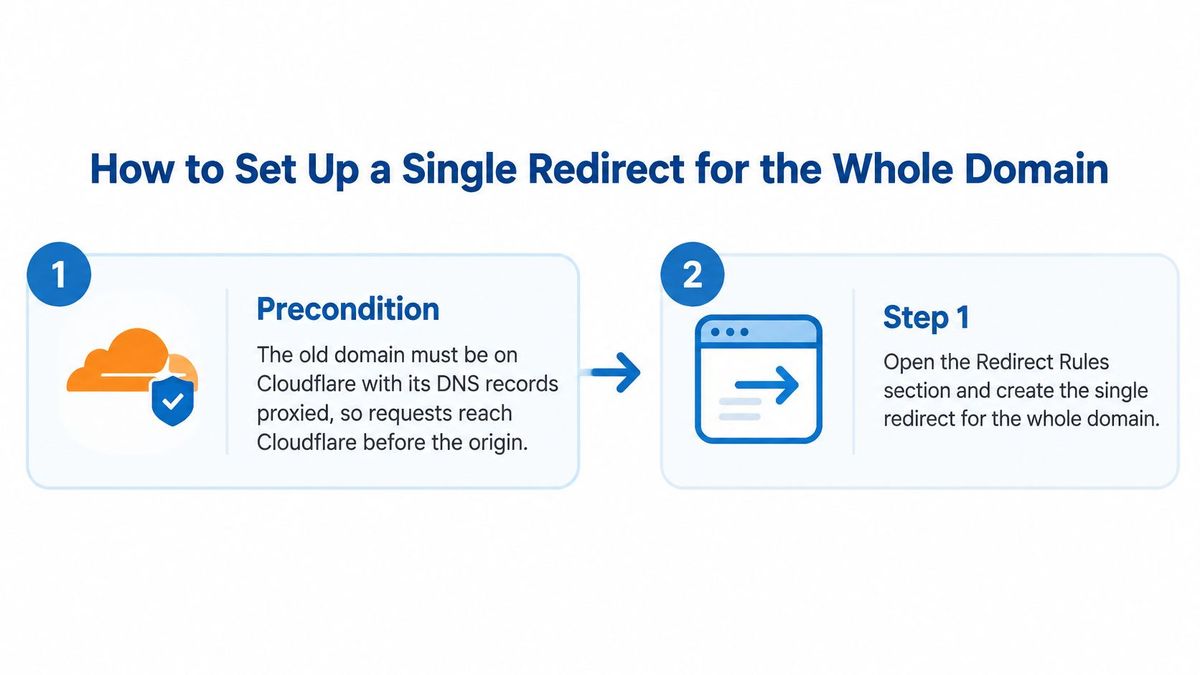
With the zone proxied, the setup is six steps. Each has a reason and a slip that costs traffic.
- Open Redirect Rules and create a Single Redirect. Pick a dynamic redirect rather than a static one, because dynamic is what gives you wildcard capture. The slip: creating the rule in the new domain's zone, where nothing matching the old hostname will ever arrive.
- Write a wildcard source that matches the whole host. A source such as
http*://oldbrand.com/*covers every path on the old domain. The slip is writing the pattern for one section of the site and assuming it covers the rest; it doesn't. Cloudflare's cross-domain example matches both HTTP and HTTPS in one request pattern, which saves you a second rule for old http:// links still sitting in email templates (URL forwarding examples[3]). - Build the destination from the capture. A target of
https://newbrand.com/${2}puts whatever the second wildcard captured onto the new host. The number is positional: the first*gives${1}, the second gives${2}. Cloudflare's documented example uses a source likehttps://*.example.com/files/*with${1}and${2}in the target, so count your wildcards before you write the back-reference (Single Redirect settings[4]). - Turn on query-string preservation. This is off by default, and it is the most expensive default in the product. Leave it off and visitors still arrive, but the utm values and click identifiers that told your analytics which channel paid for the click are gone before the page renders.
- Set the status to 301. Cloudflare defaults to 301 Permanent Redirect, which is right for a completed migration. Use a 301 when the move is permanent, and a 302 while the move is temporary or still under test, so browsers and search engines keep treating the old URL as canonical while you work.
- Save, then verify with more than a browser. Run curl against representative URLs and read the status line and the Location header. A browser that has already visited the old URL may serve a cached redirect and tell you the rule works when it doesn't.
A worked example#
Take a source of http*://oldbrand.com/* and a target of https://newbrand.com/${2}. The second wildcard captures everything after the host, so the path pricing becomes the capture. A request for the old pricing page with a campaign parameter, https://oldbrand.com/pricing?utm_source=newsletter, should land on https://newbrand.com/pricing?utm_source=newsletter.
That result only happens with query preservation switched on. With the setting off, the visitor still reaches the new pricing page, but the parameter is dropped and the referral looks like direct traffic in every report you run afterwards.
Decide what happens to subdomains#
A wildcard on the apex doesn't automatically swallow subdomains. If the old brand ran a blog and a shop on their own subdomains, decide whether each redirects to an equivalent new path or folds into the new root. Cloudflare's domain-wide example explicitly covers subdomains of the old domain, which is convenient when the answer is "everything goes to the new root" and wrong when a subdomain has its own replacement. Write that decision down before you build, because retrofitting subdomain rules after launch means editing a live rule under traffic.
If part of the old domain has to keep serving content under a new hostname rather than redirecting, a reverse proxy pattern gets you there without splitting the site in two; this reverse proxy setup walkthrough[5] covers the subdirectory approach in detail.
How to Map Old URLs to New Ones at Scale#
The homepage redirect is the trap. Point the old domain at the new one and every individual page collapses onto a single destination: product pages, language folders, retired landing pages, support articles, the campaign URLs still running in paid media. A visitor who clicked a link to a specific product lands on a homepage they didn't ask for.

Real migrations are URL by URL. Build the map before you touch Cloudflare.
Build the map first#
Two inputs do most of the work. A crawl of the old site gives you every indexable URL, including the ones nobody remembers building. The analytics export of landing pages, sorted by sessions, gives you the ones that receive traffic. Merge them into one sheet and assign a destination to each row.
Three rules keep that sheet honest. Pages with an equivalent keep the same path on the new host. Retired content goes to the nearest equivalent page, or to a 410 when it's gone and you want it dropped quickly. Anything you can't decide today gets flagged rather than mapped to the homepage by default, because that default is what creates the soft 404s search engines ignore.
The Bulk Redirect sequence#
- Add both domains to the account. Bulk Redirects operate at account level, and source and destination both need to live there.
- Proxy the old hostname. Cloudflare only evaluates the rule if requests reach Cloudflare first, so an unproxied record means the rule never runs.
- Create a Bulk Redirect List from the URL map, one source and one destination per row, plus the matching options each item needs.
- Enable subpath matching and query-string preservation on the items that require them. Subpath matching lets one entry cover a section; query preservation keeps campaign parameters intact.
- Activate the list through a Bulk Redirect Rule. A list that exists but isn't attached to an active rule does nothing at all.
- Review the list before launch. Cloudflare evaluates enabled lists before the request reaches the origin and stops processing at the first redirect that fires, so a wrong entry is a live wrong entry (Bulk Redirects how it works[6]).
Static bulk lists can't use regular expressions or string replacement. If the old site used a numeric product path and the new one uses a shorter one, you can't express that as a single bulk rule. Generate the individual mappings, use a Single Redirect wildcard when the transform is positional, or move the logic into a Worker.
That's the boundary worth planning around. Bulk lists are excellent at explicit pairs and useless at transformation, and once the list runs into the thousands the operational problem shifts from writing rules to auditing them, which is what a workflow for managing thousands of 301 redirects is built for.
Pre-Launch and Post-Launch Migration Checks#
What separates a migration that holds its rankings from one that bleeds is testing discipline, not rule quality. A rule that's correct for 90% of URLs is still wrong for the 10% that carry the traffic.
The test matrix#
| Test case | Request | Expected result |
|---|---|---|
| Plain HTTP root | http://oldbrand.com/pricing | 301 to https://newbrand.com/pricing in one hop |
| Query string kept | https://oldbrand.com/pricing?utm_source=newsletter | 301 to https://newbrand.com/pricing?utm_source=newsletter |
| www variant | https://www.oldbrand.com/pricing | One hop to the matching new URL, no chain |
| Trailing slash | https://oldbrand.com/pricing/ | Same destination and status as the slash-free URL |
| Encoded path | https://oldbrand.com/caf%C3%A9 | Path preserved and resolved to the mapped page |
| Unmapped URL | https://oldbrand.com/retired-page | 404 or designated page, logged for review |
Every row has one acceptable answer: a single hop, the right destination, the same query string, and a 301 for a permanent move. A chain of two redirects slows the visitor and muddles the signal. A 302 on a completed migration tells search engines the old URL is still the canonical one, which is the opposite of what you want.
A bulk redirect checker run against the full list catches the chains and dead destinations that spot checks miss.
After launch#
- Watch the 404 log. Old URLs that still receive traffic are URLs your map missed. If they matter commercially, map them; if they've been retired, leave them returning a clean 404.
- Keep redirects in place for the long haul. Google's site-move guidance recommends retaining redirects for at least 180 days, and longer when old URLs continue receiving search traffic. The same guidance recommends preparing a URL map, using permanent server-side redirects, and monitoring both old and new URLs during the move (Google Search Central[7]).
- Rerun the matrix after every rule change, not just at launch. Keep the test URLs in a spreadsheet with the expected result in the next column; a rule edit made on a Friday afternoon can break a path that tested clean in week one.
Healthy signals#
Stable traffic that dips briefly and recovers on the new URLs, 404s concentrated on pages you deliberately retired, no chains anywhere in the test run, and search console showing the new domain inheriting the old pages' queries. Internal links pointing at the new hostname rather than bouncing through the redirect.
If traffic doesn't recover once the redirects verify clean, the problem is usually content and internal linking rather than the rules. That's a different discipline, and you can browse search optimization service options[8] to see what that second phase involves.
Why Redirects Fail and How to Fix Them#
The most common failure isn't a broken rule. It's a rule that fires and drops the query string, so the visit registers but the attribution doesn't. The second most common is a request that never reaches the redirect at all, which sends you hunting through rule syntax when the underlying cause sits in security settings.
| Symptom | Likely cause | Fix |
|---|---|---|
| Query string disappears after redirect | Query-string preservation is off, its default | Turn on query preservation in the rule or list item and retest |
| Redirect never fires for some requests | A WAF or rate-limiting rule blocks the request before Bulk Redirects run | Check security events, then scope or reorder the blocking rule |
| Old pages return 404 after launch | Source missing from the list or path not matched | Add the missing source and test unmapped URLs |
| Source rejected with subpath matching on | The source path has more than 16 slashes, the limit for subpath matching | Shorten the source, or turn subpath matching off and list each URL |
| Old redirect ignored after a new rule | A Page Rule or later Rules product matches the same request | Remove the legacy Page Rule and confirm rule order |
| Pattern migration will not import | Static Bulk Redirects don't support regular expressions or string replacement | Use a Single Redirect wildcard or a Worker for pattern logic |
| _redirects file rejected | The file exceeds the combined static plus dynamic cap | Split the mapping between bulk lists and a Worker |
Two causes that catch experienced teams#
The first is pipeline order. Bulk Redirects run after the WAF, so a WAF custom rule or a rate-limiting rule that blocks a request prevents the redirect from executing at all. A request that passes a challenge or a logging action can still be redirected afterwards, which is why the failure looks intermittent: some regions and some user agents get blocked, others don't (Bulk Redirects overview[9]).
The second is precedence. Single Redirects execute before URL Rewrite Rules, Configuration Rules, Origin Rules and Bulk Redirects, and any of the newer Rules products overrides a Page Rule that matches the same request. An old Page Rule someone added in 2021 can veto the redirect you built this week, and the dashboard won't flag the conflict for you.
Both failures share a shape: the redirect is superseded by something else rather than broken.
The check that closes the loop#
After every change, rerun the six matrix URLs and read each response, then look at Cloudflare analytics for requests that never reached the redirect. Security events are the first place to look when a specific segment of traffic vanishes while everything else redirects cleanly.
Pick Your Redirect Setup Before Cutover#
Keep Cloudflare's own redirect rules when three things hold: the old domain is proxied inside your account, the mapping fits the plan's quotas, and the people who own the rules can audit them before and after launch. Choose a different setup when any of those fails, and especially the first one, because DNS ownership is the constraint you can't configure your way around.
That constraint appears in real migrations more often than the docs suggest. A brand keeps its DNS with another provider, a platform applies its own redirect limits, or the rule count grows beyond what the plan allows. Cloudflare's Workers platform has ceilings of its own, including the 2,100-redirect cap on a _redirects file (Workers Static Assets redirects[10]), so "put it in a Worker" is not an unlimited escape hatch either.
How fast Cloudflare's redirects answer#
Speed is rarely the deciding factor here. The RedirHub redirect speed benchmark[11] timed redirect URLs from 27 providers between 6 and 13 November 2026, measuring the first byte from Washington, D.C., Frankfurt and Tokyo over a fresh connection without following the redirect. Redirects answered at the edge all came back within a few dozen milliseconds, while the same job left to an origin web server took ten times longer or more (medians, averaged over the three locations):
| Provider | Median time to first byte |
|---|---|
| Fastly (fastest measured) | 12 ms |
| RedirHub | 16 ms |
| Cloudflare | 36 ms |
| nginx | 302 ms |
| Apache | 2,466 ms |
A Cloudflare rule on a proxied zone is already fast, so choose between Cloudflare's own rules and a separate redirect layer on who owns the DNS, how many rules you need and who has to audit them. The per-provider figures are on the Cloudflare redirect speed page.
What the integration actually does#
RedirHub's Integration Mode, released in November 2026, keeps the domain's DNS and hosting exactly where they are. A Cloudflare Worker, written by an AI coding agent from RedirHub's tested prompt, fetches one plain-text rules file every 60 seconds, so edits go live within about a minute without a redeploy and without touching DNS.
The behavior is deliberately conservative. Specific rules run before the site's own pages, so a mapped URL redirects. A domain-wide catch-all answers only when the site itself returns a 404, which means a working page never gets taken over by a stale rule. The Worker fails open, visits are reported back so analytics work as they do for DNS-connected domains, and it can report the 404s the site returns, which is exactly the list you need during a migration. Every RedirHub plan includes it.
For hostname-changing moves such as a rebrand, merger or retiring an old domain, the old domain's DNS is pointed to RedirHub. A replatform that keeps the same hostname can stay on the customer's CDN or app, which applies redirects managed in RedirHub through the API. Path and query parameters survive either way: old-brand.com/pricing?utm_source=x lands on newbrand.com/pricing?utm_source=x.
Some cases still need a DNS connection: custom HTML pages, frame redirects, password-protected links and wildcard domains. Check those against your plan before you commit to the integration path.
The ranking side of the move is covered in RedirHub's guide to SEO for a domain change, and the Integration Mode release note has the setup detail. If you're weighing the two approaches side by side, the RedirHub vs Cloudflare comparison sets out the trade-offs.
The next step isn't a dashboard. Confirm the URL map and the test matrix, then choose the mechanism that fits both, and only then open the rule editor.
Move domains without losing a URL
Import your old-to-new URL map, keep paths and query strings, and serve the redirects from your own Cloudflare Worker with Integration Mode or point the old domain's DNS to RedirHub.
See website migrationsSources
- [1]Overview, Cloudflare Rules docs
- [2]Redirect, Cloudflare Workers docs
- [3]Redirect requests for a domain to a new domain, Cloudflare Rules docs
- [4]Single Redirects settings, Cloudflare Rules docs
- [5]Best Reverse Proxy for Blog SEO: How to Double Traffic with Subdirectory Setup, OGTool Blog
- [6]How Bulk Redirects work, Cloudflare Rules docs
- [7]Site Moves and Migrations, Google Search Central
- [8]AI Search Optimization, GEO Content Optimization, Verbatim Digital
- [9]Bulk Redirects, Cloudflare Rules docs
- [10]Redirects, Cloudflare Workers docs
- [11]RedirHub redirect speed benchmark, 6–13 November 2026
Frequently asked questions
Add the old domain to Cloudflare with its DNS records proxied, then create a dynamic Single Redirect with a wildcard source such as http*://oldbrand.com/* and a target such as https://newbrand.com/${2}. Turn on query-string preservation, set the status to 301 and test real URLs with curl.
Only if you build it to. The path carries over when the target uses the wildcard capture, such as ${2}, and the query string carries over only when query-string preservation is turned on, which is off by default.
Use one wildcard Single Redirect when the old and new paths match and only the hostname changes. Use a Bulk Redirect list when each old URL needs its own destination; bulk lists don't support regular expressions or string replacement, so pattern changes need a Single Redirect or a Worker.
The record may not be proxied, so requests never reach Cloudflare. Bulk Redirects also run after the WAF, so a custom rule or rate-limiting rule that blocks a request stops the redirect, and a legacy Page Rule or a newer Rules product can take precedence over it.
Google recommends keeping the redirects for at least 180 days, and longer while the old URLs still receive search traffic. Keep checking the 404s on the old domain and map any URL that still gets visits.

Leo Astarothman is the Brand & Content Lead at RedirHub, where he shapes the company's visual identity, educational content, product experiences, and marketing strategies. He also specializes in system design. Simplifying complex redirect infrastructure into practical resources, product experiences, and campaigns that help businesses understand and adopt modern redirect management.
Related Articles
View All Articles