
Integration Mode: run RedirHub on your own platform, no DNS change
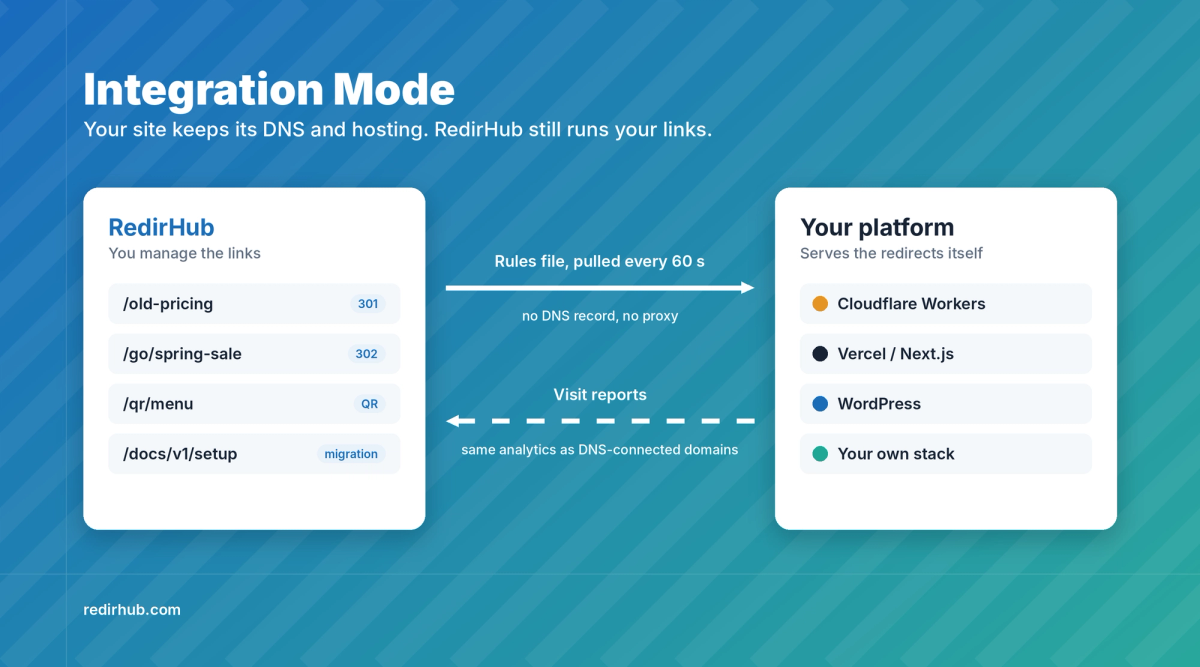
Your platform serves the redirects. RedirHub keeps the rules and the analytics.
Until now, RedirHub could only serve a domain that pointed its DNS to us. Many of you can't do that: the domain runs your main website, your DNS belongs to another team, or the site sits on Cloudflare, Vercel or WordPress and has to stay there. Today that limit is gone.
Integration Mode lets your own platform serve the redirects, website migrations, branded short links and QR codes you manage in RedirHub. Your domain keeps its DNS and its hosting. You keep one dashboard, one set of rules and the same analytics for every domain, wherever it runs.
A general integration, not a single plugin#
Integration Mode is built on one simple contract, so it isn't tied to any one platform:
- Rules as one plain-text file. RedirHub publishes your rules for each domain. Your platform fetches the file every 60 seconds and gets a quick "not modified" answer when nothing changed. Edit a link in RedirHub and your site follows within about a minute, with no redeploy.
- Redirects served by your platform. Visitors never pass through RedirHub, so there is no extra hop and no proxy in front of your site.
- Visits reported back. Each redirect is reported in the background, so Analytics, filters and link history work exactly as they do for a domain connected by DNS.
- Ownership proved on your own domain. No DNS record, not even a TXT record. The integration answers a check path on your domain, and the first correct answer connects it.
Any CDN, edge function, framework or server that can read a text file and send a redirect can run it.
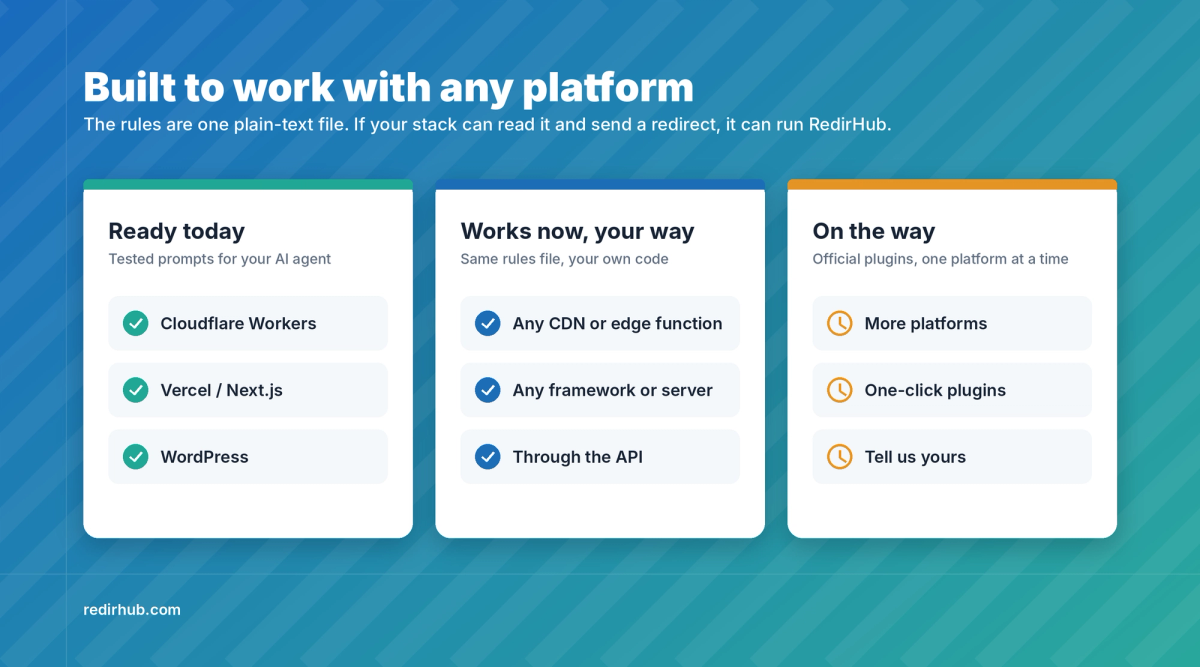
Ready-made setups today, your own stack any time, more official plugins on the way
Ready today: Cloudflare Workers, Vercel / Next.js and WordPress#
For these three platforms RedirHub gives you a tested prompt. Paste it into your AI coding agent (Claude Code, Cursor, Codex or similar) and it writes the integration for your project. Your rules address and integration key are already filled in. If your project already has an integration, the prompt updates it in place instead of adding a second one.
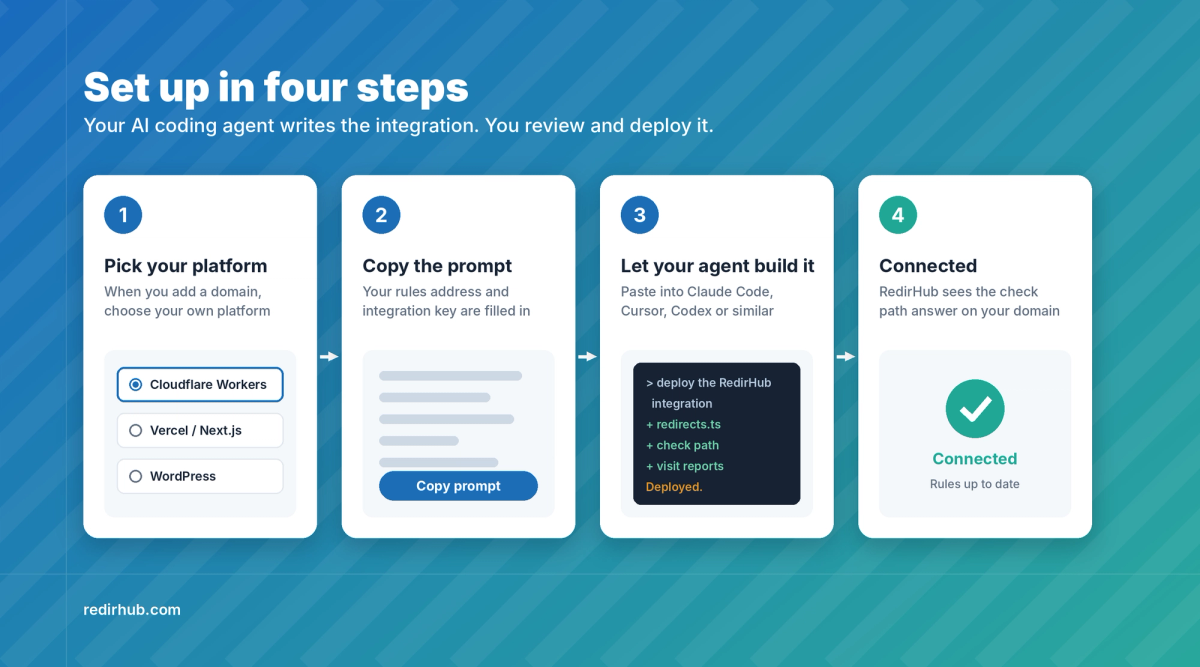
From choosing your platform to Connected
- When you add a domain, choose to use your own platform, then pick Cloudflare Workers, Vercel / Next.js or WordPress.
- Copy the prompt and give it to your AI coding agent.
- Review and deploy the code it writes.
- RedirHub sees the check path answer on your domain and shows the domain as Connected.
Safe on a live website#
- Your site stays in charge. Specific redirects run before your own pages. A domain-wide catch-all only answers when your site itself returns a 404, so it never takes over a page that works.
- It fails open. If the rules can't be fetched, your platform keeps using the last good copy. If anything else goes wrong, the request goes straight to your site.
- You know when it stops. RedirHub checks every connected domain every 15 minutes. If the check fails or the rules fall more than an hour behind, the domain shows Sync stopped and you get an email.
- 404s you can see. On Cloudflare Workers and WordPress, the integration can also report the 404 pages your site returns, so you can find broken URLs and redirect them. Turn it on or off per domain, no redeploy needed.
Short links on your main domain#
Branded short links no longer need a separate short domain. Create links like yourbrand.com/go/spring-sale or a QR code on yourbrand.com/qr/menu, keep them next to your website's pages, and change where they point at any time. Your links are yours.
Good to know#
- Integration Mode is available on every plan. Visits count toward your plan the same way as on a DNS-connected domain.
- Up to 50,000 rules per domain. For more, connect the domain by DNS.
- Links that need RedirHub to render a page (custom HTML pages, frames, password-protected links) and wildcard domains still need a DNS connection. A/B links use their first destination.
- Your SSL certificate stays with your platform. RedirHub doesn't issue one for these domains.
More platforms on the way#
Official plugins for more platforms will follow, one at a time, and we build them in the order you use them. Running something else today? Point your developer or AI agent at the same rules file and it works now. Tell us your platform in the chat on any page, and see what's included in every plan on the product facts page.