
Key takeaways
Start with utm_source, utm_medium and utm_campaign, and add term, content or utm_id only when a report will use them. Write the naming convention before launch: one case, hyphens, a fixed list of medium values and a stable campaign ID. Append UTMs with & when the destination already has a query string, then test the published route, including any branded link or redirect, and log each link. Treat UTM data as a campaign label, not proof that a campaign caused a sale, and keep personal data out of every parameter.
Your newsletter has gone out, the buttons work, and traffic is arriving. Then someone asks whether the main offer or the footer call to action brought in the leads, and your analytics report gives you one undifferentiated line called email.
A campaign URL builder helps you label those visits, but generating the URL is the easy part. The key deliverable is a naming convention your team can follow without guessing. Otherwise, you'll collect plenty of tagged traffic and still spend reporting day untangling labels instead of deciding what to fund next.
The UTM Parameters You Actually Need#
Say your newsletter contains a hero button and a footer link pointing to the same landing page. Tagged URLs let you distinguish those placements without creating separate pages or changing the offer.
UTM parameters are query parameters that describe the campaign behind a visit. Google Analytics' campaign documentation[1] defines the original core fields as source, medium, campaign, term, and content. Each field needs a value that answers a specific reporting question.
UTM parameters and what each one answers
| Parameter | Answers this question | Example value |
|---|---|---|
| utm_source | Where the click came from | newsletter |
| utm_medium | Which channel type sent it | |
| utm_campaign | Which promotion it belongs to | spring-sale-2026 |
| utm_term | Which paid-search keyword triggered it | running-shoes |
| utm_content | Which creative or link inside the placement | hero-button |
| utm_id | Which campaign record the visit maps to | spring-sale-main |
| utm_source_platform | Which buying platform delivered the traffic | google-ads |
Read the fields as questions, not boxes you must fill. Source identifies the sender, publication, or platform; medium identifies the channel category. A newsletter is a source, while email is its medium.
Campaign connects the visit to an initiative. Term holds the paid-search keyword when you need keyword-level tagging, while content distinguishes the particular creative or placement. For paid-search implementation, coordinate manual tags with your Google Ads tracking template rather than building parallel rules independently.
Add detail only when it supports a decision#
Google's current Analytics guidance[2] also includes utm_id, a campaign identifier, and utm_source_platform, the platform directing traffic. The identifier can connect acquisition reporting with your campaign records; the platform field adds buying-platform context.
For the newsletter example, keep source, medium, and campaign identical. Set utm_content=hero-button for the main button and utm_content=footer-link for the footer placement. You can then compare the placements while keeping their shared promotion grouped together.
UTMs label arrivals. They don't install analytics or define the conversion event, so confirm those pieces separately before treating a generated URL as a complete measurement setup.
Naming Rules That Keep Campaign Reports Clean#
Facebook, facebook, and fb can leave you with separate source rows for the same platform. You can consolidate them later, but now every report needs a cleanup rule, and someone has to maintain it.
The problem isn't necessarily missing tags. It's that different people answered the same naming question differently. In 2025, only 44% of marketers reportedly used UTM parameters consistently across all campaigns, according to Ortto, citing HubSpot's State of Marketing 2025[3].
Set the vocabulary before generating links#
Use a written convention with these rules:
- Choose one case and separator style. Lowercase with hyphens is straightforward to review. Don't alternate between
spring-sale,spring_sale, andSpringSale. - Restrict medium values. Give teammates a dropdown instead of asking them to remember whether paid social is
paid-social,social-paid, orpaidsocial. - Keep campaign names predictable. Use an offer-and-year pattern such as
spring-sale-2026. Keep the same name across channels when they belong to the same initiative. - Name the actual source. Use the platform, mailing list, or partner name, not the agency managing the account.
Standard channel values for utm_medium and utm_source
| Channel | utm_medium | utm_source example | Naming rule |
|---|---|---|---|
| Email newsletter | newsletter | One source name per mailing list | |
| Paid search | cpc | Put the keyword in utm_term | |
| Paid social | paid-social | Use the platform's own name | |
| Organic social | social | Never use paid-social for organic posts | |
| Display advertising | display | display-network | Name the network, not the agency |
| Partner or affiliate | affiliate | partner-name | One value per partner agreement |
Treat this as a starting vocabulary, not a guarantee of how every analytics tool will group traffic. Check your channel definitions before adopting a medium value. For ordinary editorial referrals without an affiliate relationship, document a separate referral convention rather than calling them affiliate traffic.
Give each campaign a stable utm_id matching a record in your shared tracking sheet. Store its owner and budget in that record, not in the campaign name.
Write the approved list before launch. Renaming a live campaign doesn't repair older records; it introduces another label that your reporting team must reconcile.
Build, Test and Log Each Tagged Link#
A launch email can leave with the right campaign name and the wrong join character. The landing page still opens. Acquisition stays blank because a second question mark keeps utm_source from being read as its own parameter.
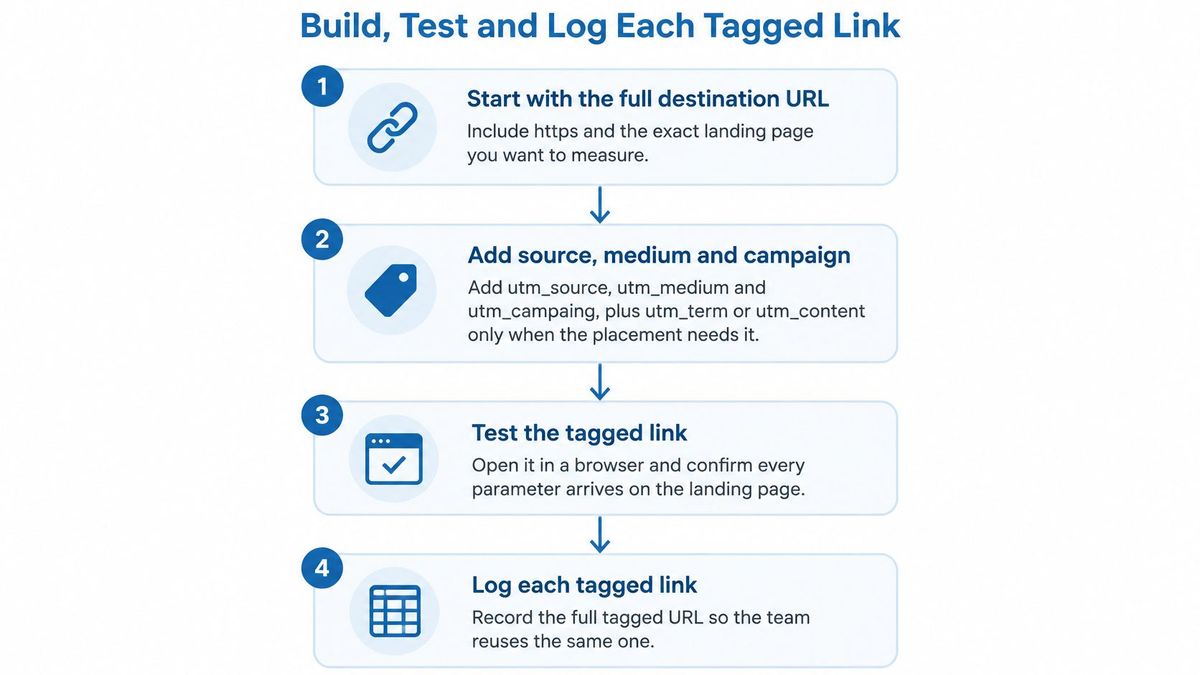
Build from a destination that already carries a query string, then read the character between plan=team and the first UTM before anyone publishes.
Correct construction
txthttps://example.com/pricing?plan=team&utm_source=newsletter&utm_medium=email&utm_campaign=spring-launch&utm_id=c-1042Broken construction
txthttps://example.com/pricing?plan=team?utm_source=newsletter&utm_medium=email&utm_campaign=spring-launch&utm_id=c-1042The broken URL inserts a second question mark after plan=team instead of an ampersand. The pricing page may still load. That does not prove the source parameter was parsed. A successful page load is only the first test.
A campaign URL builder should remove repetitive typing, not make naming decisions for you. Use a shared spreadsheet with validated inputs, or a builder your team has agreed to use, and assign someone to approve new values. The workflow is short. Each check still catches a different failure.
Build from approved inputs#
- Start with the full destination. Copy the HTTPS address of the exact landing page, not the homepage. Keep functional query parameters, such as a product or plan selection, when the page needs them. Open the untagged destination and confirm that page loads.
- Select the campaign values. Add
utm_source,utm_medium, andutm_campaign, then the matching campaign ID. Add term or content only when the placement needs that extra label. Compare the selected values with the campaign record before you generate anything. - Validate the names. Check case, separators, spelling, and any new synonym for an approved value. Dropdowns or validation rules should accept the approved list and flag an unrecognized entry.
- Assemble the query string correctly. The first parameter follows a question mark. Every parameter after that follows an ampersand. If the destination already has a query string, append UTMs with
&, as in the correct example above. Confirm each parameter has one name and one value. - Generate links through the shared workflow. A spreadsheet formula or URL builder can handle encoding and keep the output consistent. Parameter order does not decide attribution, but a fixed order makes review faster. The generated URL should contain each intended parameter once, with no conflicting duplicate.
Do not copy a previous campaign URL and edit whichever words you notice. That shortcut leaves an old content label or campaign ID on a new promotion, and the report then mixes two launches under one string.
Test the published route, then record it#
- Open the finished link in a private window. Follow the route a visitor will use, including the branded link or ad redirect. Confirm the final landing page and the parameters that arrive on it. A private window gives a cleaner test. It does not bypass consent prompts or browser limits.
- Send a test visit and log the result. Record the destination, published URL, each UTM value, campaign ID, owner, channel, and test status. Check real-time reporting during the test, then acquisition once processing catches up. If the visit does not appear promptly, check analytics collection and consent before you blame the URL.
RedirHub links can append source, medium, campaign, term, and content to a destination. Path and query forwarding keeps those parameters on a migrated URL, and bulk CSV import and export moves a set of links together. Changing a link's routing or destination does not change its public URL, so a printed QR code can point somewhere new without a reprint. Record those destination edits in your campaign link management process so the tracking sheet shows the page visitors reached.
Where Tagged Links Break and How to Respond#
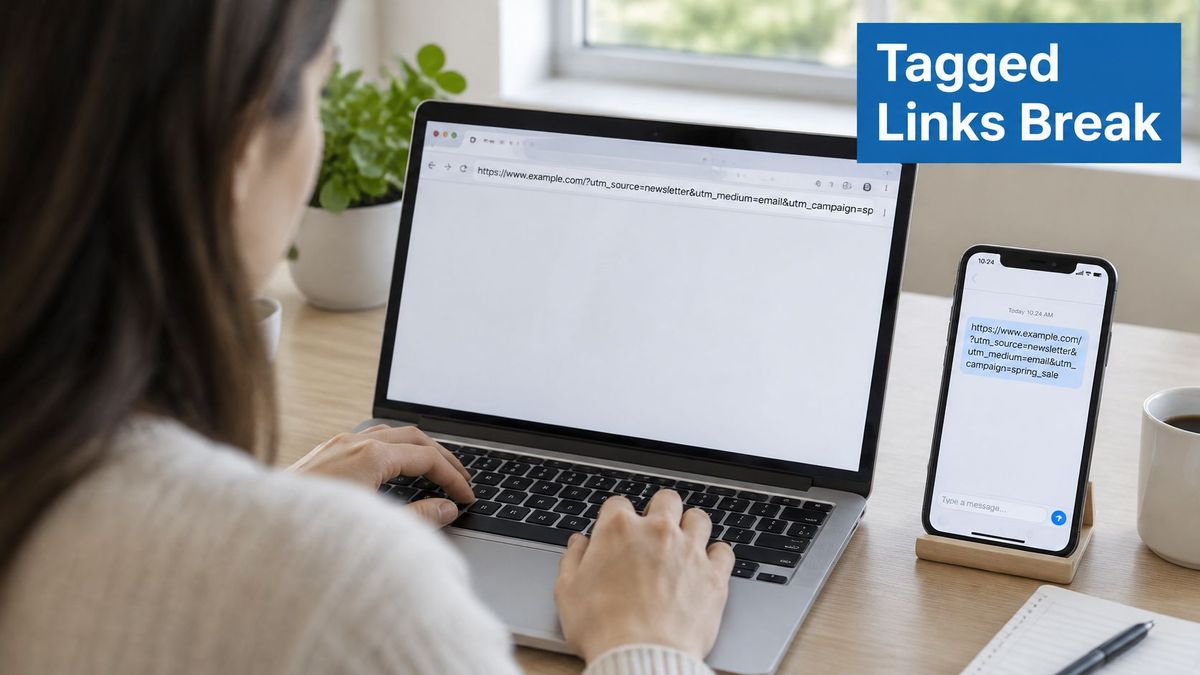
A clean URL doesn't guarantee clean attribution. As Hootsuite's guide to UTM parameters[4] explains, parameters can be stripped or rewritten, downstream tracking depends on consent, and UTMs don't follow someone reliably across devices.
They're also visible and shareable. If someone copies a tagged newsletter URL into a group chat, subsequent visitors may carry the original email label even though they didn't click the newsletter.
Common tagging breaks and the response
| Break | Response |
|---|---|
| Redirect rewrites the URL and drops the query string | Test the final URL after every redirect and use a redirect service that forwards query strings |
| In-app browser opens the link without passing referrer data | Send a test link through the app and reconcile its clicks with ad-platform totals |
| Visitor declines consent, so the source is recorded but later actions are not | Handle consent explicitly and reconcile against CRM outcomes |
| Cross-device journey is not joined by UTMs alone | Treat UTM data as a campaign-label signal, not a full customer-path record |
| Personal data, customer names or budgets appear in a parameter | Keep them out of every value, since each link is exposed when shared |
How long the redirect in a tagged link takes#
A branded short link or QR code puts one redirect between the click and the tagged landing page, so it adds a wait before the page and its analytics can load. In RedirHub's redirect speed benchmark[5] for 9 to 16 November 2026, the median time to first byte of a redirect, averaged over Washington, D.C., Frankfurt and Tokyo, was 17 ms for RedirHub, 56 ms for Short.io, 64 ms for Dub, 84 ms for TinyURL, 113 ms for Bitly, 148 ms for Buffer and 270 ms for Rebrandly, out of 27 providers measured. Speed is only half of the check: when you test the route, confirm that every UTM parameter is still on the final URL.
Diagnose the boundary that failed#
Missing referrer information and missing UTMs aren't the same problem. An in-app browser may withhold referrer information while preserving the tagged query string. Inspect both before deciding which part of collection needs fixing.
For redirect failures, follow a deliberate process to preserve UTM parameters through redirects. For consent gaps, document what collection is permitted and what your reports exclude. Where lawful and appropriately consented, first-party event logging or limited landing-page capture can support reconciliation, but neither should be used to sidestep a visitor's choice.
Never encode email addresses, customer names, personal identifiers, or internal budgets in parameters. Keep sensitive details behind the campaign record instead.
That distinction matters when someone asks for certainty your measurement setup can't provide. Report the observed acquisition label and the known gaps separately.
Reporting Results Without Overreading the Numbers#
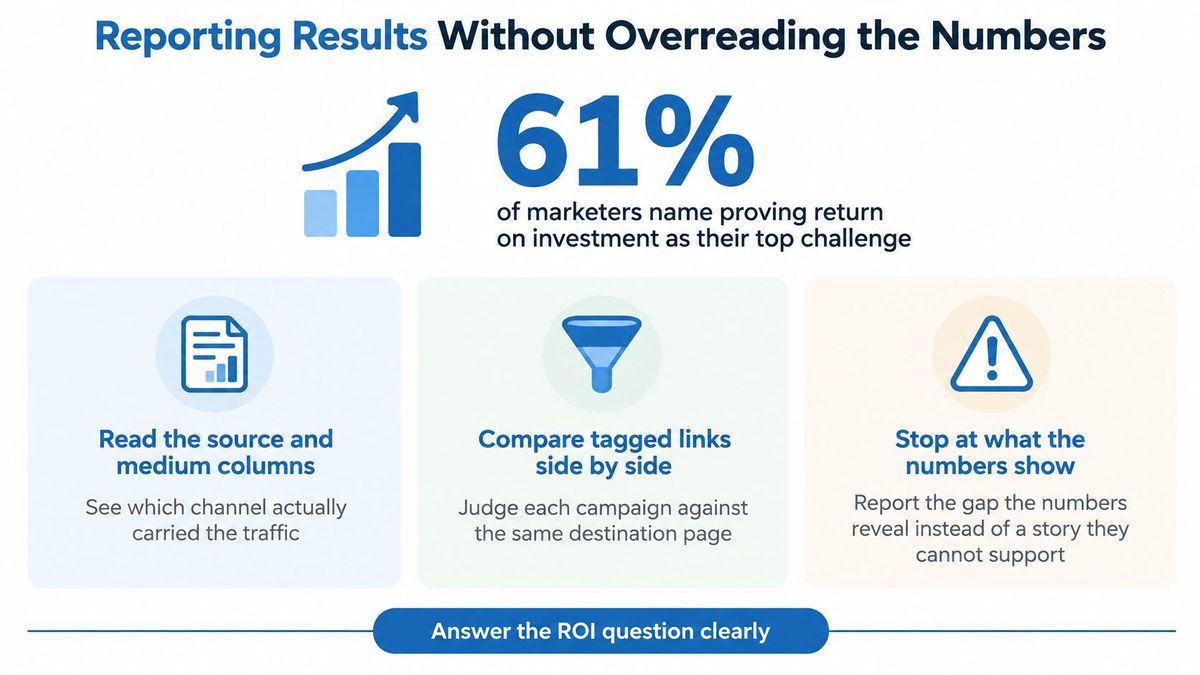
In 2024, 61% of marketers reportedly identified proving return on investment as their top challenge, according to Linkutm.com, citing HubSpot's 2024 State of Marketing report[6]. A useful campaign report therefore needs to connect activity with outcomes, not just display a tidy list of sources.
Start with a defined business question: which campaigns deserve more budget, which need landing-page work, and which cannot yet be judged because measurement is incomplete? Keep those decisions separate from the task of checking whether traffic was labelled correctly.
Read the report as a decision checklist#
- Compare compatible periods. Align date ranges and time zones before comparing ad-platform clicks with analytics sessions. They measure different events, so don't assume they should match or accept an arbitrary discrepancy as normal.
- Inspect the campaign dimensions. Use session source, medium, and campaign for acquisition analysis. Choose dimensions deliberately rather than mixing session-level reporting with a different attribution view.
- Compare creatives fairly. Filter to the same campaign and landing page, then compare content values. Account for placement, audience, and exposure differences before calling a button or creative the winner.
- Judge business outcomes. Review conversions, qualified leads, and revenue alongside spend. Cheap traffic isn't automatically useful traffic, and recorded revenue alone isn't a complete ROI calculation.
- Investigate ambiguous rows. Review direct and
(not set)entries, but don't label them all tagging failures. Check collection settings, consent behavior, and the dimensions used before assigning a cause.
Keep a monthly review with a campaign-level summary of spend, sessions, conversions, revenue where available, and unresolved tagging issues. Add the decision and its owner, such as revising the landing page, checking lead quality, or pausing an unreliable comparison.
A campaign can look weak in acquisition reporting while contributing to later or assisted sales. Use CRM outcomes and other available evidence to test that possibility rather than assuming either hidden success or definitive failure.
The report should support a decision and state its limits. It shouldn't turn an observed campaign label into a claim of incremental impact.
Put your naming convention into managed links
Create branded links that append your approved UTM values to every destination and pass through the tags already on the visitor's URL.
Create branded linksSources
- [1][UA] Collect campaign data with custom URLs [Legacy], Analytics Help
- [2]URL builders: Collect campaign data with custom URLs, Analytics Help
- [3]UTM parameters: What they are, how to use them, and best practices for 2026, Ortto
- [4]UTM parameters: What they are and how to use them, Hootsuite
- [5]RedirHub redirect speed benchmark, 9 to 16 November 2026
- [6]Campaign Tracking: Definition, Methods, and GA4 Setup, linkutm
Frequently asked questions
It is a form, spreadsheet or tool that adds UTM parameters to a landing page URL so analytics can label the visit by source, medium and campaign. The tool only assembles the URL; the naming convention behind the values is what keeps reports clean.
For a basic campaign, use utm_source, utm_medium and utm_campaign. Add utm_term for paid-search keywords, utm_content to tell placements or creatives apart, and utm_id when you keep campaign records you want to join to the report.
Join the first UTM parameter with an ampersand, not a second question mark, for example ?plan=team&utm_source=newsletter. A second question mark lets the page load but keeps utm_source from being read as its own parameter.
Pick one case and one separator and use them everywhere. Lowercase with hyphens is easy to review, and it stops Facebook, facebook and fb from turning into separate rows for the same source.
Some redirects rewrite the URL without its query string, and some browsers, privacy extensions and in-app browsers strip parameters. Test the final URL after every redirect, and use a redirect that forwards query strings.

Leo Astarothman is the Brand & Content Lead at RedirHub, where he shapes the company's visual identity, educational content, product experiences, and marketing strategies. He also specializes in system design. Simplifying complex redirect infrastructure into practical resources, product experiences, and campaigns that help businesses understand and adopt modern redirect management.
Related Articles
View All Articles