


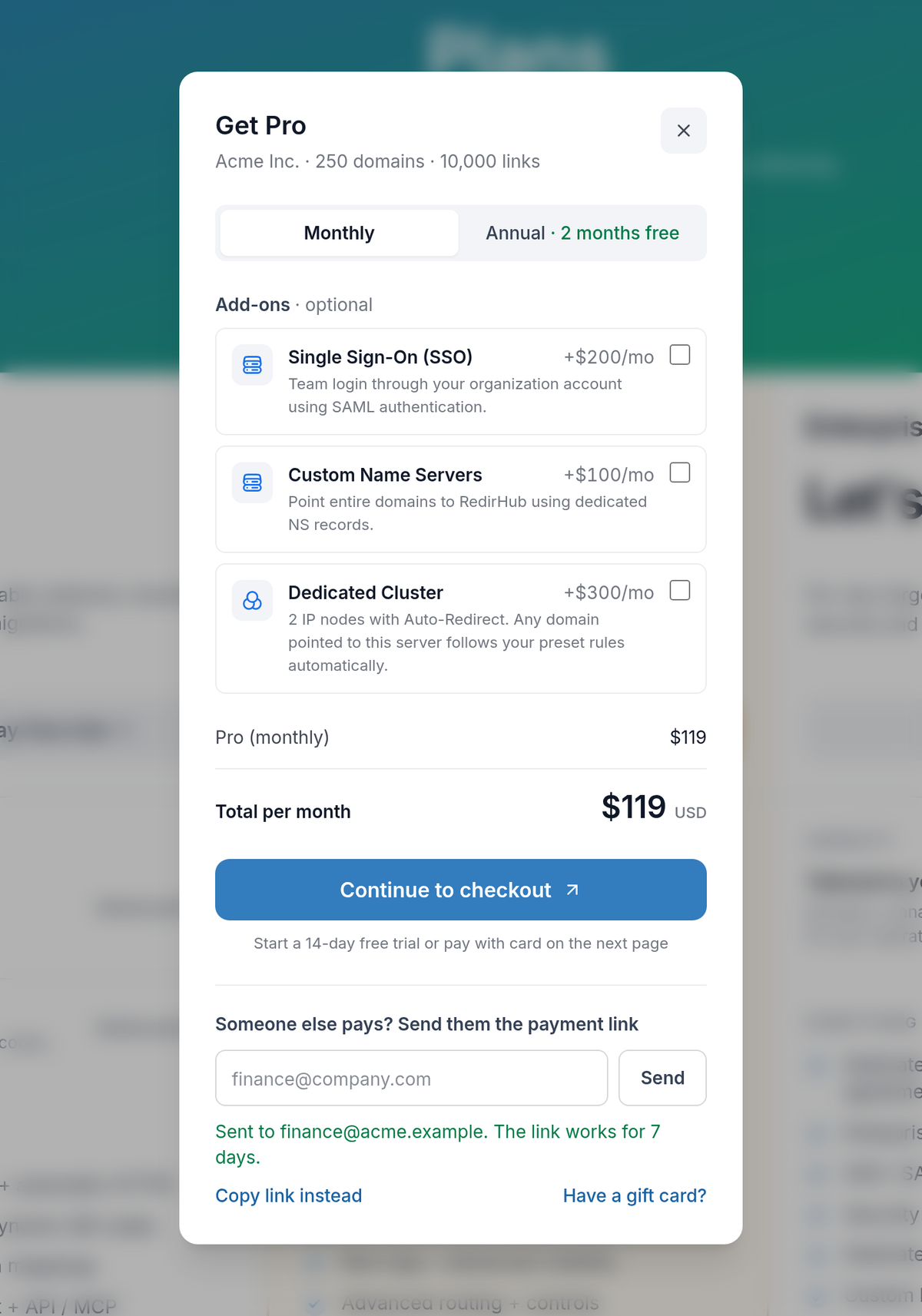
The person who chooses a plan isn’t always the one who pays for it. You can now pick the plan in RedirHub and hand the payment to whoever handles it, such as your finance team, without sharing a login.
How it works#
- Pick a plan. On the pricing page, choose a plan, monthly or annual billing, and any add-ons.
- Send the link, or copy it. Under “Someone else pays?”, enter their email and we send them the payment link. Or copy the link and share it however you like.
- They pay without an account. The link opens a secure checkout page where they pay by card through Stripe. If your workspace is eligible for a free trial, they can start it from the same page.
What your finance team receives#
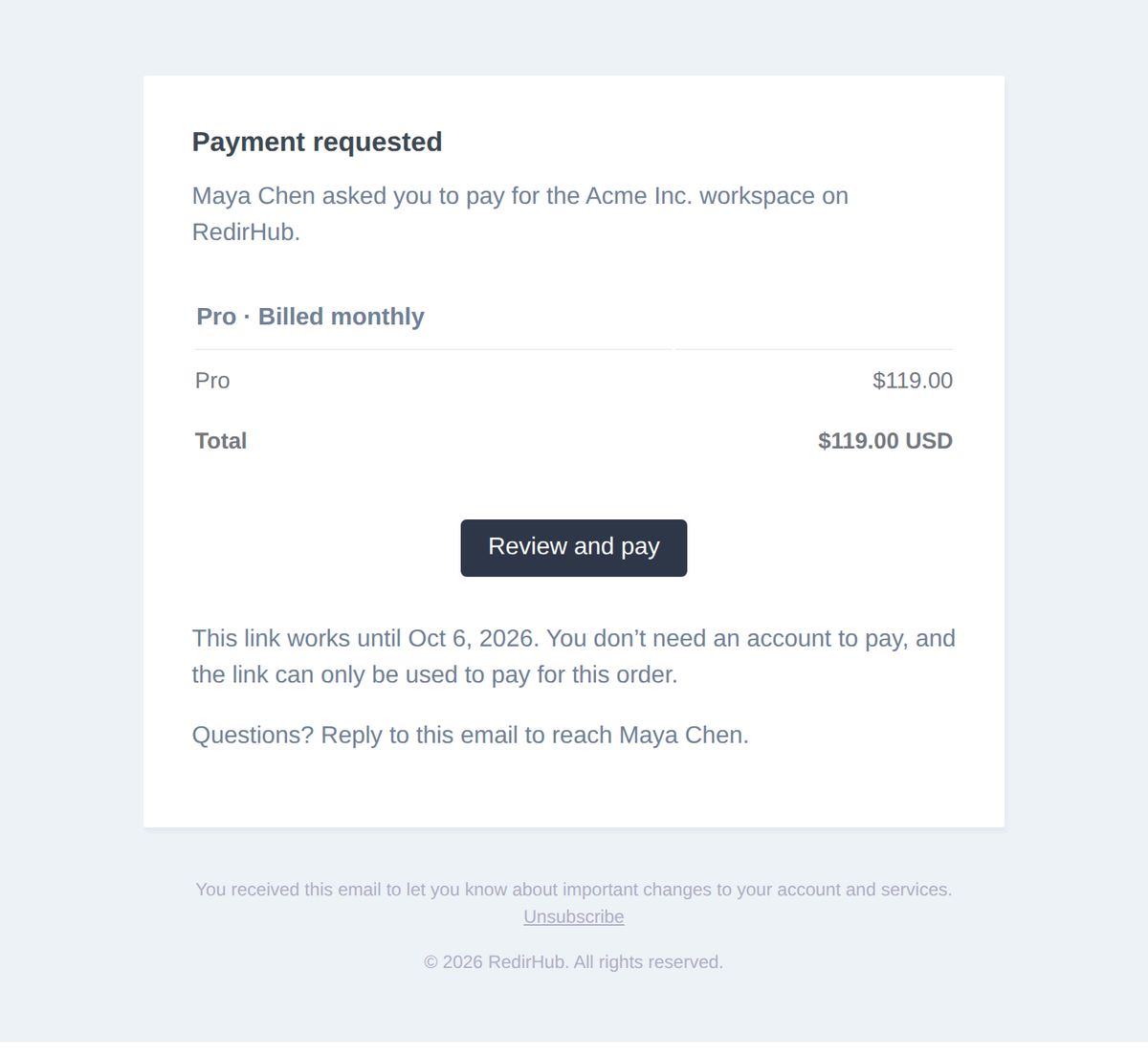
An email that says who asked them to pay, for which workspace, with the plan, each line item, the total and the date the link works until. Replies go straight to you, so questions don’t get lost.
A checkout page made for the payer#
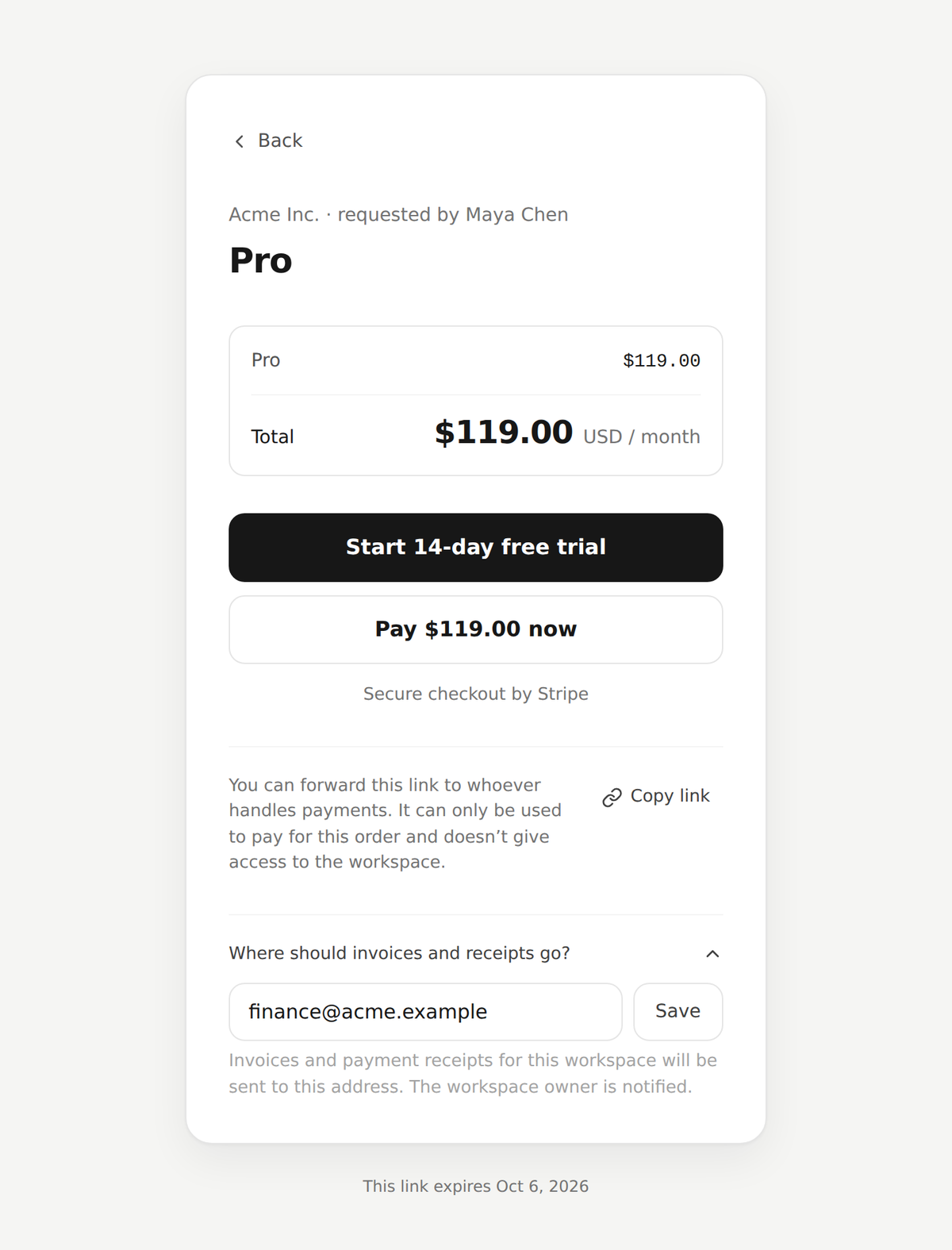
- Clear about what it is. The page shows the workspace, who requested the payment, the line items and the total for the billing period.
- Safe to forward. The link can only be used to pay for this order and doesn’t give access to your workspace.
- Receipts where they belong. If your workspace has no billing email yet, the payer can set where invoices and receipts go, and the workspace owner is told. Receipts go to the payer, the owner and the billing email.
Good to know#
- Links work for 7 days. An expired link tells the payer who to ask for a new one.
- Changed your mind? Pick another plan or add-on and the link you already sent shows the new selection, and works for another 7 days.
- Who can send one. Workspace owners and managers, the members who can manage billing.
- Already subscribed? Change your plan from the dashboard as before. The change is prorated and charged to the card on file.