


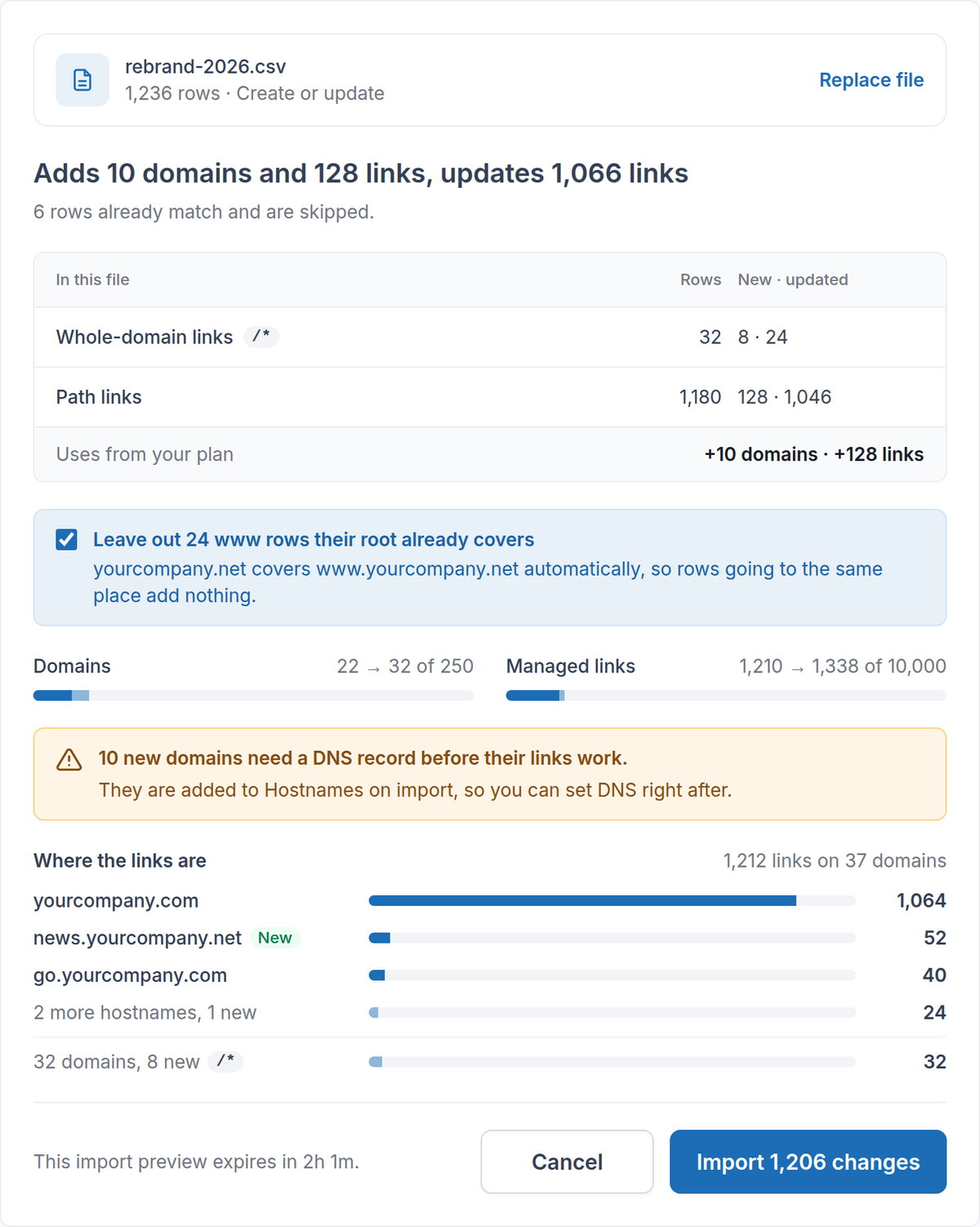
In August, every CSV import became review-first: validate, preview, then confirm. This update turns that review into a full picture of what your file will do, before anything is written.
See what the file changes#
- A one-line summary. The review opens with the result in plain words, for example “Adds 10 domains and 128 links, updates 1,066 links”, then breaks the rows down by kind.
- Unchanged rows are skipped. Rows that already match your links are counted and left alone, so re-importing an export you edited only changes the rows you touched.
- Where the links are. See the hostnames your links sit on, with the rest grouped and whole-domain links listed on their own line.
- No redundant www rows. A domain already covers its www, so new www rows that go to the same place as their root are left out by default. You can keep them with one toggle.
Know your capacity before you import#
- Before and after. The review shows the domains and managed links you use today and what the import would bring them to.
- Only new links count. Updating links you already have doesn’t use capacity, so a full workspace can still re-import its own links.
- A way forward when you’re over. If a file needs more than your plan has left, the review tells you before anything is written, and you can import only the rows on domains you already have.
Fix errors without starting over#
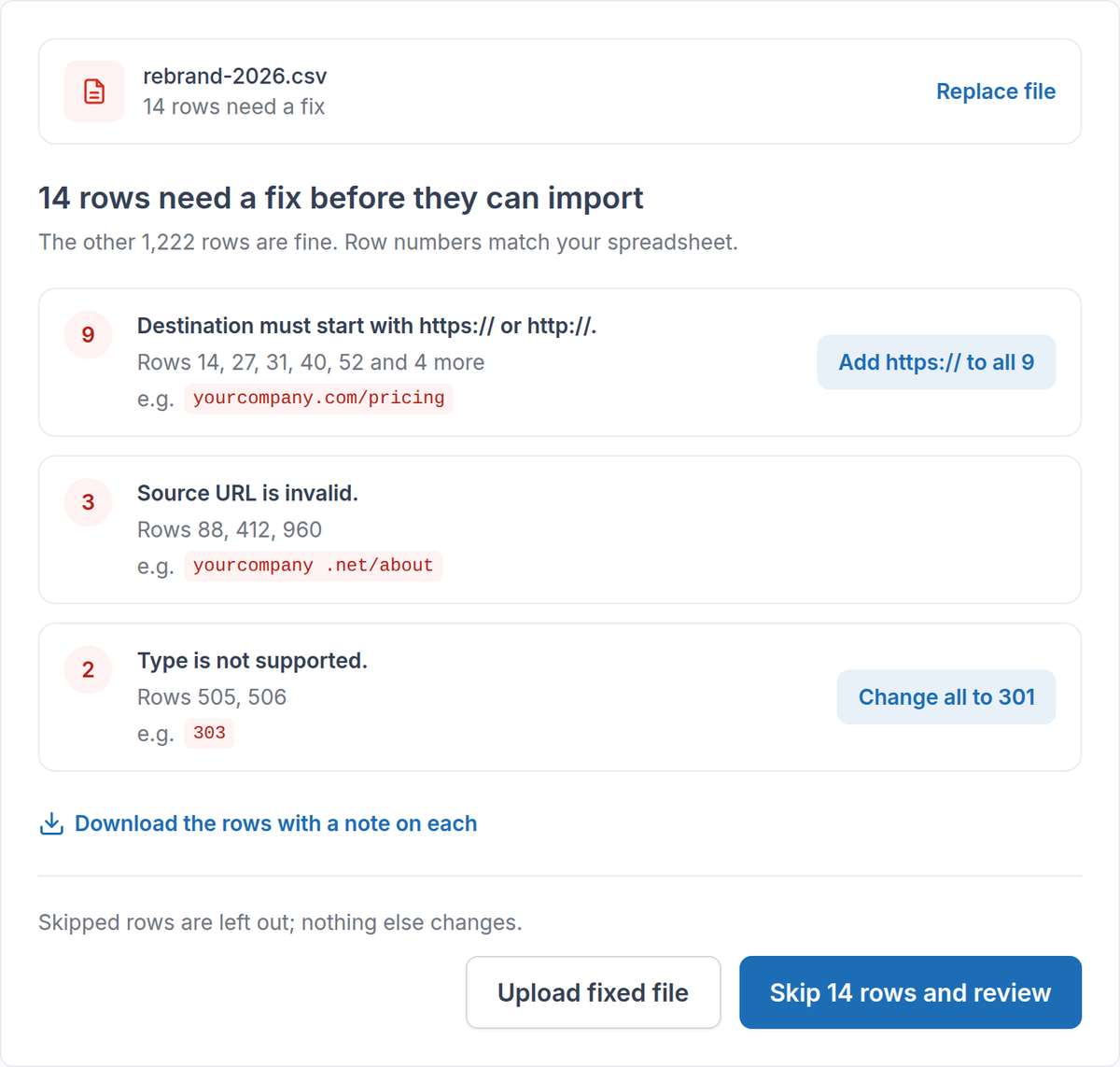
- Grouped by cause. Errors are grouped by what’s wrong, with an example value and row numbers that match your spreadsheet.
- One-click fixes. Add a missing https:// to every destination, or fix unsupported redirect types, and the file is checked again.
- Take the problem rows with you. Download just the rows that need a fix, each with a note on what to change.
- Or skip them. When the other rows are fine, skip the rows with errors and import the rest.
Spreadsheet exports just work#
Exports from Excel, Google Sheets and Numbers import as they are: commas, semicolons or tabs, with or without Excel’s byte order mark, and with accented characters from Excel’s plain CSV format.
After the import#
- Real progress. The progress bar follows the rows actually written.
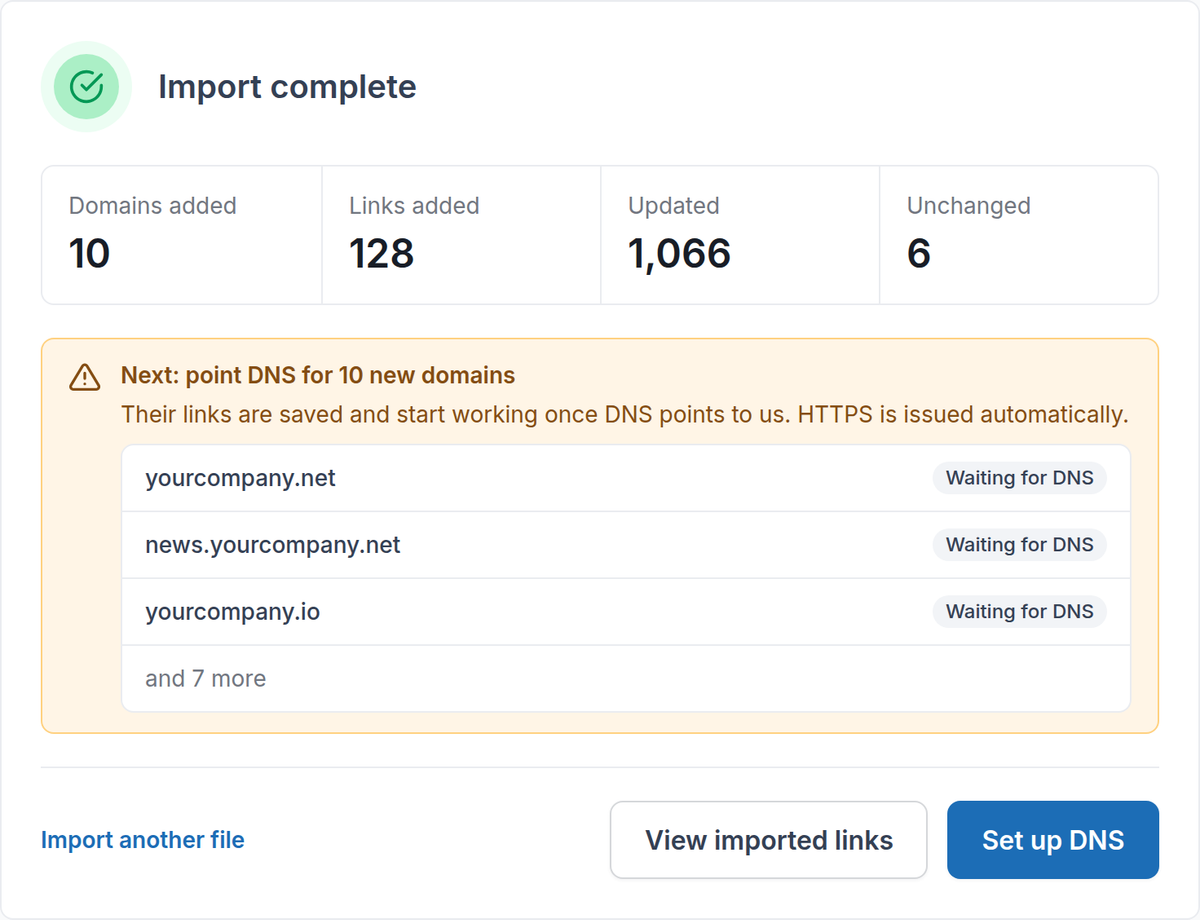
- A clear result. See the domains added and the links added, updated and unchanged.
- DNS as the next step. New domains are added to Hostnames, and the result links straight to setting up their DNS. Their links start working once DNS points to RedirHub, and HTTPS is issued automatically.
Removing links with a CSV#
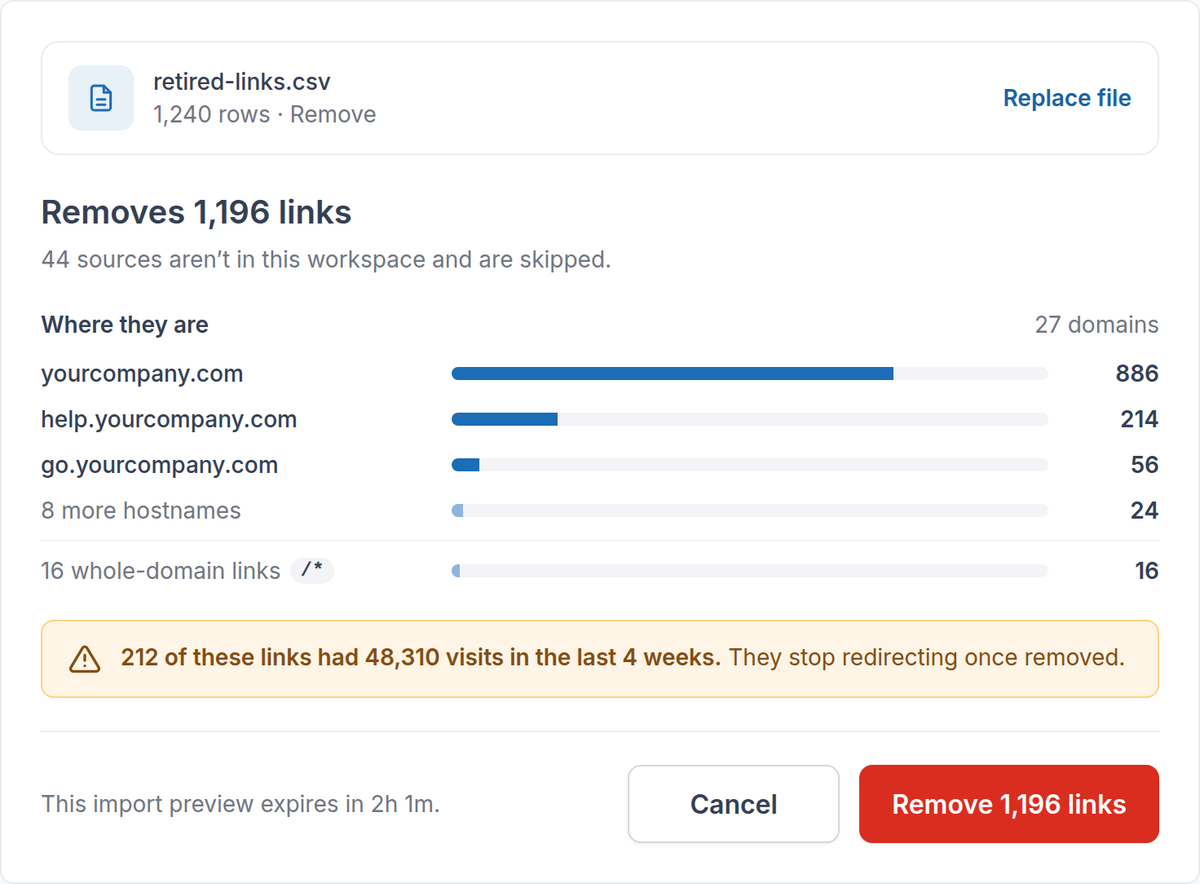
Before a removal runs, the review shows where those links are and how many of them had visits in the last 4 weeks, because they stop redirecting once removed. Sources that aren’t in your workspace are skipped.