
Analyze links
Redirect analytics that show who clicked, from where, and what changed
Redirect tracking for every domain redirect, branded link and QR code: clicks, unique visitors and scans by country, device and source, with a history of who changed each link.
14-day free trial. Analytics on Core, Pro and Enterprise.

Redirect tracking
Every click, scan and visitor, for every link you redirect
Open any link and the report is already there. No tags to install and no tracking parameters to remember: the redirect itself records the visit, so a printed QR code or a link in an email is measured like a web page.
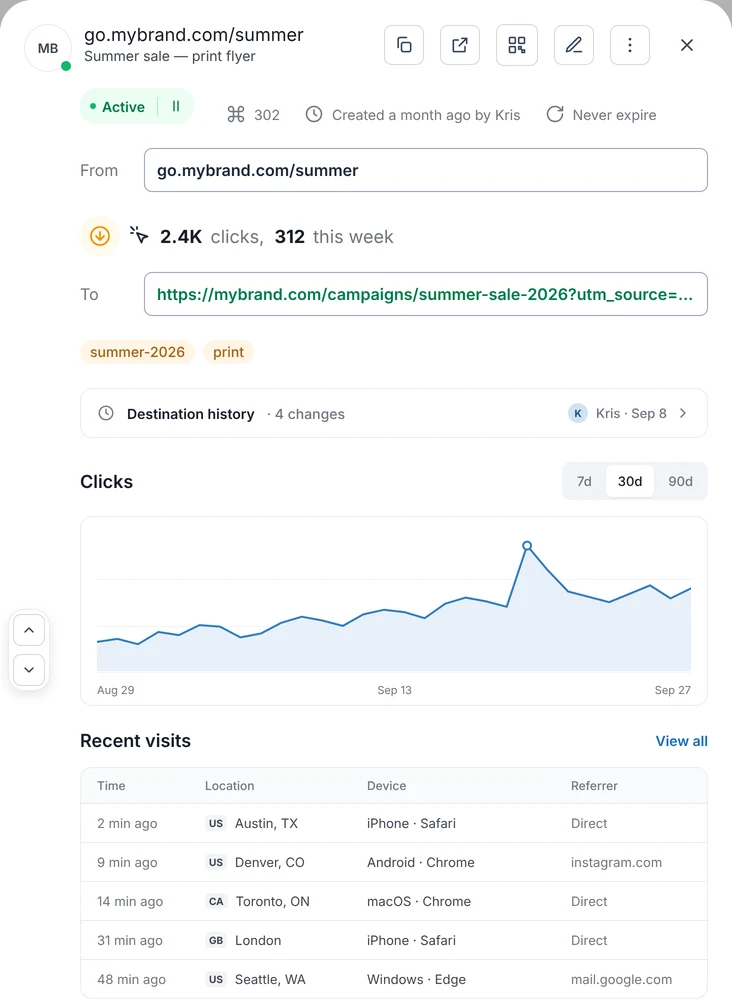
One report per link, one range for everything in it
- Clicks, unique visitors and QR scans, plus the all-time total since the link was created.
- Location by country and city, Technology by browser, device and operating system, and Traffic sources by referrer.
- Recent visits: time, location, device and source of the latest visits, so you can watch a campaign land.
- Detailed reports follow the range you pick, up to the last 14 days.
Redirect traffic over time
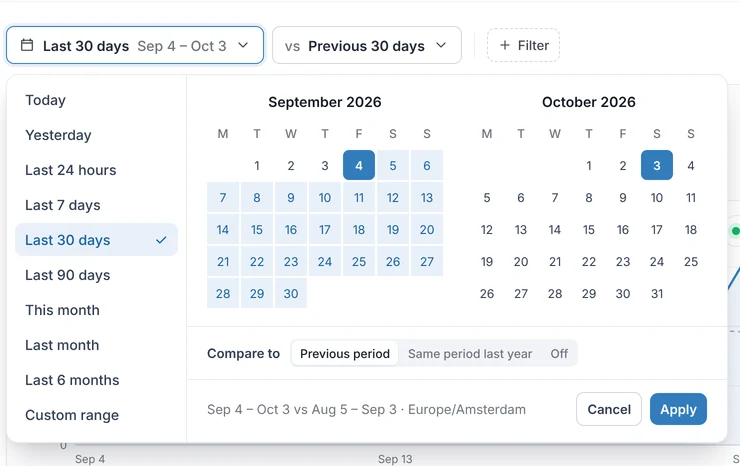
See redirect traffic for a day, a quarter or six months
Pick a range from 24 hours to 6 months and the trend follows it. Spot the day a campaign took off, or the week a link went quiet.
- Ranges: 24H, 7D, 14D, 30D and 90D on every plan with analytics, and 6M on Pro.
- History: 90 days on Core, 6 months on Pro, and no limit on Enterprise.
- The same ranges for your whole workspace, a domain or a single link.
Redirect history
When traffic drops, know who changed the link, and when
Every link keeps a history of its changes: the old and new value, who made it, and whether it came from the dashboard, the API, a CSV import or an MCP client. Read the chart and the history side by side and the cause is usually obvious.
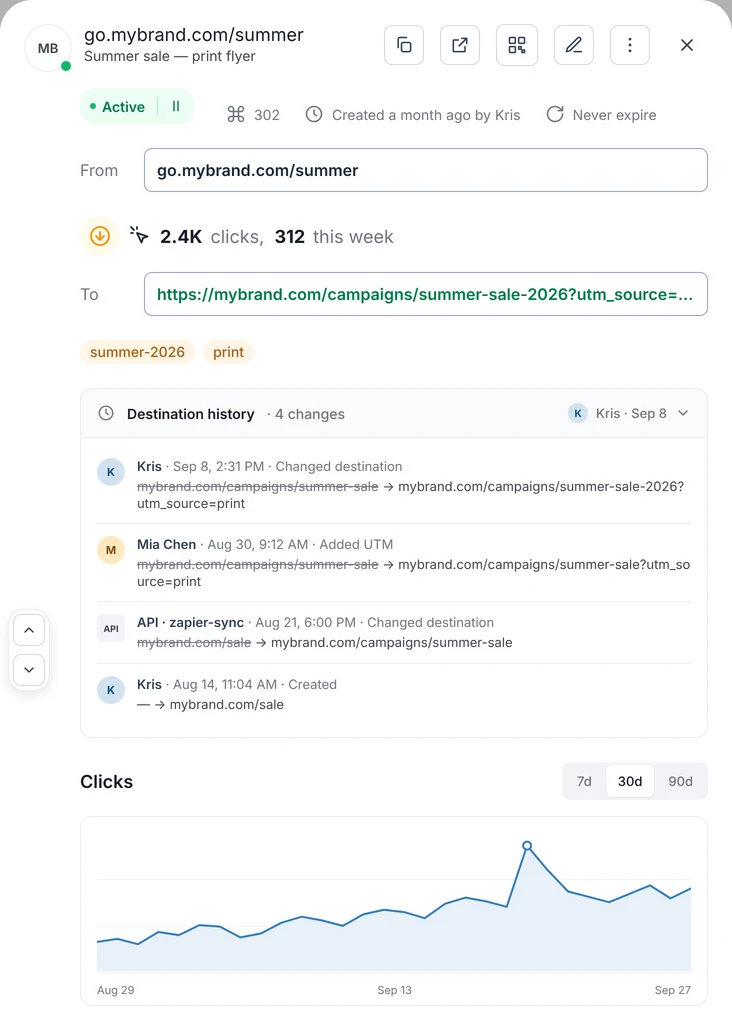
The audit trail your analytics was missing
- Who, when, from where. Changes from teammates, API keys, CSV imports and MCP clients are all recorded the same way.
- Old and new values for the destination, the redirect type, tags and the rest, so a bad bulk change can be understood and reversed.
- Available to agents too. The MCP server returns a link’s history on Pro, so an assistant can answer “why did clicks fall last week?” with the facts.
Export, API and MCP
Take the numbers wherever the decision is made
Export from the list, pull the data over the REST API, or let an AI assistant read it through the MCP server. The dashboard is one view of your analytics, not the only one.
Export CSV or Excel
Select links, or export the whole list. Each row carries its tags and its visits in the last 4 weeks, ready for a client report or a pivot table.
REST API
Read the numbers for any link or domain from your own dashboards and warehouses, with an API key from your workspace.
Ask your AI assistant
The RedirHub MCP server gives Claude, ChatGPT or Cursor your analytics, access logs and, on Pro, link history, so they can answer questions about your traffic.
get-stats · get-access-logs · get-link-historyBefore and after
Redirect tracking without stitching logs and spreadsheets together
Why Our Customers Love RedirHub
5-star reviews on G2
Redirecting domain names with SSL is a huge pain, and I have to do it frequently, often at mass. Now it is a few clicks. It just works.
- domains in their catalog
- ~23M

Zsolt Bikadi
CSO · Domain Science
it was very easy to setup and use and provides valuable reporting on how effective the redirects are.

Debra S.
Programmer, Marketing and Advertising · EZMarketing
The redirect tool is particularly useful, especially for mass URL redirection and capturing old traffic from an unused subdomain to our main site.
- URL rules managed
- 10,000+
- visits redirected each month
- 150k+
- workspace for the whole team
- One

Mithru Vigneshwara
Formlabs
FAQ