
Website Migration Redirects
Your site moves. Your visitors follow.
Links, bookmarks and search results still point to your old domain. Point it at RedirHub and those URLs keep landing on the right pages of your new site, even after the old server is gone.
Built for moves that change the hostname
Domain changes · Rebrands · Acquired & legacy-site consolidation · Country-domain consolidation · Retiring old infrastructure
Same hostname? Those redirects belong at that origin, CDN or server.
How it works
From a list of old URLs to a server you can switch off
- 01
Inventory
List the old URLs that must keep working.
- 02
Map
Same paths, or one CSV row per changed URL.
- 03
Review
See every change before anything is written.
- 04
Connect
Point DNS here; HTTPS follows once it’s verified.
- 05
Check
Spot-check key URLs, then retire the old server.
Map
Same paths, or changed URLs
You choose every destination.
Same paths
oldbrand.com/* newbrand.com/*
- /pricing
?ref=email - /docs
/setup ?v=2 - /about
- /pricing
?ref=email - /docs
/setup ?v=2 - /about
path + query forwarding · covers its www
1 domain · 0 managed links
Changed URLs
old URL the new URL you pick
- /about-us
- /p
/1182 - /news
/2023 /launch
- /blog
/launch - /company
- /products
/widget-pro
CSV mapping · source, destination
1 managed link per row
No map yet? Build it with the free Migration Redirect MapperReview
Nothing goes live until you confirm
Upload the map, fix what’s wrong, and see exactly what it will write before you import.
01 / 03
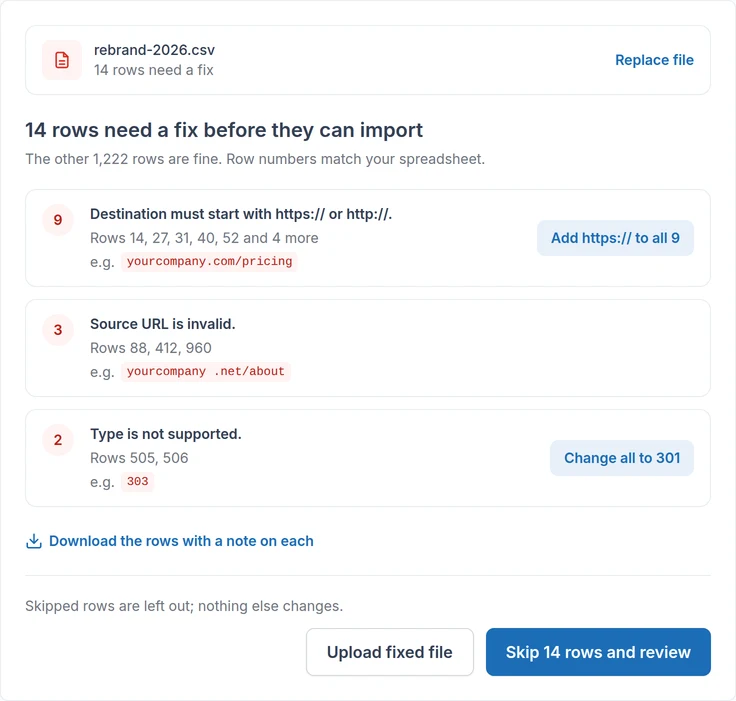
Fix invalid rows
Errors are grouped by cause. Common ones can be fixed in one click.
02 / 03
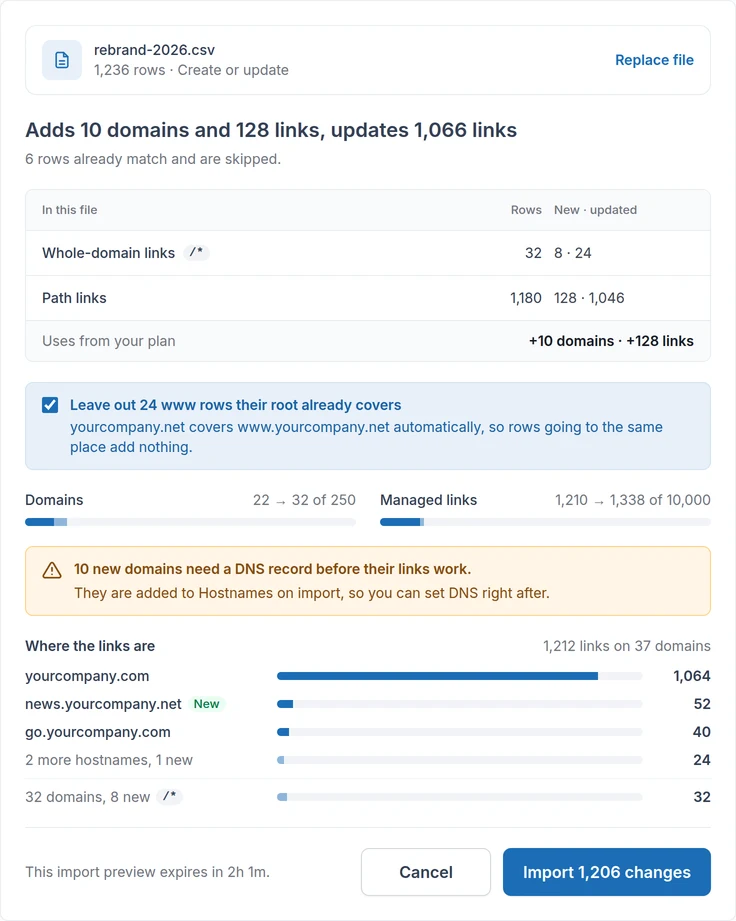
Review every change
See what will be added or updated and how much plan capacity it uses.
03 / 03
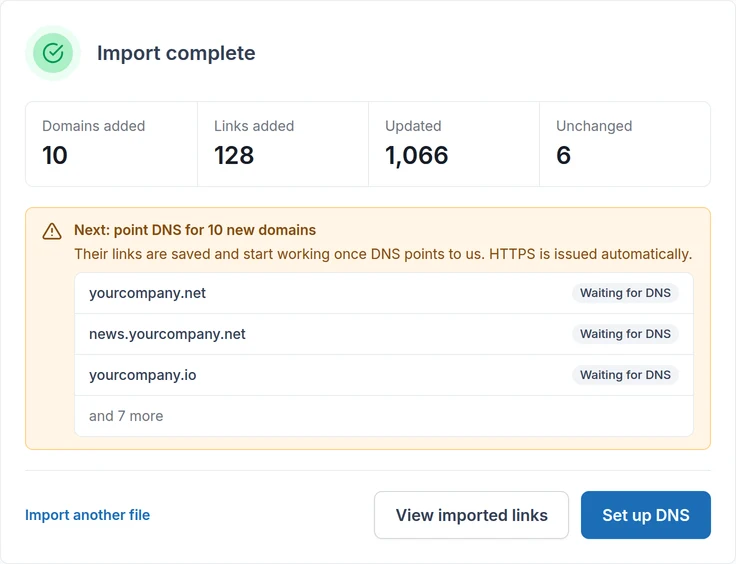
Confirm and import
Nothing is written until you confirm.
Recreated from the RedirHub dashboard with sample data. The review checks the file and your plan, not the pages your destinations point to.
Try it with your own redirect map.
View PricingDNS & capacity
Connect your domain and choose the right capacity
Bring the old domain online with RedirHub, then pick the capacity your migration needs.
Bring the old domain online
Point its DNS here. HTTPS follows once DNS is verified.
- 01
DNS connected
The dashboard’s record, at your DNS provider.
www.oldbrand.com CNAME RedirHub
- 02
DNS verified
RedirHub sees the old hostname pointing here.
- 03
HTTPS provisioning
Requested automatically for the old hostname.
- 04
Redirect active
Old URLs are answered over HTTPS.
- 05
Check key URLsYour step
You spot-check them with the Redirect Checker.
- 06
Retire old serverYour step
Once everything looks good, you can turn it off.
Once DNS is verified, RedirHub automatically provisions HTTPS and activates the redirect when the secure connection is ready.
The dashboard shows the DNS record to add for each hostname: a CNAME, or an A record. A root domain, or any hostname on an A record, also needs a TXT record to verify it. Custom Name Servers are an optional paid add-on on Pro.
Choose the capacity you need
Plans are sized by managed links and domains.
A managed link is one changed URL. A whole-domain redirect uses a domain and no managed links.
FAQ