


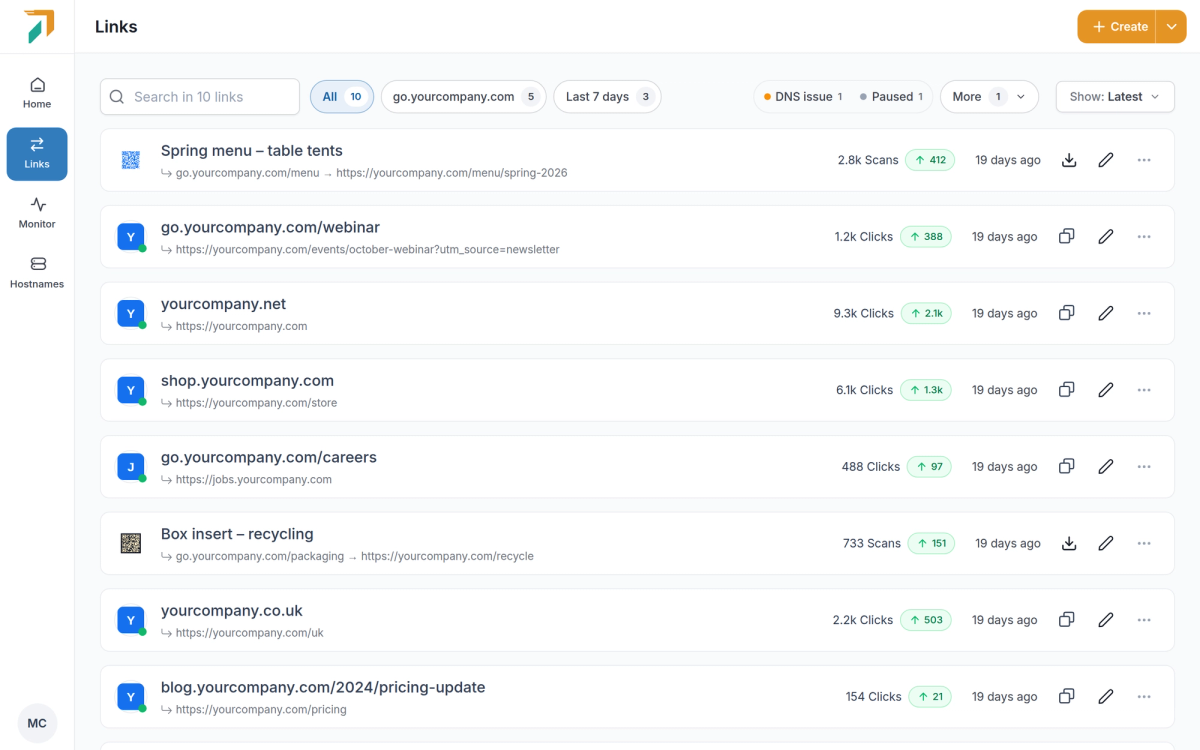
Redirects and Short URLs used to be separate pages. They are now one Links page in the sidebar, where everything you create is listed, searched and managed together. Old Redirects and Short URL bookmarks open Links.
Everything in one list#
- Every kind of link. Branded links, dynamic QR codes, domain redirects and migrations sit side by side, each with its clicks (or scans) and this week’s change.
- Quick filters. One click narrows the list to your busiest domain, links created in the last 7 days, links with a DNS issue, paused links or links with no clicks in 4 weeks. Pin the filters you use most so they stay on the bar.
- Filter by type. Show only branded links, QR codes, redirects or migrations when you need to.
Start from what you want to do#
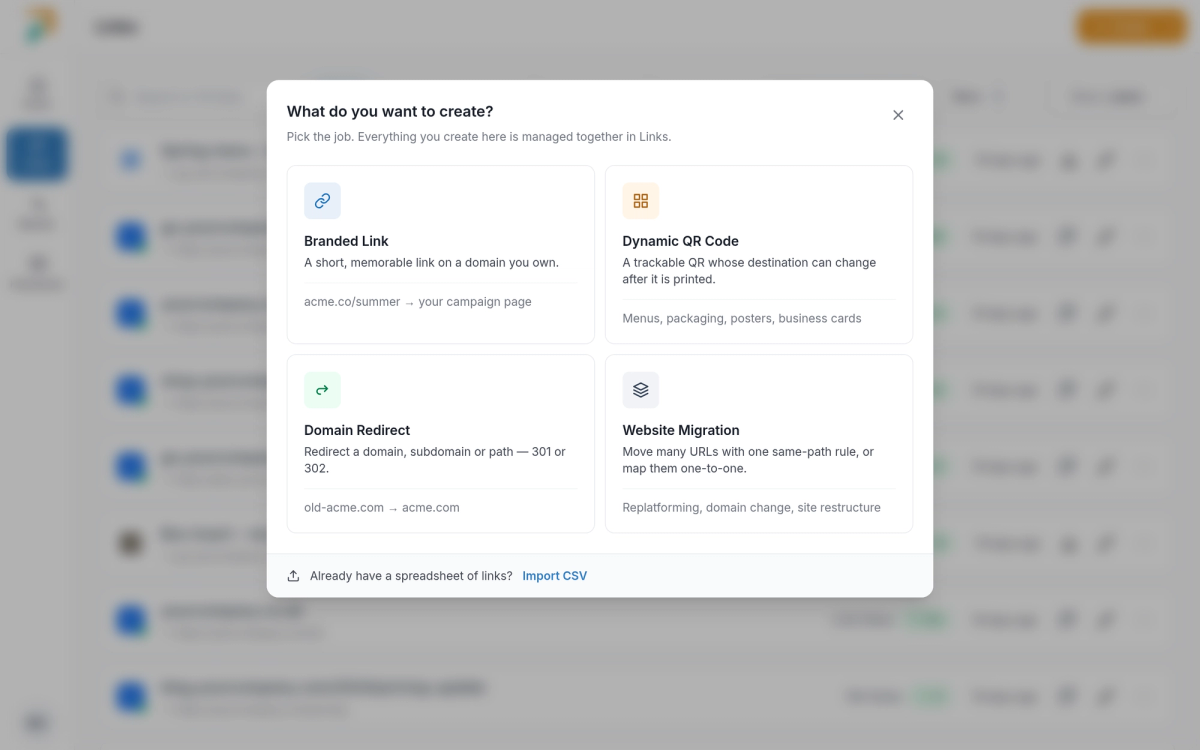
Links → Create
Create asks what you are making and opens a form built for it:
- Branded Link. A short, memorable link on a domain you own. The alias is checked as you type, so you know it’s free before you save.
- Dynamic QR Code. A trackable QR code whose destination can change after it is printed, with a live preview while you style it.
- Domain Redirect. Send a domain, subdomain or path somewhere else with a 301 or 302.
- Website Migration. Move many URLs with one same-path rule, or map them one to one by pasting rows, adding them by hand or uploading a CSV.
QR codes that match your brand#
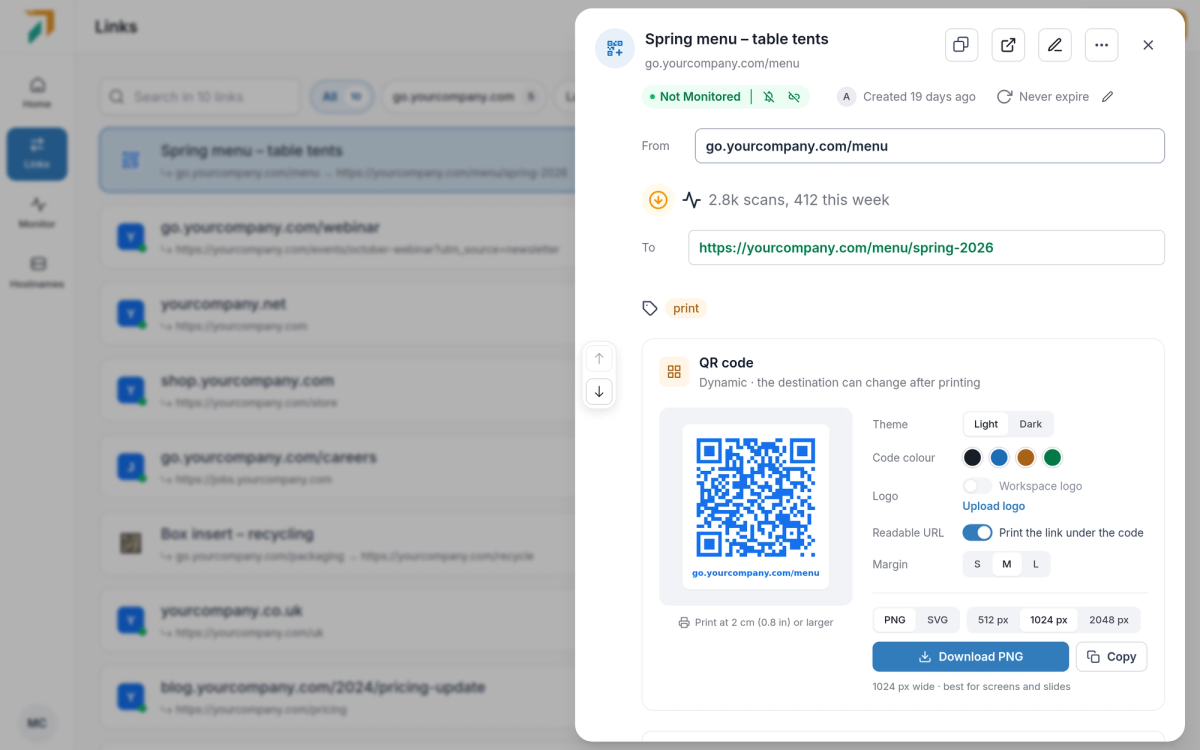
Links → click a QR code to open its details
- Style it. Pick a light or dark theme, the code colour and the margin, and print the readable link under the code.
- Your logo in the centre. Upload your workspace logo once (PNG, JPG, GIF or WebP, up to 5 MB) and turn it on for any QR code.
- Ready to print. Download a PNG at 512, 1024 or 2048 px, or an SVG for print. The code you download is the same one the API and MCP return.
- Change where it goes. Edit the destination any time. The printed code stays the same and opens the new page.