


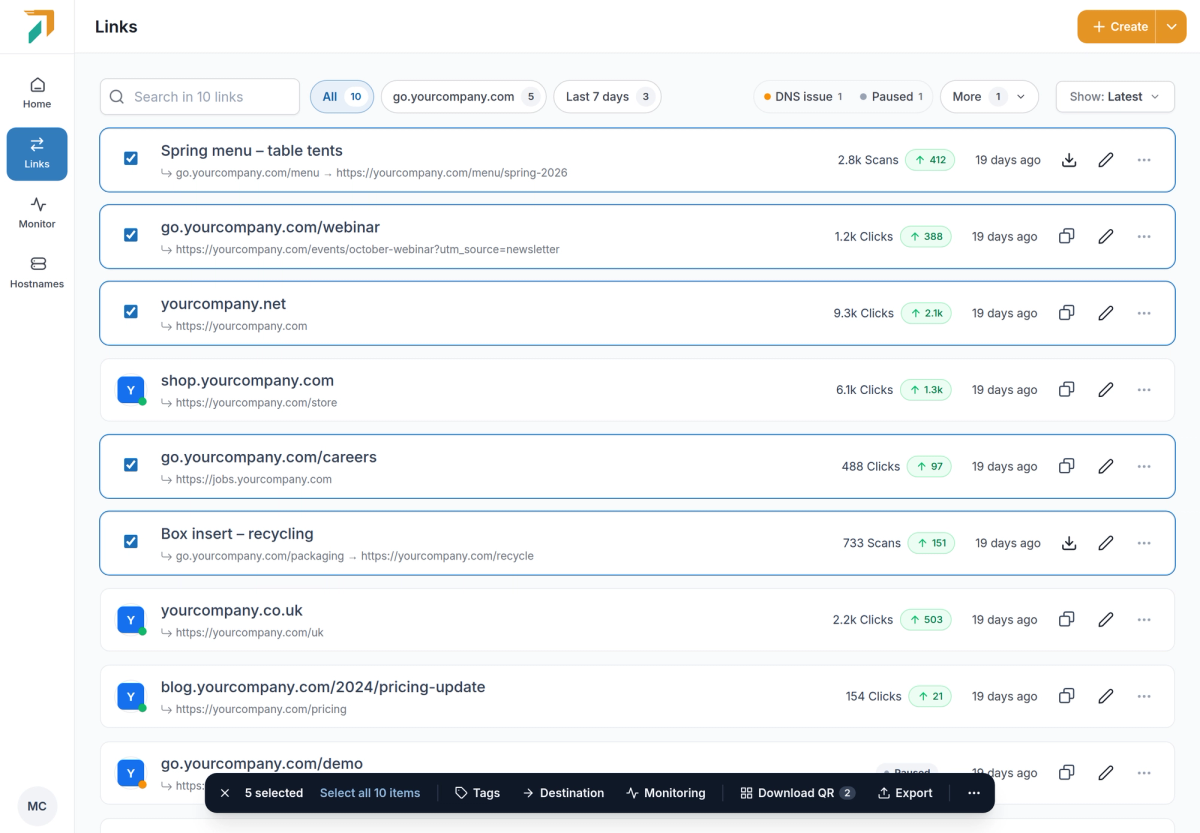
Links → tick the links you want to change
Select links in the Links list, or all links that match your filters, and a bar opens at the bottom of the page. Each action opens a small panel that shows what will happen before anything changes.
Rewrite destinations, with a preview#
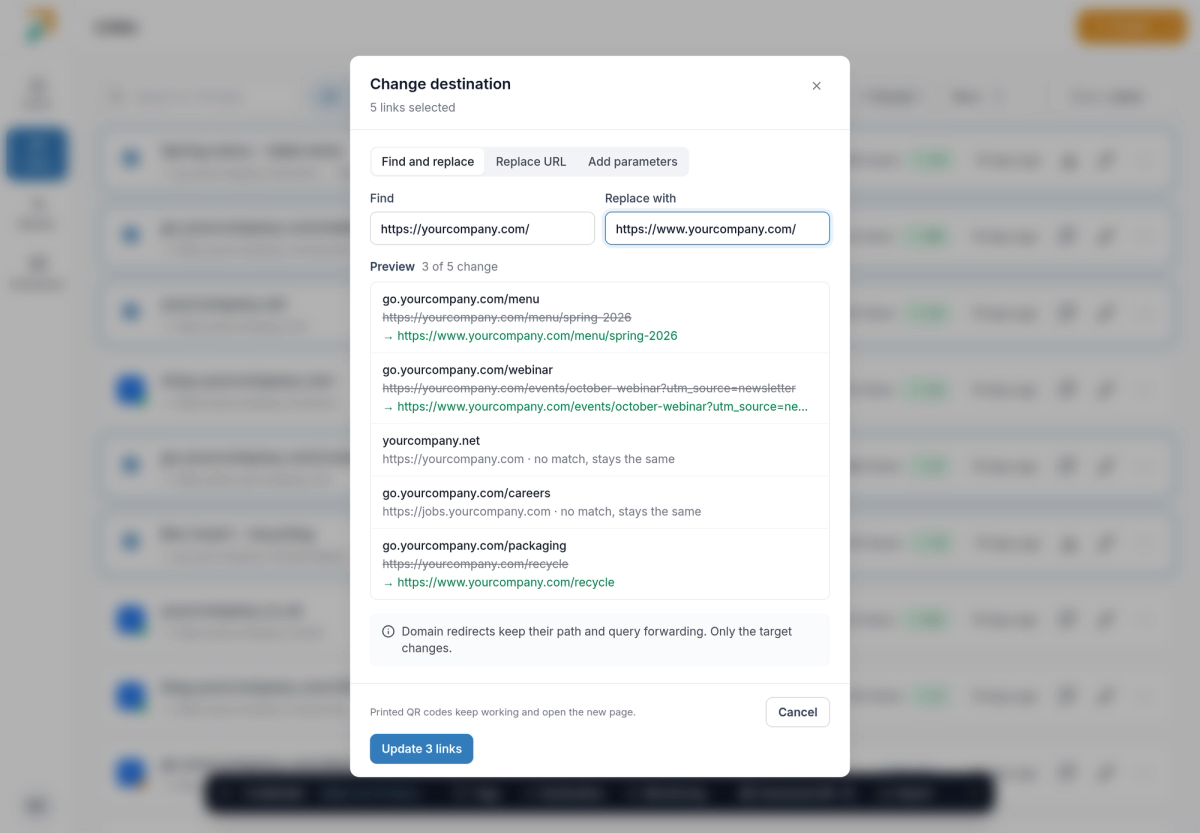
Bulk bar → Destination
- Three ways to change them. Find and replace part of the URL, replace the whole URL, or add parameters such as UTM tags.
- See it first. The preview shows each link’s old and new destination, and which links have no match and stay the same.
- Safe for print. Printed QR codes keep working and open the new page. Domain redirects keep their path and query forwarding; only the target changes.
More from the same bar#
- Tags. See which tags the selected links share, add or remove a tag on all of them, or create a new one.
- Destination monitoring. Turn monitoring on or off for every selected link. Monitoring is part of Pro; turning it off works on every plan.
- Download QR codes. Get the selected QR codes as PNGs, SVGs or a print-ready PDF with one code per page.
- Pause, resume and delete. Under More. Pausing can be undone, and deleting shows how many of the links still get visits first.
Export to CSV or Excel#
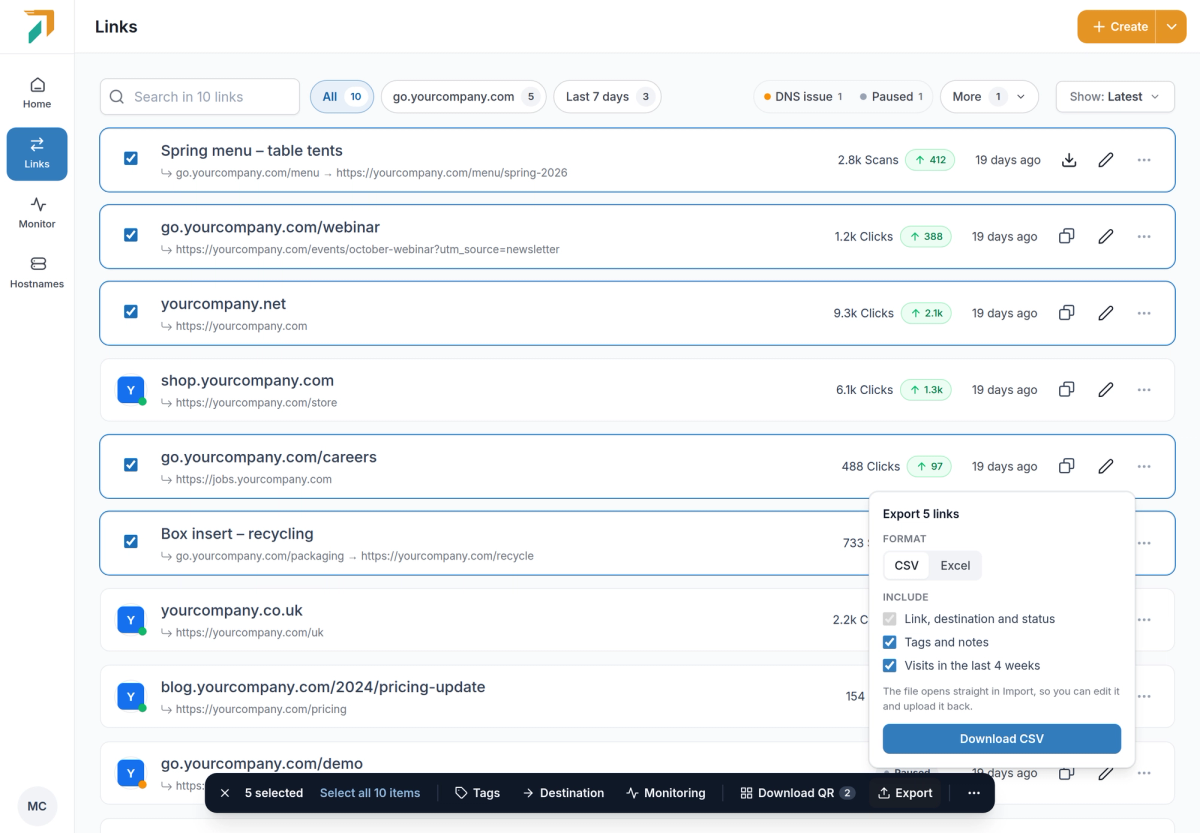
Bulk bar → Export
Download the selected links as a CSV or an Excel file, with their tags and notes and their visits in the last 4 weeks if you want them. The file opens straight in Import, so you can edit it in a spreadsheet and upload it back.