A site migration is one of the highest-risk SEO events you'll undertake. One wrong redirect, one missed URL, one overlooked chain — and rankings, traffic, and revenue can slip away. The good news? The risks are predictable, and with the right process, they're preventable.
This guide covers the proven best practices that protect your site before, during, and after a migration — from URL mapping and 301 redirects to post-launch monitoring and traffic analysis.
Plan Your URL Mapping Before You Move Anything#
A site migration without a complete URL map is the fastest way to lose rankings. Before touching DNS or deploying a single redirect, document every URL on your current site and decide where it should land on the new one.
Start with a full crawl of your existing site using any standard SEO crawler. Export every indexed URL. For each one, map it to the most relevant new destination. A page about pricing should redirect to the new pricing page — not the homepage. Every mismatch signals to search engines that content was removed rather than relocated.
Use a structured format for your URL map: source URL, destination URL, and redirect type. This keeps your mapping organized and makes bulk import possible when it's time to deploy. Platforms like RedirHub accept CSV imports directly, so your migration map goes from spreadsheet to live redirects in one step. No map yet? The free Migration Redirect Mapper builds one from your old and new sitemaps and exports it as a CSV ready to import.
Here is an example of what a well-structured URL mapping looks like:
| Old URL | New URL | 404 Monitoring |
|---|---|---|
| /blog/* | /resources/* | Yes |
| /wildcard* | /wildcard* | Yes |
| /blog/my-article | /my-article | Yes |
| /old-category/page-name | /new-section/page-name | Yes |
| /archived/2024/post | /blog/post | Yes |
Use Permanent Redirects for Permanent Moves#
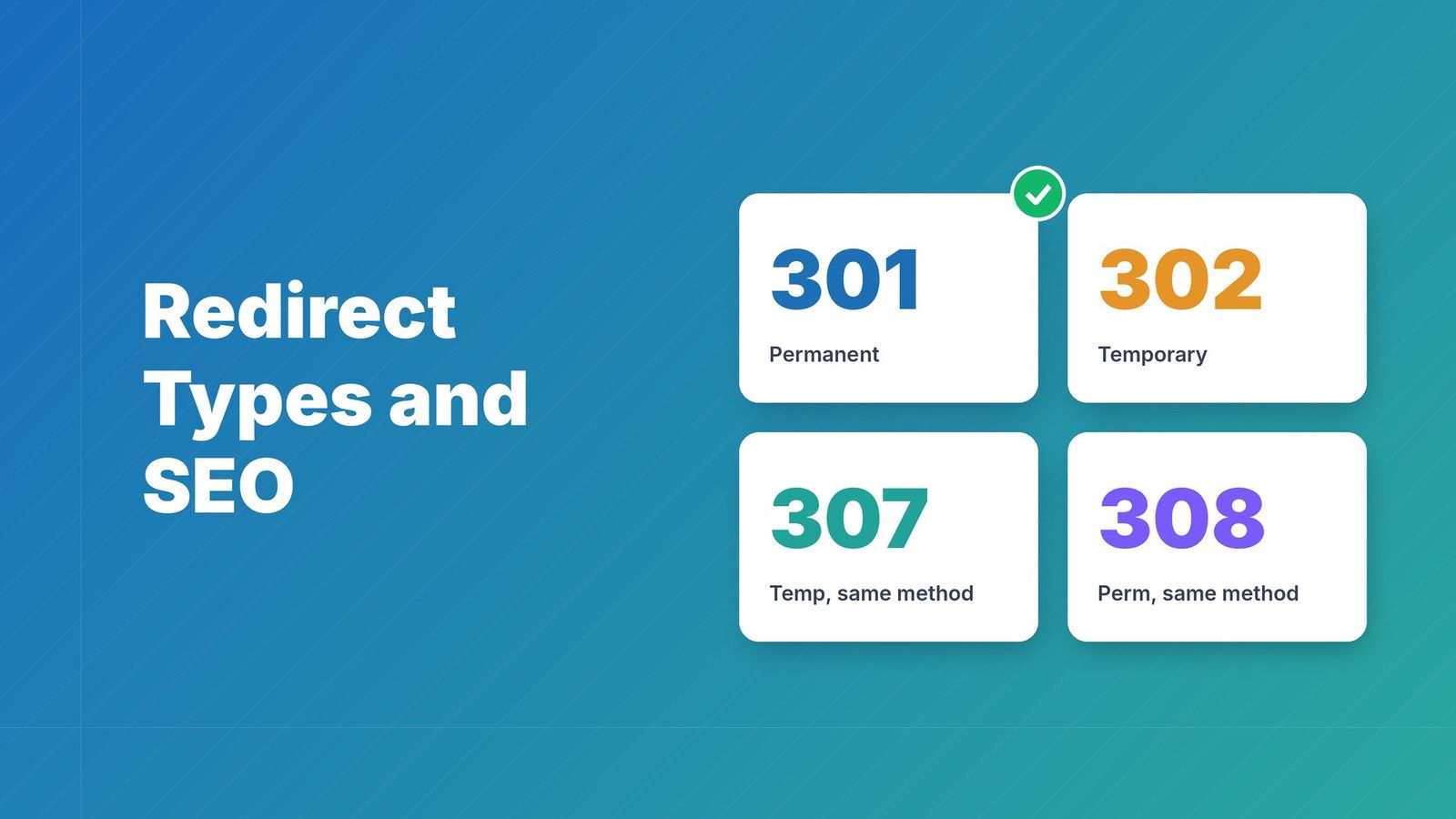
For permanent URL moves, use server-side 301 or 308 redirects. Use temporary status codes for changes intended to be temporary. A redirect helps communicate the new location; it does not guarantee unchanged rankings.
Every old URL needs an intended outcome, but not necessarily a separate stored rule. If paths stay the same across domains, a whole-domain rule with path forwarding can cover them. Use individual mappings where paths change. Send visitors to a relevant equivalent rather than an unrelated homepage.
After publishing, test the old hostname, www coverage and representative deep links. Confirm the intended permanent status, destination and query handling, and remove avoidable intermediate hops.
Monitor for 404s From Day One#
404s are inevitable after a migration, but catching them quickly limits the damage. Search engines that encounter 404s on migrated URLs interpret the content as gone. Traffic that hits a 404 doesn't come back.
Set up automated 404 monitoring before launch. Track every 4xx response across your new site. When a 404 appears, identify the source URL and add the missing redirect. Don't wait for Search Console to tell you weeks later — by then, the crawl data and ranking signals have already been affected.
Tools like RedirHub include destination health checks that catch broken redirects and 404s in real time. When a redirect target returns an error, you get notified immediately rather than discovering it during the next reporting cycle.
Track Traffic and Rankings Weekly After Launch#
The first four weeks after a migration are the highest risk window. Search engines are recrawling, reindexing, and reassessing your site during this period. Weekly monitoring helps you spot problems before they compound.
Compare organic traffic week-over-week. If a section of your site drops sharply, check the redirects feeding those pages. Use Google Search Console to monitor impressions and clicks for your top landing pages. A sudden impression drop for a previously well-ranked page often means search engines couldn't follow the redirect or found a 404.
Run a crawler comparison: crawl both your old and new site structure and check which old URLs are still returning 200 responses (meaning the old server is still live) versus correctly redirecting. Any old URL that should redirect but doesn't needs an immediate fix.
Validate Redirects Before Going Live#
The worst time to discover a broken redirect is after launch. Pre-launch validation catches mapping errors, chains, and broken destinations before search engines do.
Run your complete URL map through a validation tool before deploying. Check that every source URL returns a 301, points to the correct destination, and completes in one hop. Multiple hops dilute link equity and slow down crawl efficiency — search engines prefer direct paths.
RedirHub reviews a CSV before import, including row errors and plan usage. File/import validation is separate from visiting each destination. Test destination responses and the complete redirect journey as part of your launch QA.
Keep a Pre-Migration Performance Baseline#
You can't measure what changed if you don't know where you started. Before migration day, record your baseline metrics:
- Organic traffic by section (blog, product pages, support, etc.)
- Top 20 landing pages by traffic
- Top 20 landing pages by conversions
- Average page load time for key pages
- Current 404 count
Store these numbers somewhere accessible. After migration, compare against the same metrics. If traffic drops on a specific section, the baseline tells you whether it's a redirection issue, content gap, or indexing delay.
Fix Redirect Chains Immediately#
A redirect chain happens when URL A redirects to B, which redirects to C, which finally lands on D. Each hop adds latency for users and wastes crawl budget for search engines. Google recommends keeping redirects to a single hop whenever possible.
After deploying your migration redirects, audit for chains. Tools like Screaming Frog or built-in platform validators can identify URLs passing through multiple destinations. Flatten each chain so the source URL points directly to the final destination.
This matters especially during complex migrations involving multiple domain changes or CMS migrations. A domain redirect to a staging URL that then redirects to the live URL creates a two-hop chain that should be a single 301.
Where supported and enabled, destination monitoring can help identify unhealthy redirect journeys after launch. Check the affected mappings and investigate the failing hop; monitoring does not automatically repair your URL map.
Keep manual launch checks and follow-up audits. Traffic-aware monitoring may have less recent information for quiet links, so inspect freshness and treat an unknown state as insufficient evidence rather than a pass.
Use a Platform Built for Migration Management#
Spreadsheets are great for planning. Server config files are not great for execution. A centralized redirect platform gives you control, validation, and monitoring in one place.
RedirHub was built for exactly this workflow — bulk CSV import for your URL map, pre-publish validation for every redirect, and post-launch monitoring with real-time destination health checks. You manage the entire migration lifecycle from a single dashboard instead of juggling .htaccess files, server rules, and manual testing. See our website migration guide for a step-by-step walkthrough.
Core includes 2,500 managed links, which covers most small to medium migrations, and a 14-day free trial lets you test your redirect map first. Pro and Enterprise add more capacity, detailed analytics, and team management for larger transitions.
Put your domain to work.
Manage branded links, QR destinations, and redirects from one reliable control layer.
Get StartedKeep Old Redirects Active for at Least 12 Months#
Search engines don't stop crawling old URLs overnight. External backlinks, cached pages, and bookmarks point to your old URLs for months or years after a migration. Removing redirects too early means returning 404s for traffic that could have been preserved.
Keep your redirect rules in place for a minimum of 12 months. Many SEO professionals recommend keeping them indefinitely. There is no downside to maintaining a redirect — the only risk is removing it too soon.
Monitor redirect usage over time. When you see traffic to a particular redirect drop to near zero for several months, that's a reasonable signal it can be cleaned up. Until then, leave it active.
Run Post-Migration Traffic Analysis at 30 and 90 Days#
Review results at 30 and 90 days, while checking launch failures sooner. These are review checkpoints rather than guarantees that crawling, indexing or traffic will stabilize by a fixed date.
At 30 days, compare your post-migration traffic against your baseline. Look at the same sections and landing pages you tracked before the move. If one section recovered fully while another is still below baseline, investigate the redirects feeding that section.
At 90 days, repeat the comparison and investigate persistent changes alongside content, internal links, indexing, seasonality and redirect behavior. A traffic gap alone does not identify its cause.
Platforms like RedirHub include analytics that show redirect performance over time — which redirects are serving traffic, which are generating errors, and how volumes trend post-migration. This gives you a live picture instead of waiting for monthly reports.
Conclusion#
Preparation reduces migration risk. Map useful old URLs, verify the redirect behavior and destination, and monitor the move after launch. Rankings and traffic can fluctuate while search engines process the change.
Plan the map. Deploy with 301s. Monitor for 404s. Fix chains. Keep redirects live. And use a platform that handles the lifecycle so you can focus on the result instead of the mechanics.
Keep Your Rankings Intact During Migration
Plan the map, review the import, and test the live redirect journey. Start a 14-day free trial to evaluate the workflow.
Start Free — No Credit CardFrequently asked questions
It depends on whether paths change. If 100 old pages move to the same paths on a new domain, one whole-domain rule with path forwarding can cover them. If paths change individually, prepare an old-to-new mapping for each changed URL.
At least 12 months. Search engines continue crawling old URLs for months after migration. External backlinks, cached pages, and bookmarks also point to old URLs. Keeping redirects active indefinitely is the safest approach.
Use 301 or 308 when the move is permanent. A 302 or 307 describes a temporary move and sends a different canonicalization signal. Test the actual response and destination rather than treating the status code as a ranking guarantee.
Use a 404 monitoring tool, check Google Search Console's Coverage report, and crawl your site with an SEO crawler. Automated monitoring catches 404s in real time — faster than waiting for Search Console updates.
A redirect chain is a sequence of redirects — URL A to B, B to C, C to D. Each hop adds latency for users and wastes crawl budget. Search engines may stop following long chains. Always redirect directly from source to final destination.

Linh handles the backend systems that keep RedirHub fast and reliable. Her work revolves around performance, scalability, and making sure redirects happen instantly, no matter where users are. She also writes about redirect performance and link tracking. She likes solving complex problems quietly.
Related Articles
View All Articles