


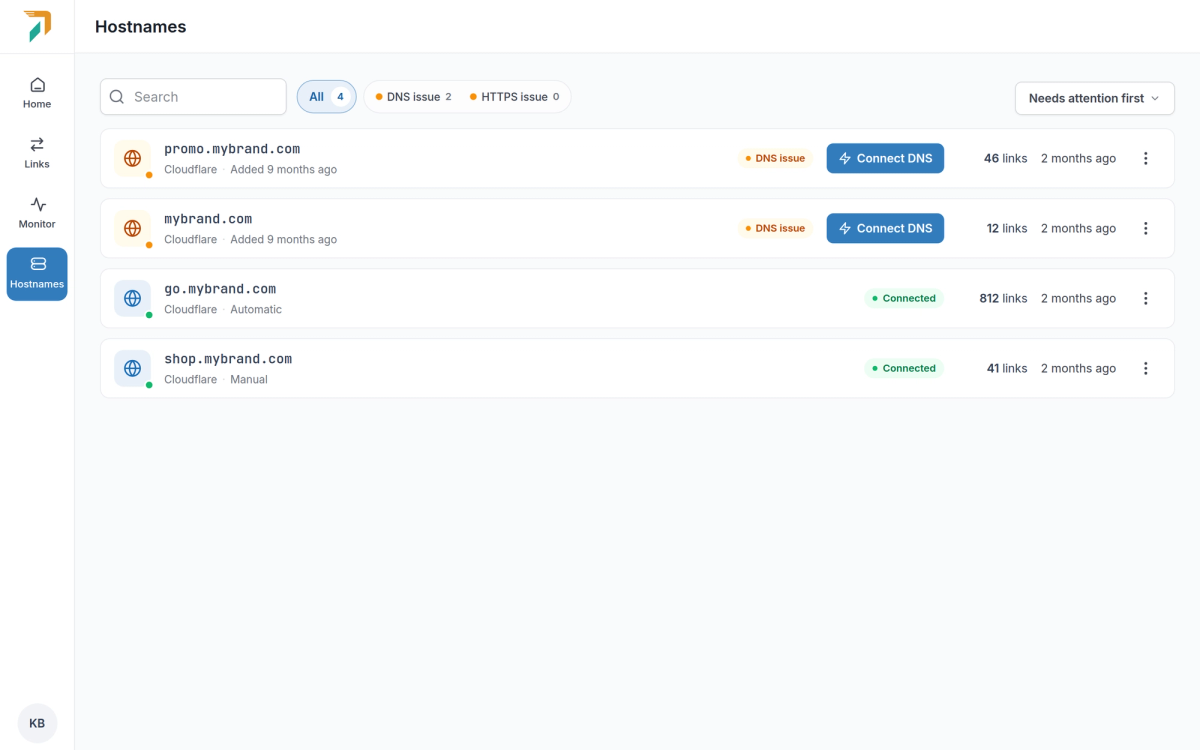
Hostnames → Connect DNS
每个尚未指向 RedirHub 的主机名现在都有一个“连接 DNS”按钮。点击后会打开一个窗口,显示您的 DNS 托管位置、缺少什么,以及最快的修复方式。
使用 Cloudflare 自动设置#
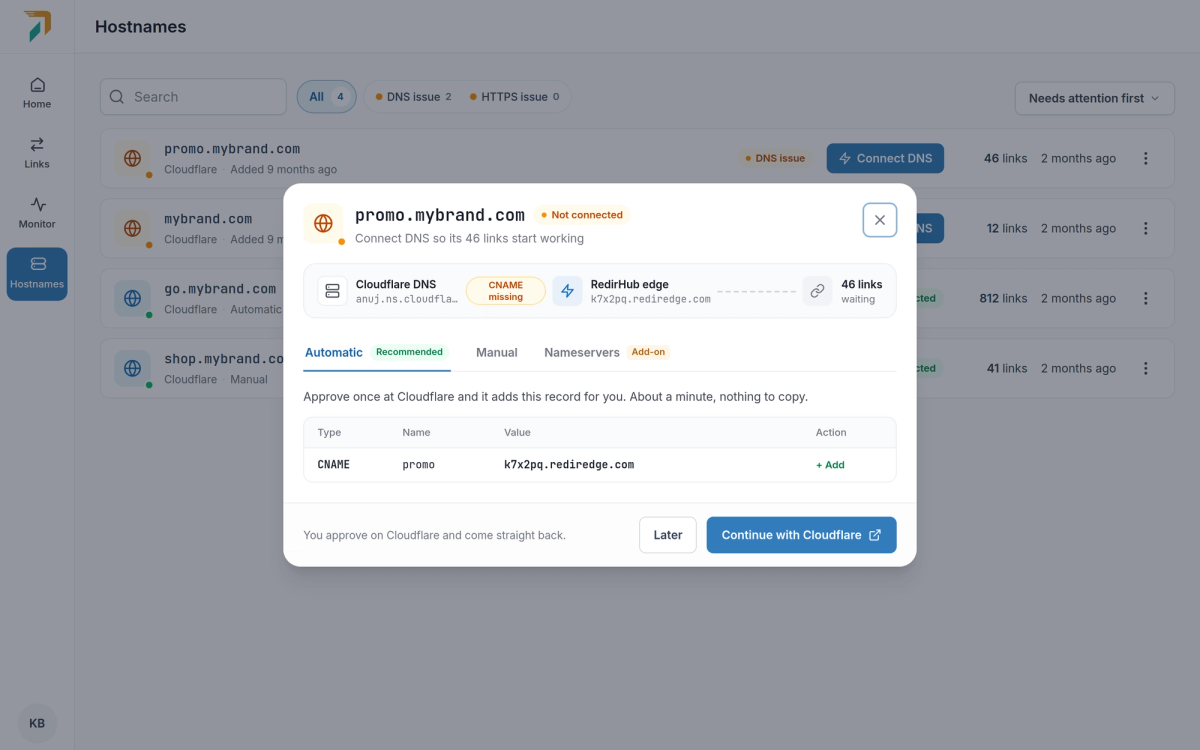
Connect DNS → Automatic
如果您的 DNS 在 Cloudflare 上,请选择“继续使用 Cloudflare”。RedirHub 会先显示需要添加的确切记录,然后 Cloudflare 会要求您批准它们。无需创建 API 密钥,而且此批准仅需一次:RedirHub 不会获得您 Cloudflare 账户的长期访问权限。
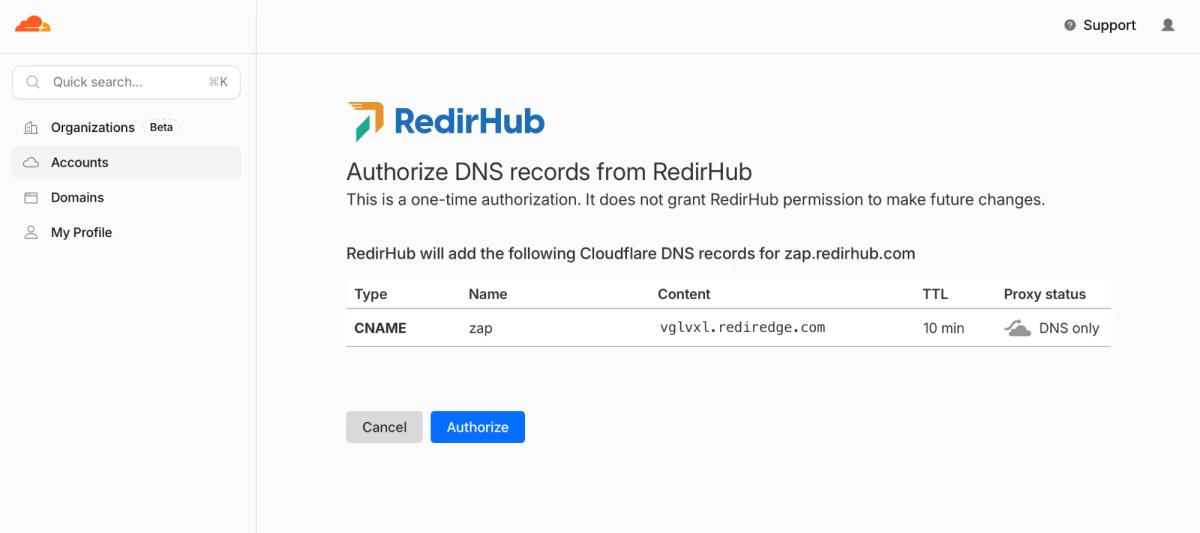
Cloudflare asks you to approve the records once
- 子域名。添加一条 CNAME 记录,并将其设为仅 DNS,这样流量会直接到达 RedirHub。
- 根域名。根域上的 A 记录会指向 RedirHub,并添加一条 TXT 记录来确认该域名属于您。电子邮件(MX)以及其他所有记录都保持不变。
- 包含 www。连接根域名时,也会同时连接其 www 版本,除非您取消勾选。
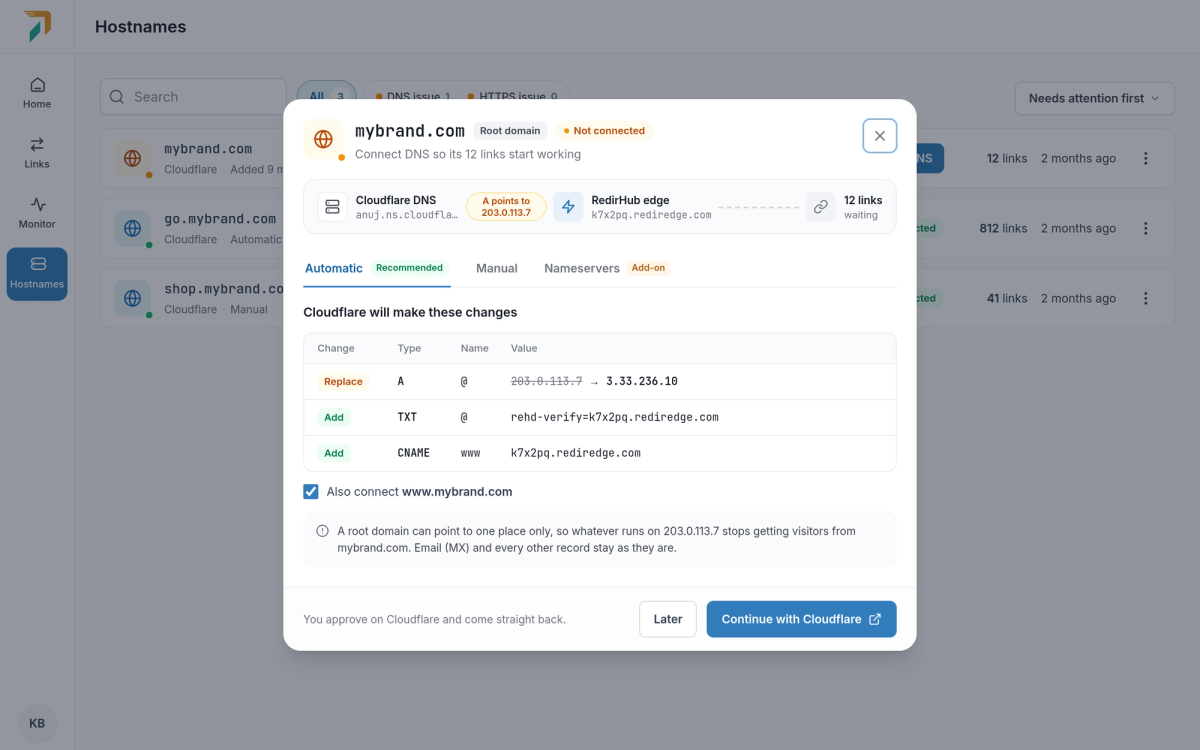
A root domain, with www connected too
回到 RedirHub,接下来交给我们#
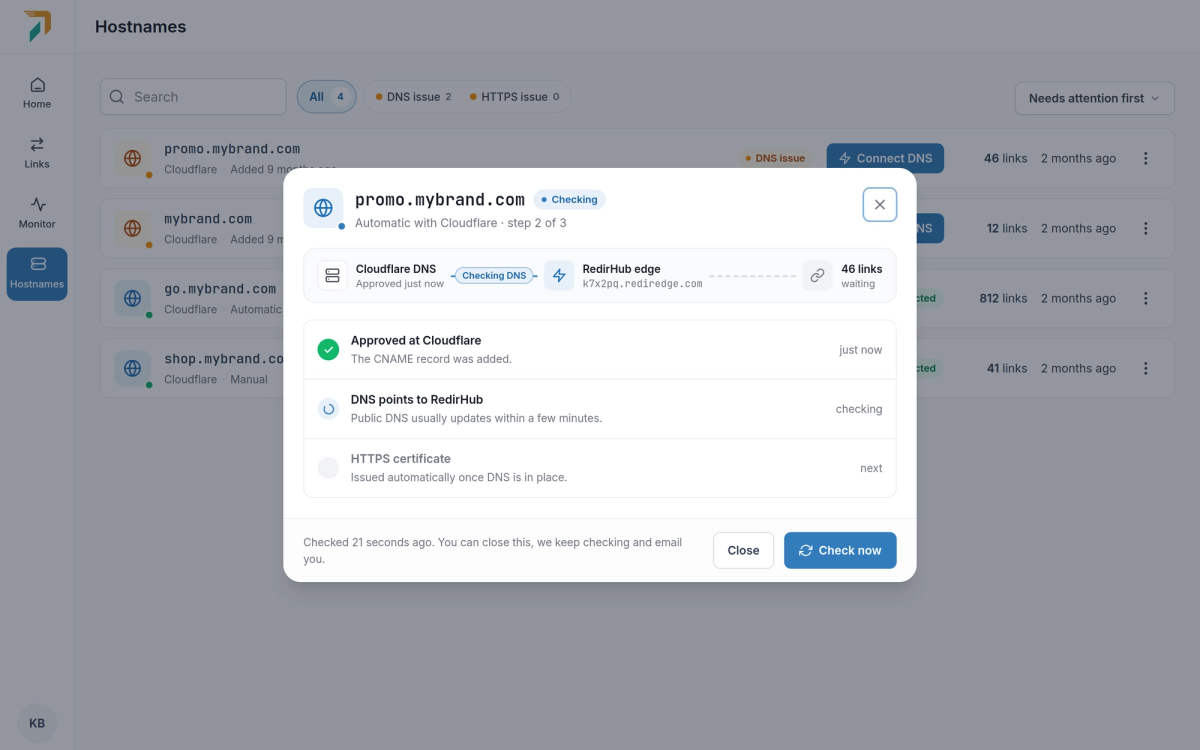
Back from Cloudflare
在您批准后,Cloudflare 会直接将您返回。该窗口会跟踪每一步,从 DNS 指向 RedirHub 到 HTTPS 证书,并自动更新。您可以关闭它;当域名上线时,我们会给您发送电子邮件。
手动设置:CNAME 或 A 记录#
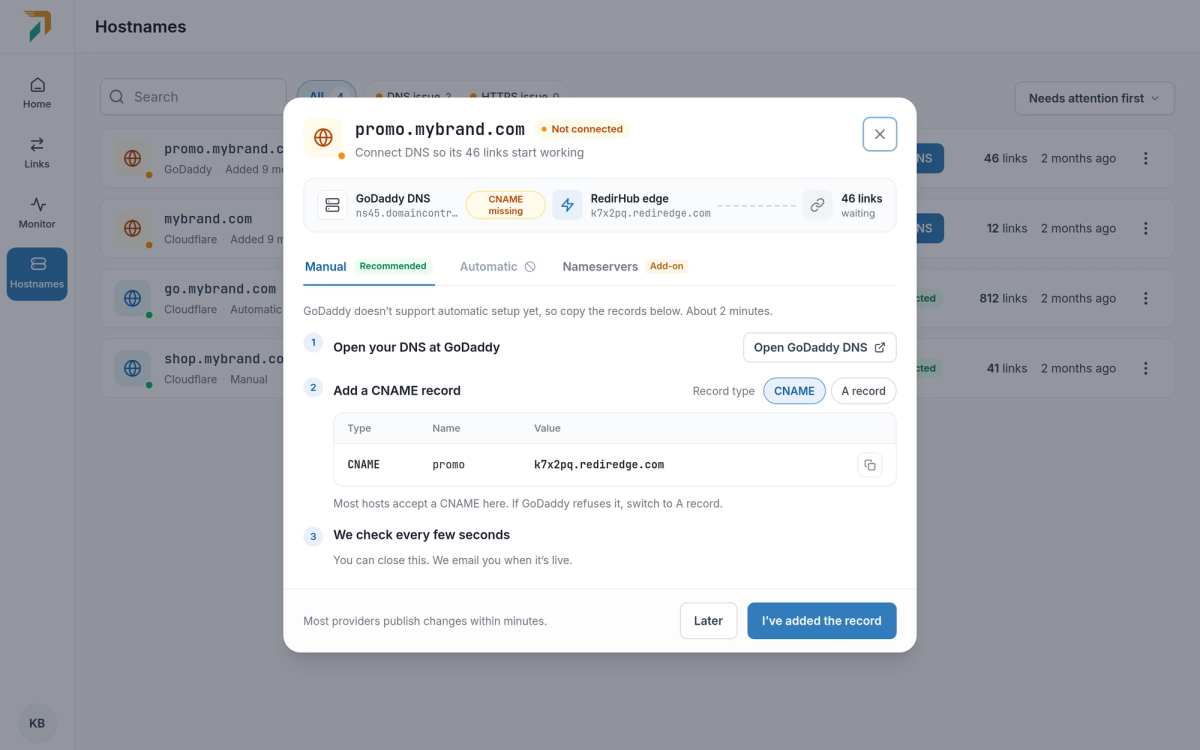
Connect DNS → Manual
对于其他 DNS 提供商,“手动”选项卡会列出需要添加的记录,并提供指向您的提供商 DNS 设置的链接,以及适用于最常见提供商的分步指南。
- 默认使用 CNAME。它适用于大多数主机名。如果你的服务商不接受,请切换到 A 记录,记录将会更新。
- 根域名。请使用 A 记录,或在服务商支持的情况下在
@上使用 CNAME。这两种方式都会带一个 TXT 记录,以便我们确认该域名属于你。 - 边检查边进行。我们每隔几秒检查一次,并告诉你还缺少哪条记录。
自动设置目前适用于 Cloudflare。今后将支持更多兼容 Domain Connect 的 DNS 服务商。